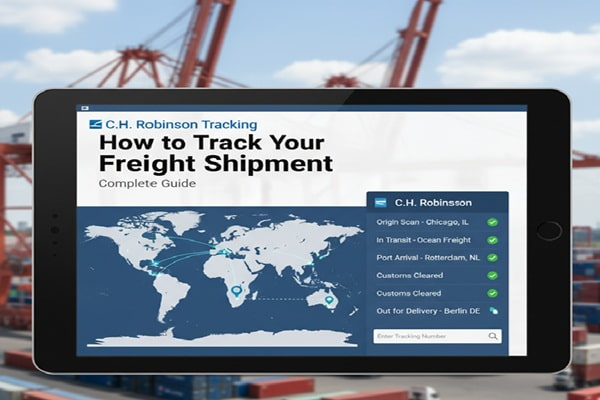

Most freight tracking guides talk about small parcels. C.H. Robinson is not a small parcel carrier. It is one of the largest third-party logistics (3PL) providers on the planet, moving roughly 37 million shipments a year across truckload, LTL, ocean, air, and intermodal. Tracking a C.H. Robinson freight shipment works differently from tracking a FedEx box, and that difference trips up a lot of shippers.
Track Your Order
This guide covers everything. The tracking portals, the reference number types, every status message you will see, mode-by-mode transit timelines, common problems, and what to do when nothing seems to be moving.
What Is C.H. Robinson and How Does Its Tracking Work
C.H. Robinson Worldwide was founded in 1905 in Grand Forks, North Dakota. Today it is a publicly traded company headquartered in Eden Prairie, Minnesota, operating under the NASDAQ ticker CHRW. The company is not a carrier in the traditional sense. It does not own the trucks. Instead it acts as a freight broker and 3PL, connecting shippers with a network of over 450,000 contract carriers.
That broker model is critical to understanding tracking. When you ship with C.H. Robinson, a contracted carrier physically moves the freight. Tracking updates can come from the carrier’s GPS or ELD device, from the Navisphere Carrier app that the driver uses, or from manual check calls. This means tracking visibility depends partly on how the assigned carrier transmits location data.
C.H. Robinson’s proprietary technology platform is called Navisphere. Launched in 2012, it serves as the central hub for shippers to manage, book, and track freight. It integrates with ELD providers, GPS systems, and EDI connections from carriers to deliver real-time or near-real-time shipment updates.
C.H. Robinson Tracking Numbers Explained
Freight tracking is more complex than parcel tracking because multiple reference numbers exist for the same shipment. Knowing which number to use for which method matters.
| Reference Type | What It Is and When to Use It |
| Navisphere Order Number | The primary tracking number assigned by C.H. Robinson. Found in your shipment confirmation email. Use this on the official tracking page. |
| PRO Number | Assigned by the carrier (not CHR) for LTL shipments. Use this to track directly on the carrier’s website or on third-party tools. |
| Bill of Lading (BOL) | A legal shipping document. The BOL number can be used as a tracking reference in Navisphere and on some third-party platforms. |
| Load Number / Shipment ID | An internal reference used by CHR operations. Sometimes provided alongside the Navisphere order number. |
| T-Number (Carrier ID) | Used by carriers, not shippers. Starts with ‘T’ followed by digits. Used to identify your carrier account with CHR. |
| PO or SO Number | For managed transportation customers, the purchase order or sales order number may be searchable in Navisphere. |
Where to Find Your Tracking Number
Check your shipment confirmation email from C.H. Robinson, your Navisphere account dashboard, the BOL document, or the order confirmation page from the shipper or retailer. The Navisphere order number is the most reliable reference to use on CHR’s own tracking tools.
How to Track a C.H. Robinson Shipment: 5 Methods
Method 1: Navisphere Shipper Portal (Best for Account Holders)
If you are a C.H. Robinson customer with an account, Navisphere gives you the most complete tracking experience. This is where you get real-time location data, document access, delivery appointments, and notification settings all in one place.
- Go to chrobinson.com and select Navisphere from the navigation
- Log in with your Navisphere credentials
- Navigate to the Tracking or Shipments section
- Enter your Navisphere order number, BOL number, PRO number, or PO number
- View current status, location history, estimated delivery, and documents
Navisphere also lets you opt into email or in-app notifications so you do not need to check manually. You can track multiple shipments simultaneously by entering multiple reference numbers separated by commas.
Method 2: External Tracking Portal (No Account Needed)
If you are a consignee or a receiver who does not have a Navisphere account, C.H. Robinson provides a public-facing external tracking tool.
- Go to online.chrobinson.com/externaltracking
- Enter the tracking or reference number provided by the shipper
- Click Track to see current status and estimated delivery
This portal shows status updates without requiring a login. It is useful for businesses receiving freight from suppliers who use C.H. Robinson as their 3PL.
Method 3: Navisphere Mobile App
The Navisphere app is available for both iOS and Android. After logging in with your account credentials, you can access all active and historical shipments, view status updates, receive push notifications, and upload or download shipping documents on the go.
Method 4: Direct Carrier Tracking
Because C.H. Robinson is a broker, the freight physically moves with a contracted carrier. If you know which carrier has your shipment, you can track it directly on that carrier’s website using the PRO number. The PRO number appears on the BOL and in your Navisphere shipment details. Common carriers in the CHR network include J.B. Hunt, XPO, Old Dominion, Estes Express, and hundreds of regional carriers.
Method 5: Third-Party Tracking Platforms
Platforms including AfterShip, 17TRACK, Ship24, and Freightquote’s portal support C.H. Robinson tracking. These are particularly useful in two scenarios: when you want to monitor a CHR shipment alongside shipments from other carriers in a single dashboard, and for international shipments where freight changes hands between CHR’s Global Forwarding division and a local delivery agent.
C.H. Robinson Shipment Status Meanings
Status messages in Navisphere update at each logistics event. Here is what the most common statuses actually mean in plain language.
| Status | What It Means |
| Booked / Order Created | CHR has confirmed the load and is arranging a carrier. Freight has not yet been picked up. |
| Dispatched | A carrier has been assigned and dispatched to pick up your freight. |
| At Pickup / Picked Up | The carrier has collected the freight from the origin location. |
| In Transit | Freight is moving toward the destination. No action needed. |
| At Terminal / At Facility | For LTL, freight is at a carrier terminal being consolidated or transferred. Normal part of LTL movement. |
| Out for Delivery | The carrier has the freight on a truck headed to your delivery location. |
| Delivered | Freight has been delivered and a proof of delivery (POD) may be available. |
| Exception | Something unexpected happened: a delay, failed delivery attempt, damaged freight, or address issue. Requires attention. |
| Appointment Scheduled | A delivery appointment has been set with the consignee. Common for LTL and residential deliveries. |
| On Hold / Pending | Shipment is waiting due to customs, missing documentation, or shipper/receiver action required. |
Tracking by Freight Mode: What Changes
C.H. Robinson moves freight in several ways. How tracking works and how often updates appear differs significantly depending on the mode.
Truckload (TL) Tracking
Truckload is CHR’s core business. Your freight occupies a full trailer, so there is no consolidation at terminals. Tracking updates come from:
- The driver’s ELD or GPS device, if the carrier has integrated with Navisphere
- The Navisphere Carrier app, if the driver is using it
- Manual check calls made by CHR operations staff
ELD-connected carriers provide near-continuous location updates. Carriers without ELD integration rely on manual updates, which may come only at pickup, mid-transit, and delivery. If your carrier is not providing frequent updates, your CHR account manager or operations rep can make a check call on your behalf.
Less-Than-Truckload (LTL) Tracking
LTL freight is consolidated with other shippers’ cargo. It typically moves through multiple carrier terminals before reaching its destination. Each terminal scan generates a tracking event, so LTL shipments often show more frequent status updates than truckload, but those updates happen at facility events rather than en route.
Transit time for LTL ranges from one business day for short regional hauls to five to seven business days for cross-country movements. Delivery appointments are common for LTL, and you may receive a call from the carrier to schedule a window before final delivery.
Ocean Freight Tracking
Ocean freight is managed through CHR’s Global Forwarding division. Tracking updates reflect events such as cargo gate-in at origin port, vessel departure, arrival at destination port, customs clearance, and inland delivery. Trans-Pacific shipments from Asia to the U.S. West Coast typically take two to three weeks. Asia-to-East-Coast routes range from four to six weeks.
Ocean tracking tends to have longer gaps between updates because vessels do not check in continuously. Significant update points occur at port events and customs milestones. For ocean freight, having your container number in addition to the CHR reference number helps because container status can also be tracked directly on the shipping line’s website.
Air Freight Tracking
Air freight through CHR covers most intercontinental routes within one to five business days. Updates typically appear at origin airport acceptance, departure, arrival at destination airport, customs release, and final delivery. Air tracking tends to be more event-dense than ocean because there are more handling points in a shorter time window.
Intermodal Tracking
Intermodal combines trucking for pickup and delivery with rail for the long-haul segment. Tracking events occur at pickup, rail ramp arrival, rail movement, ramp-out, and final delivery. The rail portion may show fewer updates than the truck portions. Intermodal typically costs less than pure truckload for hauls over 750 miles.
C.H. Robinson Transit Times by Mode
| Freight Mode | Typical Transit Time | Notes |
| Truckload (Domestic) | 1 to 5 business days | ~500 miles per day; team drivers can cut this in half |
| LTL (Short Regional) | 1 to 2 business days | Same carrier network, no long transfers |
| LTL (Cross-Country) | 5 to 7 business days | Multiple terminal transfers required |
| Intermodal | 3 to 7 business days | Economical for hauls over 750 miles |
| Ocean (Trans-Pacific to West Coast) | 2 to 3 weeks | Varies by port and service level |
| Ocean (Asia to East Coast) | 4 to 6 weeks | Includes Panama Canal or Suez routing |
| Air Freight (International) | 1 to 5 business days | Expedited and deferred options available |
Common C.H. Robinson Tracking Problems and Fixes
Tracking Number Not Found
If you enter your reference number and get no results, there are four likely causes:
- The shipment has not yet been tendered to a carrier and is still in booking status
- You are using the wrong reference number type for the portal you are using
- There is a typo in the number you entered
- You are using a third-party tool that has not yet synced with CHR’s system
Start by confirming the reference number directly from your confirmation email. Then try the official CHR external tracking portal before turning to third-party sites.
Status Not Updating for an Extended Period
For truckload shipments with carriers that use manual check calls, updates may only appear at pickup and delivery. This is a known limitation when the carrier does not have ELD integration with Navisphere. Contact your CHR account representative and ask them to make a manual check call to the driver or dispatch.
For LTL, a gap of 24 to 48 hours between terminal scans is normal. If there is no update for more than 3 business days on a domestic LTL shipment, escalate to CHR customer support.
Shipment Shows Delivered But Nothing Received
Check the delivery address on the BOL. In managed transportation programs, freight sometimes delivers to a dock or receiving department rather than your personal contact. Ask your receiving team if a delivery was signed for. The POD document in Navisphere shows who signed and when. If no signature matches anyone at your facility, report a potential mis-delivery to CHR immediately.
Exception Status Appears
An exception means something interrupted normal movement. Common exception reasons include:
- Failed delivery attempt because no one was available at the consignee location
- Address discrepancy on the BOL
- Freight damage identified by the carrier
- Weather or infrastructure disruption
- Customs hold on international shipments
When you see an exception, do not wait. Log into Navisphere or call CHR support at 1-855-229-6128 to understand the reason and the required action. Most exceptions have a short resolution window before they cause further delays.
International Shipment Stuck at Customs
Customs holds are common for cross-border freight, especially for first-time importers or shipments with documentation issues. CHR’s Global Forwarding division has in-house customs brokers who process over 1.2 million customs entries annually. Contact your CHR Global Forwarding representative directly, not general customer service, for faster resolution on international shipments.
Also Read : Nova Poshta Tracking: How to Track Your Package Step by Step (2026)
For Carriers: How to Provide Tracking Updates to C.H. Robinson
If you are a carrier hauling loads for C.H. Robinson, tracking compliance directly affects your Carrier Advantage Program status, which determines your access to freight in the CHR network. Here are the four ways carriers can send tracking updates:
- Navisphere Carrier App: Download the app, enable location access set to ‘Always,’ enter your Asset ID (truck and trailer number) at least four hours before pickup, and keep the app open while driving. This provides automated GPS-based updates.
- ELD or GPS Integration: CHR connects with 150-plus ELD and GPS providers through its visibility partner Macropoint. Contact your CHR capacity representative to set up the integration. You will need your T-number or DOT number.
- EDI Connection: For carriers with transportation management systems, an EDI connection can automate tracking updates at scale. Contact your CHR capacity rep to submit an EDI project request.
- API Integration: A free API connection is available for carriers with technical teams who want to build a direct integration. Contact trackinghelp@chrobinson.com for setup details.
C.H. Robinson Tracking vs Other Major 3PLs
| Feature | C.H. Robinson | J.B. Hunt / XPO |
| Primary tracking platform | Navisphere | J.B. Hunt 360 / XPO Connect |
| External tracking (no login) | Yes, via external portal | Limited or login required |
| Mobile app tracking | Yes (iOS and Android) | Yes |
| ELD-based real-time GPS | Yes (150+ ELD providers) | Yes (asset-based carriers) |
| LTL tracking | Yes, via carrier PRO number | Yes |
| Ocean and air tracking | Yes (Global Forwarding) | Partial |
| API for shippers | Yes via Navisphere | Yes via respective platforms |
| Carrier type | Non-asset 3PL / broker | Mostly asset-based |
Expert Tips for Better C.H. Robinson Tracking
- Set up Navisphere notifications on day one. Email and in-app alerts eliminate the need to check manually and catch exceptions immediately.
- Know your carrier before the load ships. Ask CHR which carrier is assigned. If they have ELD integration with Navisphere, tracking will be far more detailed than with manual check-call carriers.
- Save all reference numbers in one place. Keep the Navisphere order number, BOL number, and PRO number together. Different tools require different references.
- For LTL, confirm the freight class before booking. Incorrect NMFC freight classification can cause reclassifications that delay delivery and complicate tracking reconciliation.
- For ocean freight, use the container number in addition to CHR’s reference. You can cross-check container status directly on the shipping line’s website for a second data source.
- For international shipments, work with CHR’s Global Forwarding team directly. General customer support handles domestic truckload. Global Forwarding specialists know customs, documentation, and port-specific issues.
- For managed transportation clients, integrate Navisphere with your ERP. CHR supports system integrations that bring shipment visibility directly into SAP, Oracle, and other enterprise platforms without switching screens.
C.H. Robinson Tracking Checklist
Run through this before contacting support:
- Do you have the correct reference number: Navisphere order number, PRO number, or BOL number?
- Have you tried the official CHR tracking portal at chrobinson.com, not a third-party site?
- Has the carrier confirmed pickup? Status will not update before the load is physically tendered.
- Is the shipment LTL? If so, is the gap in updates less than 48 hours? That is normal.
- Does the tracking show an Exception status? If yes, call CHR immediately at 1-855-229-6128.
- For delivered shipments, have you checked the POD in Navisphere for signature details?
- For international shipments, have you contacted the Global Forwarding team specifically?
Common Mistakes When Tracking C.H. Robinson Shipments
- Using the wrong reference number type for the portal being used, such as entering a PRO number on the CHR portal when it expects a Navisphere order number
- Checking third-party tracking sites first, which often have delayed or incomplete data compared to Navisphere
- Assuming no tracking update means the shipment is not moving. With manual check-call carriers, updates only appear at pickup and delivery.
- Ignoring the Exception status and waiting for it to resolve on its own. Exceptions require action, and most have a short window before they cause additional problems.
- Contacting general customer support for ocean or air freight issues. Global Forwarding shipments need the Global Forwarding team.
- Not setting up delivery appointments for LTL on time. Many LTL carriers require a scheduled appointment for final delivery and will hold freight at a terminal if none is confirmed.
C.H. Robinson Contact Details for Tracking Issues
| Contact Method | Details |
| Customer Support Phone | 1-855-229-6128 |
| General Email | solutions@chrobinson.com |
| Carrier Tracking Support | trackinghelp@chrobinson.com |
| Headquarters | 14701 Charlson Road, Eden Prairie, MN 55347 |
| Navisphere Portal | chrobinson.com / Navisphere |
| External Tracking Portal | online.chrobinson.com/externaltracking |
Frequently Asked Questions
How do I track a C.H. Robinson shipment without an account?
Use the external tracking portal at online.chrobinson.com/externaltracking. Enter the tracking or reference number provided by the shipper. No login is required for this portal.
What is a Navisphere order number and where do I find it?
The Navisphere order number is the primary reference number C.H. Robinson assigns to your shipment. It appears in the shipment confirmation email CHR sends after booking, and in your Navisphere account dashboard. It is the most reliable number to use on CHR’s own tracking tools.
Why is my C.H. Robinson tracking not updating?
The most common reason is that the assigned carrier does not have ELD or GPS integration with Navisphere and relies on manual check calls. Updates will appear at pickup, possibly mid-transit if a check call is made, and at delivery. If there has been no update for more than 3 business days on a domestic shipment, contact your CHR account representative.
Can I track a C.H. Robinson LTL shipment with the PRO number?
Yes. The PRO number is assigned by the actual carrier, not CHR. You can use it to track directly on the carrier’s website. It also works as a reference in Navisphere and on some third-party tracking platforms like AfterShip and 17TRACK.
How long does C.H. Robinson take to deliver freight?
Domestic truckload typically takes 1 to 5 business days depending on distance. LTL ranges from 1 to 7 business days depending on origin-destination lane. Ocean freight from Asia to the U.S. West Coast takes 2 to 3 weeks. Air freight covers most intercontinental routes in 1 to 5 business days.
What should I do if tracking shows an Exception status?
Act immediately. Call CHR customer support at 1-855-229-6128 or contact your account representative. Ask for the specific reason for the exception. Common causes include a failed delivery attempt, address issue, freight damage, or customs hold. Most exceptions have a short resolution window.
Can I track a C.H. Robinson ocean shipment?
Yes. Ocean freight tracking is handled through CHR’s Global Forwarding division. You can track via Navisphere using your shipment reference number. For additional visibility, use your container number to cross-check status directly on the ocean carrier’s website. Contact the Global Forwarding team specifically for customs or port-related issues.
Does C.H. Robinson offer real-time GPS tracking?
For carriers with ELD integration connected to Navisphere, near-real-time GPS tracking is available on truckload shipments. For carriers using manual check calls, tracking updates are less frequent. Carriers using the Navisphere Carrier app with location access enabled also provide automated location updates.
What is the C.H. Robinson customer service number?
The main customer support number is 1-855-229-6128. For carrier tracking-related questions, email trackinghelp@chrobinson.com. For general business inquiries, use solutions@chrobinson.com.
The Future of C.H. Robinson Tracking Technology
C.H. Robinson has been investing heavily in supply chain technology. Its Navisphere platform processes billions of data points from GPS devices, ELDs, port systems, and weather feeds to offer predictive analytics alongside live tracking.
The company’s Carrier Advantage Program incentivizes carriers to use better tracking tools by rewarding high tracking compliance with more load access and better payment terms. As ELD adoption has become mandatory for most commercial carriers in North America, the pool of carriers providing automated tracking updates continues to grow.
For international freight, the push toward end-to-end visibility from factory to final delivery is ongoing. Integration between CHR’s Global Forwarding platform and port systems, ocean carrier APIs, and customs databases is becoming more seamless, reducing the gaps that have historically made international freight harder to track than domestic.