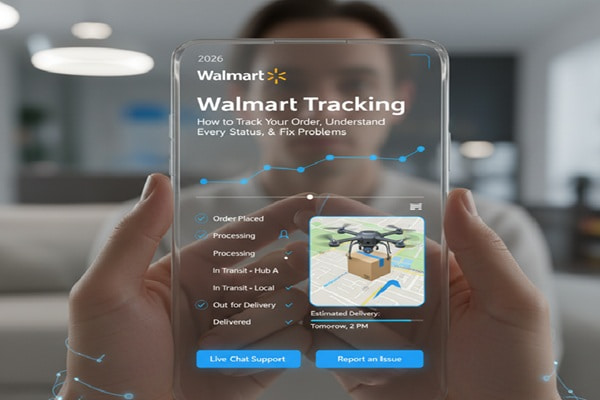
You placed an order on Walmart.com, got a confirmation email, and now you want to know where your package is. Simple enough. But depending on how you placed the order, which carrier picked it up, and whether the status has updated at all, the process can feel surprisingly confusing.
Track Your Order
This guide cuts through all of it. You will learn exactly how to track any Walmart order across every method available, what each status message means, what to do when tracking stops, and how to handle the situations that Walmart help pages only partially answer.
All the Ways to Track a Walmart Order
Walmart gives you several options depending on whether you have an account, placed a guest order, or just want text updates. Here is every method.
1. Track Through Your Walmart Account (Most Reliable)
- Go to walmart.com and sign in to your account.
- Click Account in the top right corner.
- Select Purchase History from the dropdown menu.
- Find the order you want and click Track Shipment.
- The tracking page shows your current status, estimated delivery date, and a link to the carrier’s own tracking system.
If your order contains multiple items shipped separately, each item will have its own Track Shipment button. Click each one individually to follow separate packages.
2. Track a Guest Order Without Logging In
Did not create an account? You can still track your order. Go to walmart.com/orders or walmart.com/track-order and enter two things: your order number and the email address you used at checkout. This pulls up your full order status without requiring a login.
3. Track Through the Walmart App
- Open the Walmart app on your phone.
- Tap the Account icon at the bottom of the screen.
- Select Purchase History or Orders.
- Tap on the specific order you want to track.
- Tap Track Package to see live status.
4. Use the Shipping Confirmation Email
When your package ships, Walmart sends a shipping confirmation email to the address on file. That email contains a direct tracking link. Click it and you go straight to a tracking page showing real-time updates. This works even if you have forgotten your account password or placed the order as a guest.
Save that email. It is the fastest shortcut to your package status and remains active throughout the delivery window.
5. Opt In to SMS Text Notifications
During checkout, check the box labeled “I want to receive text updates about the status of my order” and enter your mobile number. Walmart will send you automatic texts at key milestones: when the order ships, when it is out for delivery, and when it is delivered.
This must be selected fresh for each new order. Opting in on one order does not carry over to future purchases.
6. Track Through the Carrier Directly
Most Walmart shipments pass through a third-party carrier: USPS, FedEx, UPS, or increasingly Walmart’s own GoLocal driver network. Once you have the carrier’s tracking number from your Walmart order page, you can paste it directly into that carrier’s tracking portal for more detailed location updates.
| Carrier | Track At | Best For |
| USPS | tools.usps.com/go/TrackConfirmAction | Standard shipping, P.O. boxes, rural areas |
| FedEx | fedex.com/fedextrack | Express and ground shipments |
| UPS | ups.com/track | Ground delivery and business addresses |
| Walmart GoLocal | walmart.com/orders | Same-day and next-day local deliveries |
| OnTrac | ontrac.com/tracking | Western and coastal U.S. deliveries |
What Every Walmart Order Status Means
Every status update on Walmart’s tracking page tells you something specific. Many customers misread these, especially the ones in the early stages. Here is what each one actually means and what action, if any, you should take.
| Status | Plain English Meaning | What to Do |
| Order Placed | Walmart received your order and payment. Processing has not started yet. | Nothing yet. Wait for the next update within a few hours. |
| Processing | Walmart is verifying payment and preparing items for shipment. | No action. Normal processing takes a few hours up to 1 business day. |
| Shipped / Order Shipped | The package has left Walmart’s warehouse or the seller’s facility. | Check for your carrier tracking number in the order details. |
| In Transit | The package is moving through the carrier’s network toward your address. | Check back in 12 to 24 hours. No action needed. |
| Out for Delivery | Your package is on a delivery vehicle heading to your address today. | Be home or arrange for someone to receive it. Delivery happens 8 a.m. to 8 p.m. |
| Delivered | The carrier reports it was left at your address. | Check all spots around your home: door, garage, mailbox, with a neighbor. |
| Delivery Attempted | The driver tried to deliver but could not complete the drop-off. | Check your email or door for instructions. You may need to reschedule. |
| Delayed | Something pushed the delivery past the original estimated date. | Walmart emails updated delivery estimates. Check the order tracker for the new date. |
| Cancelled | The order was cancelled, either by you or by Walmart. | If unexpected, contact Walmart customer service. A refund should be issued automatically. |
Tracking Walmart Marketplace Orders: What Is Different
Not everything sold on Walmart.com is shipped by Walmart. A large portion of products come from third-party sellers on the Walmart Marketplace, and tracking those orders works slightly differently.
With Marketplace orders, the tracking number is assigned and uploaded by the seller, not Walmart. Sellers are required by Walmart policy to provide valid tracking information for at least 99 percent of shipments. But there is a real-world gap: after a seller marks an order as shipped, tracking data can take up to 24 to 48 hours to appear in Walmart’s system.
How to tell if your order is from a Marketplace seller: On the product page and in your order confirmation, look for the phrase “Sold and shipped by [Seller Name]” instead of “Sold by Walmart.com.”
Walmart Tracking Not Updating: Real Causes and How to Fix Them
This is the most common frustration Walmart shoppers run into. The order says shipped, but the tracking page has shown the same status for two days. Before you call anyone, understand why this actually happens.
Why Tracking Stops Updating
- Carrier gap. The package is in linehaul transit.
Packages travel between major carrier hubs without being scanned at every point. A package moving from a Walmart fulfillment center in Texas to a delivery hub in Ohio might go 24 to 36 hours without a scan. This is completely normal.
- Label created only. The seller has not handed the package to the carrier yet.
“Order Shipped” on Walmart’s side sometimes means only that a shipping label was printed, not that the carrier physically received the box. The carrier’s tracking page will show “Label Created” until the first real scan occurs.
- External slowdown. High volume or weather delay.
During peak periods like Black Friday, holiday season, or weather events, carrier networks back up. Individual scans are deprioritized as facilities process volume.
- System lag. A technical sync delay between Walmart and the carrier.
Walmart pulls tracking data from carriers on a schedule. If the carrier updated their system but Walmart has not pulled the new data yet, there can be a display gap of several hours.
How to Fix It: Step by Step
- Wait 24 hours. Most tracking gaps resolve on their own within one business day.
- Clear your browser cache or try the Walmart app instead of the website. Sometimes a local display error shows stale data.
- Copy the carrier tracking number from your order page and paste it directly into the carrier’s own website (USPS, FedEx, UPS, etc.). Carriers update their own systems faster than Walmart does.
- If 3 or more business days pass with no movement, contact Walmart customer service using the “Chat with us” button at walmart.com/help.
- For Marketplace orders, message the seller first through your order history. Sellers often have direct information about where the package is.
Package Shows Delivered But You Cannot Find It
Tracking says delivered. Nothing is at your door. This is one of the most stressful situations in online shopping, and it happens more often than most people realize. Work through these steps before assuming the worst.
- Check around every entry point of your home: front door, back door, side gate, garage, mailbox, and any covered areas.
- Look for a delivery confirmation photo. Walmart’s order page sometimes shows a photo taken by the delivery driver showing where the package was placed. Ask yourself if that doorway looks like yours.
- Ask neighbors or a building doorman. Drivers sometimes leave packages with adjacent units especially in multi-family buildings.
- Wait two business days. Per Walmart’s own policy, carriers occasionally mark a package delivered slightly before it actually arrives. This is not common but it happens.
- If still missing after two business days, open a support case with Walmart. Select “Order Not Received” in your order history and use the Chat with us button. Walmart may reship the item or issue a refund depending on the circumstances.
| Check the Rooftop Pin
If the delivery photo shows the wrong door or wrong address, your rooftop pin may be set incorrectly. Walmart uses Google Maps rooftop pins to guide drivers. Go to walmart.com, find Delivery Instructions in your address settings, and verify that the pin is placed on the correct structure, especially in apartment complexes or multi-unit buildings. |
Tracking Walmart Same-Day, Grocery, and GoLocal Deliveries
Standard online orders and same-day deliveries track differently. If you ordered through Walmart’s grocery pickup and delivery service or through the Walmart app for same-day items, here is what to expect.
| Delivery Type | Tracking Method | Driver Communication |
| Same-Day Delivery (GoLocal) | Live map in the Walmart app once driver is assigned | Chat directly with your driver in the app |
| Grocery Delivery | Track via the app under Order Details; push notification when driver is 10 minutes away | Chat or call available through the app |
| Curbside Pickup | No package tracking; use I’m on My Way in the app when leaving home | Walmart associate brings order to your car |
| Standard Shipping | Carrier tracking via walmart.com order page or confirmation email | No direct driver contact |
For same-day orders, Walmart now claims it can reach 93 percent of U.S. households with same-day delivery after expanding its GoLocal Spark driver network. If same-day is available in your area, the Walmart app will show a live map view of your driver once the order is picked and heading your way.
How to Contact Walmart About a Tracking Problem
Walmart has deliberately moved away from a single public phone number for all order inquiries. Here are your actual options ranked by how fast they get you to a resolution.
| Method | How to Access | Best For | Hours |
| Live Chat | walmart.com/help then click “Chat with us” | Missing packages, delays, refunds | 24 hours, 7 days |
| Walmart App Chat | Help section inside the app | Order tracking, account issues | 24 hours, 7 days |
| Phone | 1-800-925-6278 (1-800-WALMART) | Complex issues or when chat fails | Mon-Sun 8 a.m. to 11 p.m. CT |
| Seller Message (Marketplace) | Your Order History, click the seller name | Third-party order tracking | Varies by seller |
Before contacting support, have your order number ready. It is in your confirmation email and in your Purchase History. Agents resolve issues faster when you lead with the order number rather than searching for it during the chat.
Mistakes That Make Walmart Tracking More Confusing Than It Needs to Be
- Checking too early. Checking tracking immediately after placing an order.
Processing alone can take several hours. Tracking information may not appear for 12 to 24 hours after you place the order. Refreshing every 30 minutes will only produce frustration.
- Wrong number. Confusing the order number with the tracking number.
Walmart’s order number (formatted like 7-or-more digits) is an internal reference. The carrier’s tracking number is what shows movement. Find the tracking number inside your order details under Shipment Details, not the order number displayed at the top.
- Wrong contact. Not checking whether the order is fulfilled by a Marketplace seller.
Calling Walmart customer service about a Marketplace order often leads to a referral back to the seller anyway. Contact the seller first for items not fulfilled directly by Walmart. It saves time.
- Split shipments. Assuming all items in one order ship together.
Walmart regularly splits orders when items come from different fulfillment centers or sellers. If part of your order is not tracked, scroll through all items in the order individually. Each item may have a separate tracking button.
- Walmart-only checking. Ignoring the carrier’s own tracking page.
Walmart’s display of carrier data sometimes lags by several hours. If you need the most current information, paste the carrier tracking number directly into USPS, FedEx, or UPS tracking. That data is always more current than what Walmart shows.
Also Read : OnTrac Tracking: How to Track Your Package, Status Guide, and What to Do When It Stops Updating
Tips to Make Walmart Order Tracking Easier
- Create a Walmart account before you order, even if you usually check out as a guest. Having an account means all your order history stays in one place and you can track without needing to find the confirmation email.
- Enable SMS notifications at checkout. This is the single most useful thing you can do. A text when the package goes out for delivery gives you a chance to arrange for someone to receive it or unlock a gate.
- Add a delivery note at checkout. In the delivery instructions field, tell the driver exactly where to leave the package: inside the screened porch, behind the back gate, in the mailroom, etc. Specific instructions reduce failed deliveries and lost packages significantly.
- For same-day grocery orders, check in through the Walmart app before you leave for curbside pickup instead of calling the store. It is faster and the app assigns your parking spot.
- After entering the carrier tracking number on the carrier site, subscribe to that carrier’s own notifications as well. USPS Informed Delivery, FedEx Delivery Manager, and UPS My Choice all give you richer tracking detail than Walmart’s order page alone.
Why Your Walmart Package Might Come from a Carrier You Do Not Recognize
If your tracking number leads you to a carrier you have never heard of, you are not alone. Walmart has been aggressively building out its own last-mile delivery network while also partnering with regional and alternative carriers.
According to a 2025 ShipMatrix report, Walmart and other private fleets delivered 2.3 billion packages in 2024, a 44 percent increase over the prior year. That growth comes almost entirely from internal logistics capability. Walmart GoLocal, which uses independent Spark drivers similar to how Amazon uses Flex drivers, now reaches 93 percent of U.S. households with same-day delivery.
What this means practically: your package might arrive via a Spark driver, OnTrac, a small regional carrier you have never seen, or directly from a fulfillment center near your home. The tracking experience varies by carrier. Some offer detailed location updates; others only scan at the beginning and end of the delivery.
| Traditional Carriers
USPS, FedEx, UPS: detailed scan history, estimated time windows, signature options, in-app rerouting |
Walmart GoLocal / Spark Drivers
Live map tracking in the Walmart app, direct driver chat, fewer intermediate scans |
Frequently Asked Questions
How do I track a Walmart order without an account?
Visit walmart.com/orders or use the link in your shipping confirmation email. Enter your order number and the email address used at checkout. You will see the full order status without needing to log in.
Where do I find my Walmart tracking number?
Log in to your Walmart account, go to Account then Purchase History, and click on the order. Under Shipment Details you will find the carrier tracking number. It also appears in the shipping confirmation email. This number is different from your Walmart order number.
Why does my Walmart order still say Processing after 2 days?
If an order stays in Processing longer than one business day, it usually means one of two things: the item went out of stock after your order was placed, or there is a payment verification issue. Check your email for a message from Walmart. If you see no communication, contact customer support through the Chat with us button.
Can I track a Walmart order by phone?
Yes. Call 1-800-925-6278 (1-800-WALMART) and provide your order number to a representative. Phone support is available Monday through Sunday, 8 a.m. to 11 p.m. Central Time. That said, the live chat option at walmart.com/help typically gets to a resolution faster.
How long does Walmart take to ship after an order is placed?
Standard shipping typically processes within 1 business day and delivers in 2 to 5 business days depending on your location. Free 2-day shipping is available for many items for Walmart+ members. Same-day delivery is available in most metro areas for qualifying orders placed before noon local time.
Why is my Walmart package late?
The most common causes of Walmart delivery delays are high carrier volume during peak periods, weather events in the shipping region, and items that were in stock at order time but went out of stock before they shipped. Walmart sends email updates when a delay occurs. Check the order tracker for an updated estimated delivery date.
What do I do if my Walmart package says delivered but it is not here?
Check all delivery spots around your home and look for a delivery photo on the order page. Ask neighbors. Wait two business days since carriers occasionally mark items delivered early. If still missing, use the Order Not Received option in your Walmart account and contact support using Chat with us for a reship or refund.
Does Walmart deliver on weekends?
Yes. Walmart delivers 7 days a week through its carrier partners and GoLocal network. Standard shipping deliveries happen Monday through Saturday depending on the carrier. Same-day and next-day orders can be delivered on Sundays in most service areas. Grocery pickup is available 7 days a week at most store locations.
How do I track a Walmart Marketplace order?
Track it the same way as a direct Walmart order: through your Purchase History or the shipping confirmation email. The main difference is that tracking information may take 24 to 48 hours longer to appear because the third-party seller uploads the tracking number themselves. If no update appears within 48 hours of the stated ship date, contact the seller through the order page.
What carriers does Walmart use?
Walmart primarily uses USPS, FedEx, UPS, and its own GoLocal Spark driver network. For some regions and order types, they also use OnTrac, Better Trucks, and other regional carriers. The specific carrier for your order is listed in the Shipment Details section of your order page.