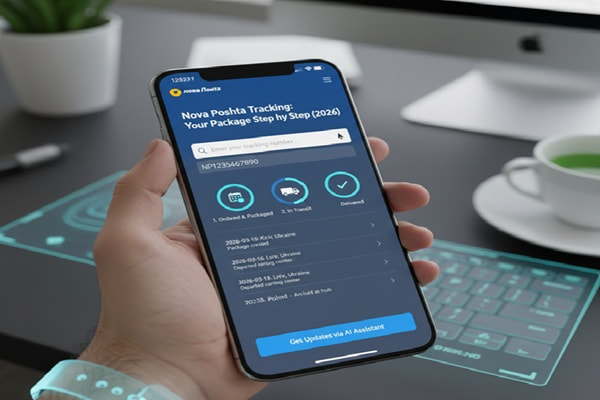
You sent a parcel last Tuesday. Now it’s Friday morning and you have no idea where it is. The sender gave you a 14-digit number. You typed it somewhere. But you are not sure if you did it right, or even which website to use.
Track Your Order
That is exactly why this guide exists.
Nova Poshta is Ukraine’s largest private courier company, and its tracking system is actually very straightforward once you understand how it works. This article walks you through every method, every status message, and every problem you might run into, so you are never left guessing.
What Is Nova Poshta and Why Does Tracking Matter
Nova Poshta was founded in 2001 by two Ukrainian entrepreneurs who started with just 7 employees and $7,000. Today the company operates more than 8,700 branches and 8,500 parcel terminals across Ukraine, and it has expanded internationally through its global arm, Nova Poshta Global.
In 2020 alone, the company delivered over 327 million parcels to more than 14 million users. That scale means its tracking system is handling enormous volume every day. Understanding how it works gives you real control over your delivery.
What Is a Nova Poshta Tracking Number (TTN)?
Nova Poshta calls its tracking number a TTN, which stands for consignment note number in Ukrainian logistics terminology. It is also called a declaration number or waybill number depending on the context.
A standard Nova Poshta TTN consists of 14 digits. For example: 59000000000000. The number is not random. Different segments carry information about the shipment type and internal logistics routing, though you do not need to decode this yourself. What matters is entering all 14 digits without spaces or extra characters.
Where to Find Your TTN
- On the physical receipt you received when dropping off the parcel at a branch
- In the SMS or Viber message Nova Poshta sends after the parcel is registered
- In the mobile app under your shipment history
- In your personal account on the Nova Poshta website
- In the confirmation email from the online store you ordered from
5 Ways to Track a Nova Poshta Parcel
1. Official Nova Poshta Website
This is the most reliable method. Here is how to use it:
- Open your browser and go to novaposhta.ua
- On the homepage, locate the tracking field (labeled ‘Vidstehzhyty’ in Ukrainian or ‘Track’ in English)
- Paste your 14-digit TTN exactly as it appears on your receipt
- Click the Track button
- The page will show your current status, movement history, dispatch date, destination city, and receiving branch
2. Nova Poshta Mobile App
Available for both iOS and Android. Once installed, you can log in with your phone number and see all shipments linked to your account automatically. You also receive push notifications every time the status changes.
3. Viber and Telegram Bots
Search for the official Nova Poshta bot in Viber or Telegram. Send your TTN number to the bot and it returns the current status instantly. This is useful if you prefer messaging apps over websites.
4. Track by Phone Number
If the shipment was registered with your phone number and linked to your account, you can log into the app or website and see all parcels under your number. Note that tracking by phone number alone, without authorization, is not available for privacy reasons.
5. Third-Party Tracking Platforms
Services like AfterShip, 17TRACK, TrackingMore, and Parcel Monitor support Nova Poshta tracking. These are useful if you are monitoring multiple carriers in one place, such as when an international shipment changes hands between Nova Poshta and a local carrier in your country.
Nova Poshta Tracking Status Meanings: A Plain-Language Guide
This is where most people get confused. Here is what each status actually means:
| Status Message | What It Means |
| Created electronic waybill | The TTN has been generated but the parcel has not physically arrived at a branch yet. Tracking will not show movement until the package is handed in. |
| Shipment received at sorting center | Your parcel has been scanned and is being processed at a sorting facility. |
| On the way to destination point | The parcel is in transit between cities or sorting centers. |
| Arrived at branch | Your parcel has reached the destination branch and is ready for pickup. |
| Delivered | The parcel has been handed to the recipient. |
| In transit | Normal movement between sorting centers. No action needed. |
| Storage period expires soon | You need to pick up the parcel before it is returned to the sender. |
Nova Poshta International Tracking: What Changes
For international shipments, Nova Poshta operates under the Nova Poshta Global brand. The tracking number format for international parcels typically begins with ‘NPG’ followed by letters and numbers, rather than the standard 14-digit domestic TTN.
International delivery times vary considerably:
| Destination | Standard | Express / Premium |
| Within Ukraine | 1 to 3 business days | Same or next day |
| Europe | 5 to 10 business days | 3 to 5 business days |
| North America | 10 to 15 business days | 7 to 10 business days |
| Asia | 10 to 15 business days | Varies by country |
| Online shopping (international) | Up to 8 business days | Varies by service |
For international shipments, you may need to use both Nova Poshta’s system and your destination country’s local carrier tracking. When the parcel is handed off to a partner carrier, use a third-party platform like AfterShip or 17TRACK that supports both carriers simultaneously.
6 Common Nova Poshta Tracking Problems and How to Fix Them
Problem 1: Tracking Number Not Found
The most common reason is that the parcel has not yet been physically handed in at the branch. The TTN is created digitally, but until the package is scanned at a branch, the system has nothing to show. Wait a few hours after the sender confirms they dropped it off.
If it still does not appear, double-check the number. Even one wrong digit makes tracking impossible. Copy the number directly from your message or receipt rather than typing it manually.
Problem 2: Status Not Updating for Days
This is normal during transit between sorting centers. Your parcel may be on a long-distance truck or at a facility with high volume. Status updates happen at each physical scan point, not in real time.
If there is no update for more than 2 to 3 business days, contact Nova Poshta customer support or visit your nearest branch with the TTN.
Problem 3: Status Shows ‘Delivered’ But Package Not Received
Check if the parcel was left at a Postomat (parcel locker) or a branch near you. Nova Poshta sometimes delivers to a pickup point rather than your door. Use the tracking details to see the exact delivery location. If nothing matches, contact Nova Poshta directly.
Problem 4: Package Stuck at Customs (International)
For EU destinations, personal items under 45 euros typically clear customs without fees. For higher-value items or commercial goods, you may need to provide documentation or pay import duty. Contact Nova Poshta’s international support team if the customs status has not changed for more than a week.
Problem 5: Storage Period Expiring
Nova Poshta stores parcels at the branch for up to 30 calendar days. After that, the parcel is returned to the sender. If you cannot collect within this window, contact the branch to ask about extensions or redirect the delivery.
Problem 6: Weekend or Holiday Delays
Tracking statuses can update on weekends, but actual logistics operations may run on a reduced schedule. If you sent or expect a parcel around a public holiday, add one to two extra business days to your expected timeline.
What Cannot Be Shipped With Nova Poshta
Understanding what is prohibited helps explain why some parcels get stuck. Nova Poshta does not accept the following items, and packages containing them may be held, confiscated, or returned:
- Foodstuffs and perishables
- Alcohol and tobacco products
- Cash and postage stamps
- Prescription medicines and vitamins
- Flammable or dangerous liquids
- Antiques and cultural heritage items
- Military goods and weapons
- Seeds and sowing material
Expert Tips for Faster, Smoother Tracking
- Always save your TTN immediately after sending or ordering. Do not rely on the sender to remind you.
- Download the Nova Poshta app and enable push notifications. This is the fastest way to get status updates without checking manually.
- For international shipments, set up tracking on both Nova Poshta and the destination country’s local carrier. Gaps in international tracking happen at carrier handoff points.
- If ordering from an online store, wait at least 24 hours after receiving your order confirmation before searching for a tracking update. The TTN is often generated before the parcel physically moves.
- When tracking via a third-party platform, make sure it correctly identifies Nova Poshta as the carrier. Misidentification leads to incorrect status data.
- Keep your receipt until the parcel is confirmed delivered. It contains the TTN and branch code you will need if you contact support.
Nova Poshta vs Other Ukrainian Carriers: Tracking Comparison
| Feature | Nova Poshta | Ukrposhta | Meest Express |
| Domestic delivery time | 1 to 3 days | 3 to 7 days | 1 to 3 days |
| Real-time tracking | Yes | Limited | Yes |
| App tracking | Yes (iOS + Android) | Yes | Yes |
| Bot tracking (Viber/Telegram) | Yes | No | Partial |
| International coverage | Global (Nova Poshta Global) | International | CIS + Europe |
| Number of branches | 8,700+ | 11,000+ | Fewer |
Nova Poshta Tracking Checklist
Use this before contacting support:
- Do you have the full 14-digit TTN without spaces?
- Has the sender confirmed the parcel was physically dropped off at a branch?
- Have you waited at least 6 to 12 hours since the TTN was generated?
- Have you tried tracking on the official site at novaposhta.ua?
- For international parcels, have you also checked the destination carrier’s tracking?
- Is the current status older than 3 business days with no movement?
- If the parcel shows ‘Arrived at branch’, have you gone to collect it?
If you answered yes to step 6 with no resolution, it is time to call Nova Poshta support at +38 (098) 450 06 09 or visit your nearest branch.
Also Read : Echo Tracking: How to Track Your Echo Global Logistics Shipment
Mistakes Beginners Make With Nova Poshta Tracking
- Typing the TTN manually instead of copying it, which leads to errors
- Checking tracking within minutes of placing an order. The TTN needs to be physically accepted at a branch first.
- Using outdated third-party tracking sites that have not updated their Nova Poshta API integration
- Ignoring SMS notifications from Nova Poshta, which contain pickup instructions and deadlines
- Not checking the branch address shown in the tracking. Sometimes parcels arrive at a branch different from the one you expected.
- Waiting too long to pick up, letting the 30-day storage window expire
Frequently Asked Questions
How do I find my Nova Poshta tracking number?
Your TTN appears on your physical receipt, in the SMS or Viber message from Nova Poshta after the parcel is registered, in the Nova Poshta app under shipment history, and in your online store confirmation email.
What does a Nova Poshta tracking number look like?
A domestic Nova Poshta tracking number is 14 digits long. International Nova Poshta Global tracking numbers start with ‘NPG’ and include a combination of letters and numbers.
Why is my Nova Poshta tracking not working?
Most likely causes are: the parcel has not been physically accepted at a branch yet, the TTN was entered with a typo, or there is a temporary system delay. Wait a few hours and try again. If it still does not work after 24 hours of the parcel being sent, contact Nova Poshta.
Can I track a Nova Poshta parcel without a tracking number?
Not through the standard tracking tool. If the shipment is linked to your account and phone number, you can log in and see all your parcels. You can also contact the sender to retrieve the TTN.
How long does Nova Poshta take to deliver?
Domestic deliveries within Ukraine typically take 1 to 3 business days. International deliveries to Europe take 5 to 10 business days. Deliveries to North America or Asia range from 10 to 15 business days under standard service.
What happens if I miss my Nova Poshta delivery?
If the parcel arrived at a branch, you will receive an SMS with collection instructions. You have up to 30 calendar days to pick it up. After that, it is returned to the sender. Bring a government-issued ID when collecting.
Why is tracking not updating for several days?
During long-distance transit between sorting centers, your parcel may not be scanned for 24 to 48 hours. This is normal. If there is no update for more than 3 business days, contact Nova Poshta support.
Can I change my delivery address after shipping?
Yes, in some cases. You can request a delivery address change through the Nova Poshta mobile app, your personal account on the website, or by calling customer support. Whether it is possible depends on the current status of the parcel.
What is the Nova Poshta customer service number?
You can reach Nova Poshta at +38 (098) 450 06 09, +38 (050) 450 06 09, or +38 (093) 450 06 09. Email support is available at support_ua@novaposhta.ua.
Can Nova Poshta deliver internationally?
Yes. Through Nova Poshta Global, the company ships to most countries worldwide. It offers several service levels including Global Delivery, Global Delivery Premium, and Np Export Econom for shipments to Moldova.
Conclusion
Nova Poshta tracking is straightforward once you know the system. Your 14-digit TTN is your key to everything. Use the official website at novaposhta.ua or the mobile app for the most accurate and up-to-date information.
If your tracking is not updating, give it time before panicking. Most delays resolve within 24 to 48 hours. If you are still stuck after 3 business days, contact support with your TTN ready.
International shipments add a layer of complexity, especially at customs, but the process is manageable if you use both Nova Poshta Global’s tracking and your destination country’s local carrier tool together.
Track smart, pick up on time, and your Nova Poshta experience will be smooth from start to finish.