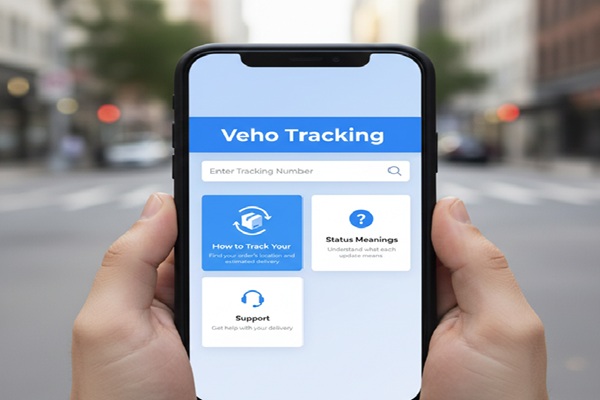
You ordered from HelloFresh, Misfits Market, Lululemon, or another online brand. Then you got a delivery notification from a company called Veho. If you have never heard of them before, you are not alone.
Veho is not your typical courier. It does not use brown trucks or sorting hubs the way UPS or FedEx does. Instead, it runs on a network of independent driver partners who use their own vehicles to deliver packages. Think of it like a rideshare model for parcels. That is exactly why tracking a Veho package feels a little different from tracking a standard shipment.
The good news is that once you know how the system works, Veho tracking is actually more transparent than most other carriers. You get a real delivery window, a live driver location near drop-off time, and a photo when the package is left at your door.
This guide covers everything you need to know: how to track, what each status means, what to do when tracking stops updating, and how to handle returns.
How to Track Your Veho Package: 4 Methods
Method 1: Official Veho Tracking Page (Fastest)
This is the most direct way.
- Go to track.shipveho.com
- Enter your Veho tracking number in the field provided
- Click Track
- View your current status, estimated delivery window, and driver details when available
Your tracking number is a long alphanumeric string, typically 14 to 20 characters. It looks something like this: 91f5baadefb732585. It is not the same as your merchant order number, so make sure you are using the right one.
Method 2: Veho Mobile App (Best for Updates)
The Veho app is available on both iOS and Android. It gives you real-time GPS updates as your driver approaches, lets you update delivery instructions on the fly, and lets you message the support team directly.
- Download the Veho app from the App Store or Google Play
- Log in or enter your phone number associated with the order
- View all active and past deliveries from one dashboard
- Enable push notifications so you never miss a delivery window
One tip worth knowing: if the app shows an error after login, force-close it and relaunch. Several users have reported this clears the error without any data loss.
Method 3: Your SMS or Email Notification Link
When a merchant ships your order through Veho, you receive an SMS or email with a direct tracking link. That link takes you straight to your package page without needing to enter anything manually. It is the simplest method for a single delivery.
If you cannot find this message, check your spam folder or search your inbox for ‘Veho’ or ‘shipveho.com’.
Method 4: Third-Party Trackers
If you prefer to manage multiple deliveries from different carriers in one place, platforms like 17TRACK and Parcel Monitor support Veho tracking. You enter your Veho tracking number there and get the same status updates pulled from Veho’s system.
These are useful if you are expecting several packages from different services at once. The information is the same as what you see on Veho’s official page.
Veho Tracking Status Meanings: What Each Update Actually Tells You
Veho uses plain-English status labels, but a few of them can still cause confusion. Here is a breakdown of what each one means and what you should do.
| Status Message | What It Means | What to Do |
| Order Received | Veho has the shipment details from the merchant | No action needed |
| Package Picked Up | Driver has collected your package from the facility | Track actively – delivery is imminent |
| Out for Delivery | Driver is on their route and heading to you | Check your 4-hour window in the app |
| Delivered | Package left at your door with photo confirmation | Check the photo in your SMS or app |
| Delivery Attempted | Driver came but could not complete delivery | Contact support via text at 68953 |
| Return Picked Up | Driver collected your return from the doorstep | Allow 2-5 business days for processing |
| In Transit to Merchant | Return is moving through the logistics network | Tracking may pause here for a few days |
Where to Find Your Veho Tracking Number
This is one of the most common questions people search for. The tracking number does not come from Veho directly. It comes from the merchant who shipped your order. Here is where to look:
- Shipping confirmation email from the merchant (look for a link or a long alphanumeric code)
- SMS from Veho containing a direct tracking link (the tracking ID is embedded in that URL)
- Your order history page on the merchant’s website
- The Veho app, if your phone number is linked to the delivery
If none of those show a Veho tracking number, contact the merchant first. They generate the tracking number when they hand the package off to Veho. If there is an error in how it was created, the merchant is the one who can fix it.
Veho Tracking Not Updating? Here Is What to Do
This is the question that brings a lot of frustrated people to search results. Tracking goes quiet and anxiety sets in. Here are the real reasons it happens and what actually helps.
The Package Is in Transit Between Scan Points
Veho’s network uses local driver partners rather than large sorting facilities. This means there are fewer automated scan events compared to FedEx or UPS. A package in transit may genuinely not update for several hours and that is normal.
The Tracking ID Was Generated with an Error
If tracking never worked at all from the start, the most likely cause is that the merchant created the tracking ID incorrectly. Contact the merchant and ask them to verify or regenerate the tracking link.
Your Return Is Between the Driver and the Merchant Warehouse
Returns go through several handoffs after the driver picks them up. Once the package leaves the local Veho station, updates can pause for a few days while the item travels to the brand’s warehouse. This is one of the most common sources of ‘return limbo’ complaints. It is not lost. The system just does not scan as frequently during long-haul transit.
What to Do If Tracking Has Been Stuck for More Than 48 Hours
- Check the original SMS or email to confirm your tracking number is correct
- Try the tracking link in that message instead of entering the number manually
- Text Veho support at 68953 with your tracking number
- Email support@shipveho.com if you prefer written correspondence
- Contact the merchant if the issue is not resolved, as they have a direct relationship with Veho
Understanding Your Veho Delivery Window
One of Veho’s best features is the 4-hour delivery window. When your package goes out for delivery, the app and your SMS notification will show a specific 4-hour window for that day. This is much more precise than what most carriers offer.
A few things to know about the window:
- You cannot request a specific time slot in advance. Veho assigns windows based on route optimization.
- You can update your delivery instructions at any point before the driver arrives. Add gate codes, preferred drop-off spots, or photos of your entrance through the app or by texting 68953.
- Veho drivers will not enter your home or garage. Instructions must relate to an accessible outdoor location.
- Signature is not required or available at this time.
- If you miss the delivery window, use the tracking link or app to see your next steps.
How to Track a Veho Return
Veho offers doorstep return pickups for brands that have enabled this feature. Instead of printing a label and driving to a drop-off point, a Veho driver comes to your home to collect the return item.
How the Return Process Works
- Initiate the return through the original merchant’s portal
- Schedule a pickup window through the Veho tracking page, app, or by texting 68953
- Leave the package outside in the agreed location
- The driver scans the item using the Veho driver app and collects it
- You will receive a confirmation once pickup is complete
- Allow 2 to 5 business days for the item to reach the merchant warehouse
- After warehouse processing, your refund timeline is set by the merchant, not Veho
One practical tip: take a photo of the item inside the box and a photo of the sealed box on your porch before the driver arrives. If the return is ever disputed, you have timestamped proof that the item was intact when it left your hands.
Why Your Return Tracking May Go Dark
After the driver picks up, tracking can go quiet for several days. This is the ‘tracking gap’ that happens when the package moves from the local Veho station into longer-haul transit toward the merchant’s headquarters. The system does not scan frequently during this leg. If status has not updated for more than 5 business days, contact the merchant directly.
Veho Tracking vs. FedEx vs. UPS: Side-by-Side Comparison
If you are wondering how Veho stacks up against the carriers you already know, here is a direct comparison.
| Feature | Veho | UPS | FedEx |
| Real-time GPS tracking | Yes | Limited | Limited |
| Photo on delivery | Yes | Select services only | Yes |
| Weekend delivery | Yes (most days) | Extra cost | Extra cost |
| Doorstep returns | Yes | No | No |
| Customer can contact driver | Yes (via app) | No | No |
| Delivery window given | 4-hour window | Estimated day only | Estimated day only |
| On-time delivery rate | Over 99% (claimed) | ~95% | ~96% |
The main edge Veho has is the combination of a tight delivery window, live driver location when close, and doorstep returns. The main trade-off is that it operates only within the US and only in markets where it has coverage.
Does Veho Deliver in Your Area?
Veho currently operates in 42 metropolitan areas across the United States, covering the Northeast, Mid-Atlantic, Southeast, Midwest, Southwest, and Mountain West regions. It does not operate outside the US.
Cities where Veho operates include Atlanta, Austin, Boston, Chicago, Dallas, Denver, Houston, Los Angeles, Milwaukee, New York City, Northern Virginia, Philadelphia, San Antonio, and many others.
If a merchant ships through Veho but your address is outside a covered zip code, Veho cannot complete that delivery. In that case, the merchant typically reroutes to another carrier.
Also Read : Roadrunner Tracking: How to Track Your Freight Shipment
Which Brands Use Veho for Delivery?
Veho works exclusively with e-commerce businesses, not individual consumers. Some of the brands currently using Veho for last-mile delivery include:
- HelloFresh
- Misfits Market
- Stitch Fix
- thredUP
- Factor
- Quince
- Lululemon
- Nordstrom
- Home Chef
- Tovala
If you received a Veho delivery notification and are wondering who uses them, it is the brand you ordered from that made that decision, not Veho directly.
Common Mistakes That Cause Tracking Problems
- Using the merchant order number instead of the Veho tracking ID. These are different numbers.
- Looking for a standard 22-digit USPS-style tracking number. Veho uses a long alphanumeric hash, not a barcode number.
- Waiting for an email from Veho. Your first notification usually comes as an SMS.
- Entering the tracking number incorrectly. Copy and paste it directly from the email or SMS to avoid typos.
- Expecting UPS-style scan events every few hours. Veho scans fewer times but provides GPS tracking near delivery time instead.
- Contacting Veho about a return refund. Veho handles pickup and transit. The refund is entirely the merchant’s responsibility.
Tips to Get the Most Out of Veho Tracking
Add delivery instructions early. Use the app or text 68953 to set gate codes, drop-off preferences, and any building access details before your delivery window starts.
Enable notifications. The Veho app push notifications and SMS alerts are the most reliable way to catch your 4-hour window before it starts.
Take a photo of returns. Before leaving a return on the porch, photograph the sealed box. This protects you if the refund is disputed later.
Do not use third-party address sites to find Veho facilities. Veho does not allow customer package pickups from its facilities. There is no counter or customer drop-off location.
Contact Veho first, then the merchant. If tracking is broken or a delivery failed, text Veho support at 68953. If the issue involves the order itself or a refund, go to the merchant.
Frequently Asked Questions
How do I track a Veho package without a tracking number?
Download the Veho app and log in with the phone number linked to the order. Your active deliveries will appear in the app dashboard without needing to enter a tracking number manually.
Why does my Veho tracking say delivered but I did not receive the package?
Check the delivery photo in your SMS notification or the app. The photo shows exactly where the driver left the package. If the location is wrong or the package is missing, text Veho at 68953 immediately and report it. Wait at least a few hours in case a neighbor signed for it or it was left somewhere unexpected on your property.
Can I reschedule a Veho delivery?
You cannot request a specific delivery day or time in advance. Veho assigns windows based on route planning. However, you can update delivery instructions through the app or by texting 68953 if the driver has not yet arrived.
Does Veho deliver on weekends and holidays?
Yes. Veho operates almost every day of the year, including weekends and most holidays. This is one of its advantages over carriers that charge extra for weekend delivery.
What should I do if my Veho tracking number is not working?
First, confirm you are using the Veho tracking ID and not the merchant’s order number. If the number is correct but tracking still does not work, the merchant may have generated it with an error. Contact the merchant to verify or request a corrected tracking link.
How long does a Veho return take to process?
After driver pickup, allow 2 to 5 business days for the package to reach the merchant’s warehouse. The refund timeline after that is set by the merchant, not Veho. If your return tracking has not updated for more than 5 business days, contact the merchant.
Is Veho a legitimate delivery company?
Yes. Veho is a US-based logistics company founded in 2016, backed by major venture capital, and valued at over 1 billion dollars. It operates in 42 US metro areas and works with large retail and meal kit brands. The drivers use personal vehicles, which is why the experience looks different from traditional carriers, but the service and tracking are real.
Can I pick up my package from a Veho facility?
No. Veho does not offer customer pickup from its facilities at this time.
What is the Veho customer support number?
Veho does not publish a customer phone number. The primary support method is text. Send a message to 68953 for tracking help or delivery issues. For email, contact support@shipveho.com.
Why does Veho tracking go quiet during a return?
Once a return leaves the local Veho station, it enters a longer-haul transit leg to the merchant’s warehouse. Scan events are less frequent during this phase. Updates can pause for several days, which is normal. If there is no movement after 5 business days, reach out to the merchant.
Final Thoughts
Veho has built a delivery system that genuinely performs well when everything goes right. The 4-hour window, live GPS near delivery time, photo confirmation, and doorstep returns are features that most legacy carriers still do not offer at this level of consistency.
The frustration usually comes from two places: tracking numbers that never activate because of a merchant-side error, and return tracking that goes dark during warehouse transit. Both are solvable once you know who to contact and what to expect.
Keep the Veho support text number saved: 68953. Use the app if you have multiple deliveries coming. And remember that for any refund or return issue, the merchant is your point of contact, not Veho.