Your freight left the warehouse three days ago. The customer is asking where it is. You pull up the tracking page, enter the number, and the status just says In Transit. No location. No updated ETA. Nothing helpful.
If you have shipped anything via LTL freight, that experience feels familiar. Central Transport is one of the largest Less-Than-Truckload carriers in the United States, handling millions of shipments each year across a network of over 200 service centers. Their tracking system works well when you know how to use it, and becomes frustrating fast when you do not.
This guide covers everything: how to find and use your tracking number, what each shipment status actually means, why updates sometimes stop, how to handle delays, and how to reach the right people at Central Transport when something goes wrong.
About Central Transport: Who They Are and What They Haul
Central Transport was founded in 1932 by Manuel Moroun and is headquartered in Warren, Michigan. Owned by CenTra, Inc., the company consistently ranks as a Top 10 LTL carrier in the United States. As of 2025, it employs more than 3,450 people and serves freight customers across all 50 states, Puerto Rico, Canada, and Mexico.
Their USDOT number is 661173 and their MC number is 302382. The company is privately held and has remained family-owned across multiple generations.
Central Transport’s model is built around direct LTL freight movement. That means freight moves from origin to destination with minimal rehandling between terminals. Less rehandling reduces transit time and lowers the risk of damage, which is a meaningful advantage in a sector where freight sometimes passes through three or four terminals before final delivery.
Industries they serve include manufacturing, automotive, retail, consumer goods, food and beverage, and e-commerce fulfillment. They handle pallets, crates, machinery, building materials, and industrial parts across their national network.
Central Transport Tracking Numbers Explained: PRO, BOL, and More
This is where most confusion starts. LTL freight uses different reference numbers than parcel carriers like UPS or FedEx, and each number serves a different purpose. Knowing which number to use, and when, saves a significant amount of time.
The PRO Number
| What Is a PRO Number?
PRO stands for Progressive Routing Order (also called Progressive Rotating Order). It is the unique tracking number Central Transport assigns to your shipment. It is the single most reliable number to use when tracking freight or speaking with customer service. Most LTL industry professionals consider the PRO number the industry standard for tracking. |
The PRO number is assigned by Central Transport, not by you or the shipper. It is generated either when the Bill of Lading is printed, when the freight is picked up, or when it arrives at the origin terminal, depending on how the booking was handled.
You will find it on the physical Bill of Lading, usually on a sticker affixed at pickup. It also appears on your shipping confirmation documents and in any email communication from Central Transport after the shipment is tendered.
The Bill of Lading (BOL) Number
The BOL number is created by the shipper, not by Central Transport. It is the document that describes the freight being picked up: origin, destination, commodity description, weight, and special instructions.
You can track using a BOL number on the Central Transport website, but it is less reliable than the PRO number. If Central Transport has not yet linked the BOL number to the shipment record in their system, the search may return no results even when the freight is already moving. Always prefer the PRO number when you have both.
Other Reference Numbers You Can Use
| Reference Type | When to Use It |
| PRO Number | Primary tracking number. Most reliable. Use this first. |
| Bill of Lading (BOL) | Created by the shipper. Useful if PRO is not yet available. |
| Pickup Number | Assigned at the time of pickup. Can be used if PRO is unavailable. |
| Purchase Order (PO) Number | Your internal reference. Central Transport may support tracking by PO depending on how the account is configured. |
| Customer Reference Number | Custom reference tied to your account. Availability depends on account setup. |
| CT Reference Number | Internal Central Transport reference number, occasionally found on documents. |
The Central Transport tracking tool at centraltransport.com/tools/track-shipment accepts all of the above number types. You can enter up to 20 numbers at once, which is useful for operations teams managing multiple shipments.
How to Track a Central Transport Shipment: Step by Step
Method 1: Central Transport Official Website
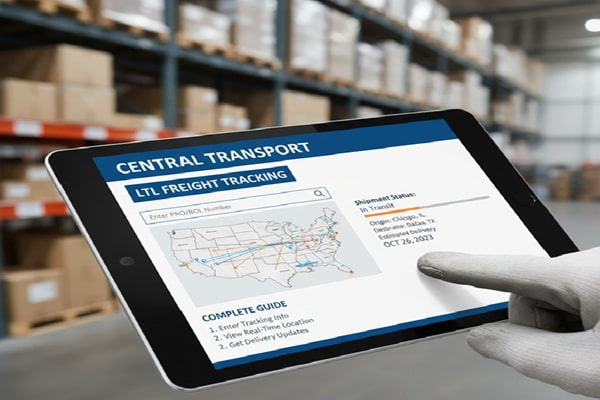
- Go to centraltransport.com/tools/track-shipment
- Enter your PRO number, BOL number, pickup number, or other reference into the input field
- To track multiple shipments at once, enter each number on a separate line or copy and paste a list of up to 20 numbers
- Click Get Status
- A results page displays your shipment status, current location within the network, and estimated delivery information
- Use the Send Email option on the results page to forward tracking details to a customer or colleague
Method 2: My Central Account Portal
Businesses that ship regularly with Central Transport can create a My Central account on the Central Transport website. This gives you full account visibility including shipment tracking, rate quotes, and historical shipment data in one place. It is the most efficient option for operations teams managing ongoing freight.
Method 3: Transit Times Tool
Before a shipment moves, you can use the transit times calculator at centraltransport.com/tools/transit-times. Enter your origin and destination zip codes to get an estimated transit time. This helps you set accurate delivery expectations with customers before you even book the freight.
Method 4: Third-Party Freight Tracking Platforms
Several platforms aggregate Central Transport tracking data alongside other LTL carriers. These are particularly useful if you work with multiple carriers and want a single dashboard.
| Platform | Best For |
| Ship24 | Multi-carrier tracking in one view; supports Central Transport and 900+ carriers |
| 17TRACK | Parcel and LTL tracking; auto-detects carrier from number format |
| FreightCenter | Only works for shipments booked through FreightCenter |
| GoComet | Enterprise freight visibility; real-time container and LTL tracking |
| AfterShip | E-commerce focused; useful for retailers receiving Central Transport deliveries |
| ParcelsApp | Free multi-carrier tracking with freight and parcel support |
Central Transport Freight Status Codes: What They Mean
LTL tracking does not use the same language as parcel tracking. The status updates you see in Central Transport’s system reflect the physical milestones of freight moving through a terminal network. Here is what each status means in plain language.
| Status | Plain English Meaning | Action Required? |
| Shipment Received / Picked Up | Central Transport collected the freight from the origin | None – normal start |
| In Transit | Freight is moving between service centers | None – check again in 12-24 hrs |
| At Terminal / Arrived at Service Center | Freight arrived at a sorting or hub terminal | None – sorting in progress |
| Out for Delivery | Driver has the freight loaded for final delivery today | Ensure someone is at destination to receive |
| Delivered | Freight was successfully delivered to the consignee | Confirm receipt and inspect for damage |
| Delivery Attempted | Driver could not complete delivery – location may have been closed | Contact Central Transport to reschedule |
| Held at Service Center | Freight is being held pending instructions or payment | Call customer service immediately |
| Exception / Service Exception | Something interrupted normal transit – could be weather, damage, or address issue | Contact Central Transport to investigate |
| Customs Processing | Cross-border shipment to Canada is being cleared through customs | Ensure documentation is accurate; may add 1-3 days |
| Returned to Shipper | Delivery could not be completed and freight is being returned | Contact Central Transport to discuss options |
Central Transport Delivery and Transit Times
One of the most common questions shippers have is how long their freight will take to arrive. Central Transport offers three primary service levels, each with different transit time expectations.
| Service Level | Typical Transit Time | Best For |
| Next Day Service | 1 business day | Short-haul, urgent regional shipments |
| Regional Service | 2 to 3 business days | Mid-range distances within a region |
| Long Haul Service | 4 to 7+ business days | Cross-country freight, coast to coast |
| Cross-Border (Canada) | Standard transit plus 1 to 3 days for customs | US to Canada trade shipments |
These are estimates, not guarantees, unless you use Central Transport’s guaranteed service option. For precise transit time estimates between your specific zip codes, use the transit times calculator on the Central Transport website before booking.
Factors that can extend transit time include weather events, peak shipping seasons (especially Q4), freight volume surges, and customs processing for cross-border shipments. Central Transport posts service alerts on their non-service dates page when weather is affecting specific regions.
Why Is My Central Transport Tracking Not Updating?
You check the tracking page. It has said In Transit for 36 hours. The delivery window is tomorrow. You have no idea where the freight actually is. Before you call customer service, work through these common causes.
The PRO Number Has Not Been Activated Yet
This is especially common in the first few hours after a booking is made. The PRO number may exist in the system before the freight has been physically scanned at the origin terminal. If tracking shows no results at all, wait 12 to 24 hours and try again. If there is still nothing after 24 hours from the scheduled pickup time, call the origin service center.
Freight Is Between Terminals With No Intermediate Scan
LTL freight is scanned at terminals, not continuously tracked on the road like GPS-enabled parcels. A truck driving 600 miles overnight may show no scan events for 8 to 12 hours. This is normal. In Transit with no update is often simply freight moving between hubs without a stop.
A Service Exception Is Holding the Shipment
If something has gone wrong such as a missed delivery, a damaged pallet, a weather closure, or a documentation issue, the shipment may be held at a terminal without the tracking page clearly explaining why. In this case, the status may appear stale even though the freight is sitting in a service center awaiting resolution.
The System Has a Brief Technical Delay
Like any digital system, Central Transport’s tracking platform can experience lag between a physical scan and the update appearing online. Scans typically appear within a few hours but can occasionally take longer during peak periods.
| Tracking Troubleshooting Checklist
1. Confirm you are using the PRO number, not a BOL or order reference number 2. Double-check the number for lookalike characters (O vs 0, I vs 1) 3. Wait 12 to 24 hours if the shipment was just picked up 4. Check the Central Transport non-service dates page for weather alerts in relevant regions 5. Try the same PRO number on Ship24 or 17TRACK to see if data appears there first 6. If no movement after 2 business days domestically, call (586) 467-1900 with your PRO number |
Central Transport’s Network: Service Centers and Coverage
Understanding where Central Transport operates helps you set realistic expectations for your freight and understand why transit times vary.
| Coverage Area | Details |
| United States (Domestic) | All 50 states via 200+ service centers; direct service to 98% of major manufacturing areas |
| Canada (Cross-Border) | Cross-border LTL with dedicated customs processing support |
| Mexico | Cross-border capability; typically requires coordination with a customs broker |
| Puerto Rico | Domestic service included |
The 200-plus service center footprint is the foundation of Central Transport’s direct freight model. Rather than relying heavily on partner carriers for last-mile delivery, they move freight through their own facilities wherever possible. This is why their tracking stays within the Central Transport system from pickup to delivery for most domestic shipments.
To find the nearest service center to your origin or destination, use the service center locator at centraltransport.com/company/services. You can search by state or view an interactive map.
How to Contact Central Transport Customer Service
When tracking alone is not giving you the answers you need, speaking directly with Central Transport’s team is the next step.
| Contact Method | Details |
| Main Customer Service Line | (586) 467-1900 |
| cs@centraltransport.com | |
| Online Contact Form | centraltransport.com/company/contact-us |
| My Central Account | Full account visibility, tracking, and rate quotes via online login |
| Service Center Locator | centraltransport.com/company/services to find your local terminal |
| Weather and Delays | centraltransport.com/company/non-service-dates for real-time service alerts |
When you call, have your PRO number ready. If you do not have it, have your BOL number and pickup date. The customer service team can locate a shipment by BOL number but it takes longer than a direct PRO lookup.
For escalations, such as damaged freight or a shipment that has been missing for more than five business days, ask specifically to speak with the claims department or a service supervisor rather than staying in the general queue.
Also Read : La Poste Tracking: Complete Guide to Track Your Parcel
Handling Delays and Damaged Freight with Central Transport
If Your Shipment Is Delayed
LTL freight delays are more common than parcel delays because freight moves through multiple terminals and shares space with other shippers’ freight. A delay at one terminal can ripple downstream. Here is what to do.
- Check the non-service dates page for weather events affecting your freight’s route
- Call (586) 467-1900 with your PRO number and ask for an updated ETA
- Ask the agent to confirm which service center the freight is currently at
- If the freight is needed urgently, ask whether an expedited re-route is possible and what the additional cost would be
- Document the delay in writing via email if it is causing financial harm, as this creates a paper trail for any future claims
If Your Freight Arrives Damaged
Damage claims in LTL freight have strict rules. Acting quickly is essential.
| Damaged Freight: What to Do Immediately
1. Before the driver leaves: Inspect the freight carefully. If you see damage, note it clearly on the delivery receipt before you sign. Write a specific description such as ‘pallet corner crushed, contents damaged’ rather than just ‘damaged.’ 2. Take photos immediately: Photograph the damaged packaging and contents before moving anything. 3. Keep all packaging: Do not discard the original wrapping, straps, or pallets. These are required for inspection. 4. Contact Central Transport within 24 hours: File a freight claim through their claims department. Delays in reporting reduce your chance of a successful claim. 5. If you signed without noting damage (concealed damage): You typically have 15 days from delivery to file a concealed damage claim, but act faster if possible. |
Common Mistakes When Tracking LTL Freight with Central Transport
Most tracking problems come down to a handful of preventable errors. Avoiding these makes the process much smoother.
- Using a store order number or Amazon reference instead of the carrier PRO number. These are completely different systems. The PRO number comes from Central Transport, not from the retailer or seller.
- Entering the BOL number when the PRO is available. BOL tracking works but is less reliable. Always use the PRO number if you have it.
- Expecting parcel-style real-time GPS updates. LTL freight is scanned at terminals, not continuously tracked between them. Gaps of 12 to 24 hours between updates are normal.
- Calling customer service before the freight has had time to be picked up and scanned. Wait at least 24 hours after the scheduled pickup before contacting support.
- Not noting damage on the delivery receipt. Once you sign a clean receipt, proving that damage occurred during transit becomes significantly harder.
- Assuming In Transit means the shipment is lost. In most cases, it simply means the freight is on a truck between two terminals and has not hit a scan point yet.
- Not using the transit time calculator before booking. Setting accurate delivery expectations with customers before the freight moves prevents most escalations.
LTL Freight vs Full Truckload: Why It Matters for Tracking
Understanding the difference between LTL and FTL helps explain why Central Transport tracking works differently from what you might expect if you are used to UPS or FedEx.
| Aspect | LTL vs FTL |
| What it means | LTL: Your freight shares a truck with other shippers. FTL: You have the entire truck. |
| Cost structure | LTL: You pay for the space you use. FTL: You pay for the whole truck regardless. |
| Transit time | LTL: Longer due to multiple stops and terminal transfers. FTL: Direct, usually faster. |
| Tracking style | LTL: Scanned at each terminal. Updates at each facility, not continuously. FTL: Can have GPS tracking between points. |
| Risk of delay | LTL: Higher – one delay at any terminal affects your freight. FTL: Lower – dedicated route. |
| Best for | LTL: Shipments under one full truckload (typically under 20,000 lbs). FTL: Large, single-destination loads. |
Central Transport specialises in LTL. When your freight shows no update for 24 hours, it is almost always because it is physically on a truck between two terminals with no intermediate scan, which is exactly how LTL networks work. This is a design feature, not a malfunction.
Frequently Asked Questions
How do I track a Central Transport shipment?
Go to centraltransport.com/tools/track-shipment, enter your PRO number, BOL number, or pickup number, and click Get Status. You can track up to 20 shipments at once. For ongoing visibility, create a My Central account for full account-level tracking and history.
What is a PRO number and where do I find it?
A PRO number is the unique tracking number assigned to your LTL shipment by Central Transport. It stands for Progressive Routing Order and is the industry-standard tracking identifier for freight. You will find it on your Bill of Lading document, on a sticker attached to the freight at pickup, and in your shipping confirmation documents.
Can I track without a PRO number?
Yes. Central Transport’s tracking page accepts BOL numbers, pickup numbers, PO numbers, customer reference numbers, and CT reference numbers. However, PRO number tracking is the most reliable. If you have none of these, contact the shipper to provide one of these identifiers before calling customer service.
How long does Central Transport take to deliver?
Next Day service covers short-haul regional shipments within one business day. Regional service typically takes 2 to 3 business days. Long haul cross-country freight generally takes 4 to 7 or more business days. Cross-border shipments to Canada add 1 to 3 business days for customs clearance. Use the transit times tool on their website for zip-code-specific estimates.
Why has my Central Transport tracking not updated in 24 hours?
This is normal for LTL freight. Freight is scanned at service center terminals, not tracked continuously between them. A long overnight run may show no updates for 8 to 16 hours. If there has been no update for more than 2 business days on a domestic shipment, call (586) 467-1900 with your PRO number to check status.
What does a service exception mean on Central Transport tracking?
A service exception means something interrupted normal transit. Common causes include a failed delivery attempt because no one was available to receive, a weather event affecting a terminal, an address correction needed, or a shipment held pending documentation. Call customer service with your PRO number to find out the specific reason and next steps.
How do I report a damaged shipment to Central Transport?
Note any visible damage on the delivery receipt before signing. Photograph the damage immediately. Keep all original packaging. Contact Central Transport’s claims department within 24 hours. For concealed damage discovered after signing, you typically have 15 days to file, but act as quickly as possible.
Does Central Transport deliver to Canada and Mexico?
Yes. Central Transport offers cross-border LTL service to Canada with dedicated customs processing support. They also have cross-border capability to Mexico. For Canadian shipments, factor in 1 to 3 additional business days for customs clearance, and ensure all documentation is accurate to avoid holds.
Can I track multiple Central Transport shipments at once?
Yes. The official tracking page at centraltransport.com/tools/track-shipment allows you to enter up to 20 tracking numbers at once. Enter each number individually or copy and paste a list. This is useful for logistics teams managing multiple active shipments.
What are Central Transport’s customer service hours?
Central Transport can be reached by phone at (586) 467-1900 and by email at cs@centraltransport.com. Specific department hours are available on their contact page. For weather-related service alerts, check centraltransport.com/company/non-service-dates, which is updated in real time.