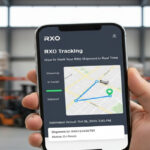

You ordered a sofa, a treadmill, an appliance, or a large piece of office equipment online. The retailer’s confirmation email says it shipped with Pilot Freight Services. Now you are trying to figure out where the shipment is, what the status update means, and why the tracking page looks different from every other carrier you have used.
Track Your Order
Pilot Freight is not a standard parcel carrier. It specializes in moving heavy, oversized, and high-value freight, which means its tracking process works differently from USPS, FedEx, or UPS. There are pre-delivery phone calls, scheduled appointment windows, signature requirements, and service tiers you probably have not encountered before.
This guide covers everything: how to find your tracking number, how to use every available tracking method, what each status means, how the white glove delivery appointment process works, what to do when tracking stalls, and how to reach Pilot’s support team when you need a real answer.
What Is Pilot Freight Services?
Pilot Freight Services is a full-service, asset-based transportation and logistics company headquartered in Glen Mills, Pennsylvania. Founded in 1970 as Pilot Air Freight Corp., the company has grown from its air freight origins into a carrier that moves freight by air, ground, and ocean across North America and internationally.
In May 2022, A.P. Moller-Maersk, one of the world’s largest shipping conglomerates, acquired Pilot Freight Services. The company now operates as a Maersk subsidiary and is often listed in shipping documentation and third-party tracking platforms as Pilot Freight (Maersk). The Maersk acquisition gave Pilot access to a global ocean and air network spanning more than 190 countries.
Pilot operates over 75 locations across North America and has administrative offices in the Netherlands and Spain. Its primary strength is final-mile delivery for heavy, bulky, and hard-to-handle goods, which in the logistics industry are sometimes called H3D freight. If your shipment is a piece of furniture, a large appliance, a fitness machine, or a pallet of commercial equipment, Pilot is a likely carrier.
Pilot Freight Service Types and What Each Means for Tracking
Unlike parcel carriers that use a single system for all shipments, Pilot offers distinct service tiers. Each tier has a different tracking experience, different delivery requirements, and different things you need to do as a recipient.
| Service Tier | What Is Delivered | Delivery Process | Your Role as Recipient |
| Curbside Delivery | Freight unloaded at the end of your driveway or curb. No entry to property. | Driver drops pallet or package. No appointment required in most cases. | Be available or have someone to move items from curb. |
| Threshold Delivery | Item placed just inside your front door or garage. No room placement. | Pre-call to confirm delivery window. Signature required. | Be home during the agreed window. Sign for delivery. |
| Room of Choice | Item carried to a specific room inside your home. | Pre-call scheduling. Two-person team for heavy items. | Designate the room in advance. Be home. Sign for delivery. |
| White Glove Delivery | Full in-home service including unpacking, assembly or installation, and removal of packaging debris. | Pre-call scheduling. Professional install team. Signature and confirmation. | Be home. Prepare the space. Sign and confirm completion. |
| B2B LTL Freight | Palletized commercial shipments to a business address. | Delivery appointment or dock drop depending on arrangement. | Ensure dock or receiving staff are available. |
| Air Freight | Time-critical freight moved by air network. | Direct tracking by air waybill. No pre-call required. | Be available for commercial delivery or pickup. |
Understanding your service tier before delivery day matters. White Glove and Room of Choice shipments require you to be physically present. Missing the appointment can trigger a redelivery fee and push your delivery date back by one to two weeks in many areas.
Pilot Freight Tracking Numbers: What to Look For
Before you can track anything, you need the right identifier. Pilot uses several types of reference numbers and knowing which one you have determines where and how you track it.
| PRO Number (Primary Tracking Number)
The PRO Number, short for Progressive Number, is the main tracking identifier assigned by Pilot at the time of booking. It is a 9-digit numeric code. This is the number to enter at pilotdelivers.com. Example format: 123456789 |
| Number Type | Format | Where to Find It | Where to Use It |
| PRO Number | 9-digit numeric code | Shipping confirmation email from retailer, shipping label, Pilot booking confirmation | pilotdelivers.com tracking field |
| Retailer Reference Number | Alphanumeric, up to 25 characters. Varies by retailer. | Your order confirmation from Wayfair, Best Buy, Walmart, etc. | pilotdelivers.com (enter in reference field) or third-party trackers |
| Air Waybill Number | Alphanumeric combination for air freight | Air freight booking confirmation | pilotdelivers.com or Maersk tracking portal |
| Booking Reference | Letters and numbers assigned by freight broker or booking platform | FreightCenter or broker confirmation email | Platform-specific tracking (e.g., FreightCenter’s own portal) |
One important distinction: if you booked your shipment through a freight broker like FreightCenter, their system assigns its own shipment ID. Tracking through Pilot’s own website may not work with that number. Use the broker’s portal instead, or contact them directly for the PRO Number.
How to Track a Pilot Freight Shipment: Every Method Available
Method 1: Pilot Freight Official Website (Primary Method)
- Open your browser and navigate to pilotdelivers.com.
- Look for the Track a Shipment section on the homepage.
- Enter your 9-digit PRO Number or your retailer reference number in the tracking field.
- Click the Track button.
- The results page will show your shipment’s current status, location history, estimated delivery date, and appointment details if applicable.
For residential final-mile shipments, the tracking page also shows whether a delivery appointment has been scheduled, the agreed delivery window, and whether the local station has contacted you.
Method 2: Phone Tracking (24/7)
Call 1-800-HI-PILOT, which is 1-800-447-4568. Pilot’s National Customer Service team is available 24 hours a day, 7 days a week. Provide your PRO Number and delivery address and the representative can give you a live status update, confirm appointment details, or escalate a delay issue to the local station.
For location-specific issues, such as rescheduling a missed appointment or reaching the driver directly, you will need the local station’s number. This is listed on the Pilot website under the station finder. National customer service can also transfer you.
Method 3: Maersk Delivers Portal
Since the 2022 acquisition, some Pilot shipments, particularly those with an international component or those booked through Maersk’s commercial network, are tracked through the Maersk Delivers portal at delivers.maersk.com. Enter your reference number there if the standard Pilot portal returns no results.
Method 4: Third-Party Tracking Platforms
Several third-party platforms aggregate Pilot’s tracking data. These are useful if you need to track multiple carriers in one interface or if Pilot’s own site is returning errors.
| Platform | URL | Best For |
| AfterShip | aftership.com | E-commerce buyers tracking Pilot alongside other carriers |
| 17Track | 17track.net | International shipments with Pilot involvement |
| TrackingMore | trackingmore.com | API users and bulk tracking |
| ParcelsApp | parcelsapp.com | Mobile tracking on iOS and Android |
| FreightCenter Portal | freightcenter.com | Shipments booked through FreightCenter only |
Note that third-party platforms pull data from Pilot’s system on a delay. If your shipment just had an update, the official Pilot site will show it first. Third-party platforms are better for historical tracking and multi-carrier management.
Pilot Freight Tracking Status Codes Explained
Pilot’s tracking system uses 7 primary status categories and up to 33 sub-statuses in total. Most consumers only see a handful of these during a typical residential delivery. Here is what the main ones mean.
| Status | What It Means | What to Expect Next |
| Shipment Booked / Order Received | Pilot has received the shipment record from the retailer or shipper. The physical freight may not have been picked up yet. | Wait for the first physical scan, which confirms the carrier has the freight. |
| Picked Up / Freight Received | Pilot physically has the freight at an origin station. Movement has started. | Transit scans will appear over the next 1 to 3 days depending on the destination. |
| In Transit | Freight is moving through the network between stations. No action needed. | Updates will appear each time the shipment arrives at or departs a hub. |
| Arrived at Destination Station | The freight has reached the local Pilot station closest to your delivery address. | For residential deliveries, expect a pre-call from Pilot within 1 to 2 business days to schedule your appointment. |
| Appointment Scheduled | You have agreed on a delivery window with the local station. The delivery is on the calendar. | Be home during the agreed window. Confirm access, elevator reservation (if needed), and space for the item. |
| Driver En Route | A driver has been dispatched and is heading to your address. | Delivery is typically within the next 1 to 4 hours. Stay available. |
| Delivered | Pilot confirms the shipment was received at your address and a signature was obtained. | Check your delivery against the bill of lading or delivery receipt. Note any visible damage immediately. |
| Delivery Attempted | The driver came but could not complete the delivery because no one was home or access was blocked. | Pilot will contact you to reschedule. A redelivery fee may apply for commercial shipments. |
| Exception / Delay | Something unexpected has occurred: weather, access problem, customs hold, or damage in transit. | Check your email for details. Contact the local station directly for resolution. |
| Returned to Sender | After failed delivery attempts or at the shipper’s request, the freight is being sent back. | Contact the retailer. They need to resolve the situation and issue a replacement or refund. |
The Pre-Call and Appointment Process: What Most People Do Not Know
This is the section that no competitor guide explains in enough detail, and it is the main reason Pilot deliveries go wrong for unprepared recipients.
For all residential final-mile deliveries, including Threshold, Room of Choice, and White Glove services, Pilot does not attempt delivery without first contacting you to schedule an appointment window. This is not optional and it is not a courtesy call. If Pilot cannot reach you, the delivery will not happen.
How the Pre-Call Process Works
- Your freight arrives at the local Pilot delivery station near your address.
- The local station contacts you by phone or email, typically within 1 to 2 business days of arrival.
- You agree on a delivery date and a time window, usually a 3 to 4 hour range.
- Pilot adds your appointment to the route schedule.
- On delivery day, you receive a heads-up call when the driver is approximately 30 minutes away.
- The driver arrives, performs the service, and obtains your signature on the delivery receipt.
| Critical Warning
You must be home during the agreed window. White Glove and Room of Choice deliveries require someone to be physically present to receive, direct the team, and sign for the delivery. If you are not home, the delivery team cannot leave the item inside your residence. A missed appointment may result in a redelivery fee and a new delivery date that is 1 to 2 weeks out in high-demand areas. |
What to Do If You Need to Reschedule
Call the local Pilot station directly, not the national number. The local station number appears on your tracking page under the shipment details section. Ideally, give at least 24 hours notice to avoid any potential fees. For White Glove deliveries involving a two-person team, advance notice matters even more because the schedule is harder to adjust on short notice.
What to Inspect at Delivery
Before signing the delivery receipt, inspect the item carefully. This is especially important for furniture, appliances, and electronics.
- Check for visible damage to packaging before the team unwraps the item.
- Ask the delivery team to unwrap or assemble the item before you sign if the service level includes it.
- Note any damage, missing parts, or incomplete assembly directly on the delivery receipt. Write the specific issue in the notes field.
- Do not sign a clean delivery receipt for a damaged item. A signature without notation is treated as acceptance of the delivery as-is.
- Take photos of damage before the team leaves and contact the retailer the same day.
Why Pilot Freight Tracking Stops Updating and What to Do
Heavy freight tracking does not behave the same way as parcel tracking. There are fewer scan events, longer gaps between updates, and more reliance on manual entry at stations. Understanding this avoids unnecessary panic.
Normal Reasons for Tracking Gaps
- No scans for 24 to 48 hours. Long-haul linehaul transit.
A shipment moving cross-country, say from California to New York, may travel on a truck for 2 to 3 days without any intermediate scan. The next update appears when it arrives at the destination station.
- Delayed scan on arrival. Station backlog.
If the destination station is processing high volume, a freight item may sit in the yard for several hours before it is scanned into the system. Tracking will appear frozen even though the physical freight has arrived.
- Status stuck on Arrived. Appointment pending.
Once freight reaches the local station, it will show Arrived at Destination Station until a delivery appointment is scheduled. This can take 1 to 3 business days depending on local scheduling capacity. This is the most common source of confusion for residential recipients.
- Expected for cross-border freight. International customs hold.
Shipments moving through U.S. customs or destination country customs can go several days without a status update. Customs clearance timelines are outside Pilot’s control.
When to Take Action: A Decision Guide
| Situation | How Long to Wait | What to Do |
| Status shows Picked Up with no further update | 48 to 72 hours | Check directly on pilotdelivers.com using the PRO Number. If still nothing, call 1-800-447-4568. |
| Status shows Arrived at Destination Station but no pre-call yet | 2 to 3 business days | Call the local station directly. Find the number under station finder on pilotdelivers.com. |
| Appointment scheduled but tracking has not updated to Driver En Route on delivery day | Morning of delivery day | Call the local station to confirm the delivery is still on schedule. |
| Status shows Delivery Attempted but you were home | Same day | Call immediately. There may be a note or address issue. Ask for the driver’s delivery photo. |
| No movement for more than 5 business days at any stage | Do not wait longer | Call 1-800-447-4568 and ask to open a formal trace investigation with your PRO Number. |
Pilot Freight vs Other Large-Item Carriers: What Is Different
Consumers sometimes ask why their large item is not arriving via FedEx or UPS like smaller packages do. The answer comes down to the nature of the freight. Standard parcel carriers have weight limits and size limits. Pilot handles what they cannot.
| Standard Parcel Carriers (FedEx, UPS, USPS)
Weight limit: typically up to 150 lbs. No pre-call scheduling for standard delivery. No in-home placement service. Frequent scan updates throughout transit. Delivery without requiring recipient presence. |
Pilot Freight Services
No weight ceiling for oversized freight. Pre-call scheduling standard for all residential deliveries. White Glove and Room of Choice service tiers available. Fewer scan events; longer gaps between updates are normal. Signature required. Recipient must be present for most service tiers. |
Common Mistakes When Dealing with Pilot Freight Tracking
- Biggest mistake for residential recipients. Waiting for a delivery attempt before scheduling.
Pilot will not attempt delivery without a confirmed appointment for residential final-mile orders. If you do not respond to the pre-call, your freight sits at the station until you do. Days or weeks can pass. Watch for a call from an unfamiliar local area code and for an email from Pilot or your retailer about scheduling.
- Wrong identifier. Using the order number instead of the PRO Number.
Your retailer’s order number and Pilot’s PRO Number are different things. The PRO Number is a 9-digit code specifically assigned by Pilot. Find it in the shipping details section of your order, in the shipping confirmation email, or on the physical label attached to the freight.
- Permanent legal risk. Signing the delivery receipt before inspecting the item.
Once you sign a clean delivery receipt, you have formally accepted the shipment as complete and undamaged. For high-value items like furniture and appliances, this matters significantly. Always inspect before signing and note any issues on the receipt itself, not just verbally.
- Wrong channel. Calling the national number for appointment rescheduling.
The national customer service line is best for trace investigations and general inquiries. For scheduling, rescheduling, or day-of delivery issues, call the local Pilot station directly. Local stations have the actual route information and dispatcher contact.
- Unnecessary delay. Tracking through a third-party site when the PRO Number is available.
Third-party platforms pull data from Pilot’s API on a delay. If you have the PRO Number, going directly to pilotdelivers.com gives you the most current and complete information.
Also Read : Walmart Tracking: How to Track Your Order, Understand Every Status, and Fix Problems (2026)
Delivery Day Checklist for Pilot Freight Recipients
Use this before and on the day of your scheduled delivery.
Before Delivery Day
- Confirm you have the PRO Number or retailer reference number saved.
- Track the shipment on pilotdelivers.com and verify it shows Arrived at Destination Station.
- Confirm your phone number and email address are correct with the retailer. Pilot contacts you using the information on file from the order.
- Clear a path from your front door to the room where the item will be placed. Measure doorways for oversized items.
- For apartment buildings, reserve the elevator with your building management if needed.
- Remove any items that could be damaged or in the way during the delivery.
On Delivery Day
- Stay home during the entire agreed delivery window. Pilot’s arrival time can vary within the window.
- Keep your phone on and answer calls from local area codes. The driver calls approximately 30 minutes before arrival.
- Before the team brings the item inside, do a quick check of the packaging for any visible damage.
- Walk through the assembly or placement with the team before they leave.
- Inspect the item fully. Check all surfaces, all connections, and all components if applicable.
- Note any issues on the delivery receipt before signing. Be specific: write the nature of the damage or the missing part, not just a vague note.
- Keep your signed delivery receipt copy. If a damage claim is filed later, this document is required.
How to Contact Pilot Freight Services
| Contact Method | Details | Best Used For |
| National Customer Service | 1-800-HI-PILOT (1-800-447-4568). Available 24/7 every day of the year. | Trace investigations, general status updates, filing claims, escalating unresolved issues. |
| Local Station | Find your station at stations.pilotdelivers.com using your ZIP code. | Scheduling or rescheduling delivery appointments, day-of delivery issues, local driver contact. |
| Online Tracking | pilotdelivers.com, tracking section on homepage. | PRO Number or reference number status lookup. Available 24/7. |
| Maersk Portal | delivers.maersk.com | International freight, air waybill tracking, and commercial Maersk-linked shipments. |
| Retailer Support | Contact the store or website where you placed the original order. | If the freight appears lost or significantly delayed, the retailer often has more leverage with Pilot than you do as a consumer. |
Frequently Asked Questions
How do I track a Pilot Freight shipment?
Go to pilotdelivers.com, enter your 9-digit PRO Number in the tracking field, and click Track. If you do not have a PRO Number, try your retailer’s order reference number in the same field. You can also call 1-800-447-4568 to get a live update from Pilot’s national customer service team.
What is a Pilot Freight PRO Number?
A PRO Number, short for Progressive Number, is the primary tracking identifier assigned by Pilot Freight at the time of booking. It is always a 9-digit numeric code, such as 123456789. It appears in your shipping confirmation email, on the physical shipping label, and in the shipment details section of your retailer’s order page.
Why has my Pilot Freight tracking not updated in several days?
For heavy freight in long-haul transit, gaps of 24 to 48 hours between scans are completely normal. The most common non-update scenario for residential recipients is freight sitting at the destination station waiting for a delivery appointment to be scheduled. If you have not received a scheduling call from Pilot within 2 to 3 business days of the Arrived at Destination Station status, call the local station directly.
Does Pilot Freight deliver on weekends?
Standard residential deliveries run Monday through Friday. Saturday delivery is available by prior arrangement in specific industries, including cosmetics and pharmaceuticals, but is not a standard option for general consumer deliveries. Customer service is available 24 hours a day, 7 days a week including weekends.
What happens if I miss my Pilot Freight delivery appointment?
For residential deliveries, if you are not home during the agreed window, the delivery team cannot complete the service and will return the freight to the local station. For commercial shipments where no prior notice was given, a redelivery fee may apply. Contact the local Pilot station as soon as possible to reschedule. Depending on the station’s schedule, a new appointment may be 3 to 10 business days away.
What is White Glove delivery with Pilot Freight?
White Glove delivery is Pilot’s premium residential service. The delivery team brings the item inside your home to a designated room, unpacks it, assembles or installs it if applicable, and removes all packaging materials and debris. It requires a pre-scheduled appointment and a signature. It is commonly used for furniture, large appliances, fitness equipment, and electronics.
Can I track my Pilot Freight shipment without a PRO Number?
Yes. If you have the retailer’s order reference number, you can enter it in Pilot’s tracking system in place of the PRO Number. The system will attempt to match it to the associated shipment. If neither works, call 1-800-447-4568 and provide your name, delivery address, and the retailer’s order number. The representative can locate the shipment manually.
How long does Pilot Freight delivery take?
Domestic ground freight between major hubs typically takes 3 to 5 business days. Home delivery adds time for the scheduling process at the destination station, which usually adds 1 to 3 business days after the freight arrives locally. Expedited next-day and 2-day air options are available for commercial shipments. International transit times vary by route and customs clearance.
What do I do if my Pilot Freight delivery arrives damaged?
Before signing the delivery receipt, note the damage specifically on the form. Do not sign a clean receipt for a visibly damaged item. Photograph the damage while the delivery team is still present. Contact the retailer the same day to report the damage and initiate a claim. Keep your signed delivery receipt copy as documentation. If the team has already left, call the local Pilot station immediately and then contact the retailer.
Is Pilot Freight the same as Maersk?
Pilot Freight Services is a subsidiary of A.P. Moller-Maersk, acquired in May 2022. It continues to operate under the Pilot Freight Services name and the pilotdelivers.com website. Some shipments and commercial accounts now route through the Maersk Delivers portal. Tracking platforms often list it as Pilot Freight (Maersk). The two operate as an integrated unit but Pilot handles the North American last-mile freight network.