
You placed an order online. A few days later, your tracking page shows a carrier name you do not recognize: OSM Worldwide. The status reads Picked Up by Shipping Partner. And then… nothing. No movement. No updates. Just silence.
Track Your Order
Sound familiar? You are not alone. Thousands of shoppers every month search for OSM tracking because they are confused about where their package is, why it is not moving, and what OSM Worldwide even is.
This guide answers all of that. You will learn exactly how OSM tracking works, how to read each status update, why delays happen, and what to do if your package appears stuck. No fluff. No guesswork. Just practical information you can actually use.
What Is OSM Worldwide?
OSM Worldwide, legally registered as One Stop Mailing LLC, is an American logistics company founded in 2003. It is headquartered in Glendale Heights, Illinois, a suburb of Chicago. The company operates five processing facilities across the United States, located in:
- Glendale Heights, Illinois (headquarters)
- Atlanta, Georgia
- Dallas, Texas
- Las Vegas, Nevada
- York, Pennsylvania
OSM is not a delivery company in the traditional sense. It does not show up at your door. Instead, it acts as a parcel expeditor, meaning it receives packages in bulk from retailers, sorts and consolidates them, and then injects them into last-mile carrier networks such as USPS for final delivery.
Think of OSM as the middleman between the online store you bought from and the postal worker who delivers to your door.
How OSM Tracking Works: The Step-by-Step Journey
Every package that moves through OSM Worldwide follows a predictable journey. Understanding each stage helps you know exactly what those status updates actually mean.
Stage 1: Label Created
The retailer generates a shipping label in OSM’s OSMART system. A tracking number is assigned and sent to you automatically by email or SMS. This does not mean OSM has the package yet. The label simply exists in the system.
What you see: Picked Up by Shipping Partner or Label Created
Stage 2: Package Received at OSM Facility
The retailer physically hands over the package to one of OSM’s five processing centers. The package is scanned into the system. This is when tracking officially begins in a meaningful way.
What you see: Received at OSM Facility or In Transit
Stage 3: Sorting and Consolidation
OSM sorts your package alongside thousands of others heading to the same geographic region. This is the part most people do not expect. It takes time because packages are batched together for efficient delivery. This stage is where most delays occur.
Stage 4: Transfer to Last-Mile Carrier
OSM hands off your package to a last-mile carrier. In most domestic cases, this is USPS. At this point, your tracking status transitions from OSM-generated updates to USPS updates.
What you see: Transferred to USPS or In Transit to Next Facility
Stage 5: Final Delivery
USPS (or another last-mile carrier) completes delivery to your address. You receive a delivery confirmation scan.
What you see: Delivered or Out for Delivery
How to Find and Use Your OSM Tracking Number
Your OSM tracking number is sent automatically when the retailer ships your order. Here is where to find it:
- Shipping confirmation email from the retailer
- Your order status page on the retailer’s website
- SMS notification if you opted in
OSM tracking numbers follow a specific format: a combination of letters and numbers. Common examples include formats like BTDAPA123456 or long numeric strings starting with 420. If you are unsure which carrier has your package, check the retailer’s confirmation email first.
Method 1: Track on the Official OSM Website
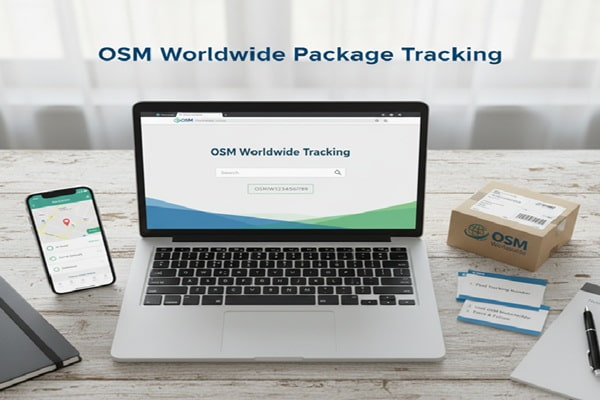
- Go to osmworldwide.com and click Track a Package
- Enter up to 30 tracking numbers, one per line
- Click the Track button
- Review the status updates shown on screen
Method 2: Track via Third-Party Platforms
If OSM’s own site shows limited information, third-party tracking aggregators often pull data from multiple sources and present a clearer picture. Reliable options include:
| Platform | Carriers Supported | Best For |
| 17TRACK | 2,887+ | International shipments, multiple carriers at once |
| AfterShip | 1,100+ | eCommerce businesses, API integration |
| TrackingMore | 1,700+ | Automated tracking, webhook alerts |
| Packagetrackr | All major US carriers | Simple consumer tracking |
| Ship24 | Global carriers | International + USPS combined view |
Pro Tip: If your tracking number is not recognized, manually select OSM Worldwide as the carrier using the carrier dropdown on the tracking platform. The auto-detection sometimes misidentifies OSM tracking numbers.
What Every OSM Tracking Status Actually Means
OSM tracking statuses are written in logistics language, not plain English. Here is a plain-language translation of the most common ones:
| Status Shown | What It Actually Means |
| Picked Up by Shipping Partner | Label created in system. OSM may not have the physical package yet. |
| USPS Awaiting Item | OSM has not yet given your package to USPS. Common during batching. |
| Received at Facility | OSM physically has your package and has scanned it in. |
| In Transit | Package is moving between OSM facilities or to the last-mile carrier. |
| Transferred to USPS | OSM’s role is done. USPS is now responsible for delivery. |
| Out for Delivery | USPS driver has your package and is heading to your address. |
| Delivered | Package has been delivered and a scan confirms it. |
OSM Worldwide Delivery Times: What to Realistically Expect
Delivery timelines vary based on where you are, the service level the retailer paid for, and current volume at OSM’s facilities. Here is a realistic breakdown:
| Shipping Type | Typical Delivery Time | Notes |
| Domestic (US) | 2 to 5 business days | After package leaves OSM facility |
| US to Canada | 5 to 10 business days | Customs adds variability |
| International (Economy) | 3 to 21 business days | Depends on destination and customs |
| International (Express) | 1 to 3 business days | Faster but retailer must select this |
Important: These timelines start from when OSM transfers the package to the last-mile carrier, not from when the label was created. There can be several days between label creation and when OSM actually processes and ships the package.
Why Your OSM Tracking Is Not Updating: Real Reasons and Real Solutions
This is the question most people actually need answered. Tracking gaps with OSM are common, and there are specific reasons why they happen.
Reason 1: The Label Was Created But OSM Does Not Have the Package
When a retailer creates a label, OSM’s system generates a status immediately. But the physical package may not be picked up for another day or two. The tracking number exists before the package moves.
Solution: Wait 48 to 72 hours from the label creation date before contacting anyone.
Reason 2: Package Is Being Batched for Consolidation
OSM holds packages until there are enough going to the same region to ship efficiently. This can take several days. Your package is in a warehouse, not lost. The tracking just does not update during this window.
Solution: If no update for 5 to 7 business days, contact the retailer (not OSM directly).
Reason 3: Electronic Data Lags Behind Physical Movement
Your package may physically be moving between facilities while tracking still shows the last scan point. Scan events happen at key checkpoints, not continuously. The gap between scans can be 24 to 48 hours even when everything is normal.
Solution: Check tracking twice daily rather than every hour. Frequent checks create anxiety without new information.
Reason 4: USPS Handoff Causes a Tracking Gap
When OSM transfers your package to USPS, there is often a gap of 12 to 48 hours before USPS begins generating its own scan events. During this gap, OSM shows the package as transferred, but USPS tracking may show no information yet.
Solution: Try tracking with your number directly on usps.com. USPS tracking often activates before OSM reflects the update.
Reason 5: Your Package May Be Genuinely Lost
This is rare but it happens. If your package has shown no movement for more than 10 business days and you have contacted both the retailer and OSM with no resolution, the package may be lost in transit. OSM has received public complaints and BBB reports from customers whose packages disappeared in their facilities without explanation.
Solution: File a claim with the retailer. They can request a refund or replacement. OSM cannot issue refunds since they are not the seller.
Common Mistakes People Make When Tracking OSM Packages
- Contacting OSM customer service for a refund. OSM does not sell products and cannot issue refunds. Always contact the retailer.
- Assuming the package is lost after 3 to 4 days with no update. OSM batching typically causes gaps of 5 to 7 days. This is normal.
- Entering the tracking number on the wrong carrier website. OSM packages often transfer to USPS. Try both osmworldwide.com and usps.com.
- Requesting an address change through OSM. OSM cannot change delivery addresses. Only the retailer can authorize this.
- Panicking when tracking shows USPS Awaiting Item for several days. This is one of the most common statuses and usually resolves on its own within a week.
OSM Tracking for Businesses: What eCommerce Sellers Should Know
If you are a business using OSM Worldwide as your shipping partner, the tracking experience is different from what consumers see. Here is what matters most on the business side:
OSMART Technology Suite
OSM’s proprietary platform, OSMART, gives businesses real-time tracking, reporting, and shipping management tools. It integrates with warehouse management systems and order management platforms. Businesses can manage shipments, track packages, and pull performance reports from a single portal.
Bulk Label Creation
Businesses shipping more than 1,000 packages per day can create labels in batches rather than one at a time. This dramatically reduces processing time and minimizes labeling errors.
Tracking API Access
OSM’s tracking data can be accessed via API, allowing businesses to embed live shipment status directly into their own customer-facing order pages. Third-party platforms like AfterShip and TrackingMore also offer OSM API integration for businesses that want a unified tracking dashboard across multiple carriers.
International Shipments
For international packages, tracking remains active across borders because OSM partners with local postal authorities in over 180 countries. Businesses get full tracking visibility from origin to destination, including customs clearance stages.
Also Read : Dohrn Tracking: How to Track Your Dohrn Transfer Freight Shipment
OSM Worldwide vs. Other Shipping Partners: How Does It Compare?
| Feature | OSM Worldwide | FedEx | UPS | USPS Direct |
| Primary Role | Parcel expeditor + consolidator | End-to-end carrier | End-to-end carrier | End-to-end carrier |
| Domestic Delivery | 2 to 5 days (via USPS) | 1 to 5 days | 1 to 5 days | 1 to 5 days |
| Tracking Updates | Less frequent | Frequent | Frequent | Frequent |
| Best For | High-volume, budget eCommerce | Speed-critical shipments | Business shipments | Standard consumer mail |
| Consumer Control | Low (retailer decides) | High | High | Medium |
| International Reach | 180+ countries | 220+ countries | 220+ countries | 190+ countries |
Expert Tips for Getting the Most Out of OSM Tracking
- Use a multi-carrier tracking app. Apps like 17TRACK or AfterShip aggregate data from OSM and USPS simultaneously, giving you a clearer picture when the carrier handoff happens.
- Set tracking alerts. Third-party platforms let you set email or SMS notifications for each status change. This saves you from checking manually every few hours.
- Check USPS directly. Once your OSM tracking shows Transferred to USPS, switch to tracking via usps.com. USPS sometimes updates before OSM reflects the change.
- Contact the retailer, not OSM. OSM cannot resolve consumer issues. They are a B2B shipping partner. Your retailer is your point of contact for lost packages, refunds, and reshipping.
- Give it 10 business days before escalating. Most OSM delays resolve within this window. Filing claims too early adds unnecessary complexity.
Frequently Asked Questions About OSM Tracking
How do I track an OSM Worldwide package?
Go to osmworldwide.com and enter your tracking number in the Track a Package section. You can also use third-party platforms like 17TRACK, AfterShip, or Packagetrackr by entering the same tracking number.
What does Picked Up by Shipping Partner mean on OSM?
This status is automatically generated when a shipping label is created in OSM’s system. It does not confirm that OSM physically has your package yet. There may be a delay of 24 to 72 hours before the package is actually received at an OSM facility.
Why has my OSM tracking not updated in days?
OSM batches packages before shipping, which can cause tracking gaps of 5 to 7 business days. This is normal. Your package is likely sitting in an OSM processing center waiting to be consolidated with other packages heading to your region. If no update appears after 10 business days, contact the retailer.
Can I change my delivery address through OSM?
No. OSM cannot modify delivery addresses. Only the retailer or merchant who sent the package can authorize address changes. Contact the company you purchased from and ask them to update the shipping address through their system.
What happens when OSM transfers my package to USPS?
OSM passes your package to USPS at a sorting facility. From this point, USPS generates all tracking updates until delivery. There is often a gap of 12 to 48 hours between the OSM transfer scan and the first USPS scan event. Try tracking directly on usps.com during this window.
How long does OSM Worldwide take to deliver?
Most domestic packages arrive 2 to 5 business days after leaving an OSM facility. International deliveries range from 3 to 21 business days depending on the destination country and customs processing. Note that these timelines begin after OSM processes and transfers the package, not from the date the label was created.
What should I do if my OSM package is marked delivered but I did not receive it?
First, check all delivery spots around your door, mailbox, and with neighbors. Verify the shipping address on your order. If the package is genuinely missing, contact the retailer immediately. They can open a claim with OSM and arrange a replacement or refund.
Can I contact OSM Worldwide directly as a consumer?
You can reach OSM Worldwide customer support by phone at 866-681-7867 or by email at support@osmworldwide.com. However, OSM has limited ability to help consumers since they are a B2B service. For issues involving your order, refunds, or reshipping, your retailer is the correct point of contact.
Why does OSM tracking show USPS Awaiting Item for so long?
This status appears when OSM has generated the label and flagged the package for USPS pickup, but the physical handoff has not happened yet. This can last several days because OSM batches packages. It does not mean anything is wrong. It simply means the package is waiting for enough shipments to be consolidated before being transferred to USPS.
Is OSM Worldwide a legitimate company?
Yes. OSM Worldwide, legally called One Stop Mailing LLC, is a legitimate US-based logistics company founded in 2003 and headquartered in Glendale Heights, Illinois. It partners with USPS and serves major eCommerce retailers and businesses. Customer reviews are mixed, with common complaints about slow tracking updates and communication gaps, but the company is real and operational.