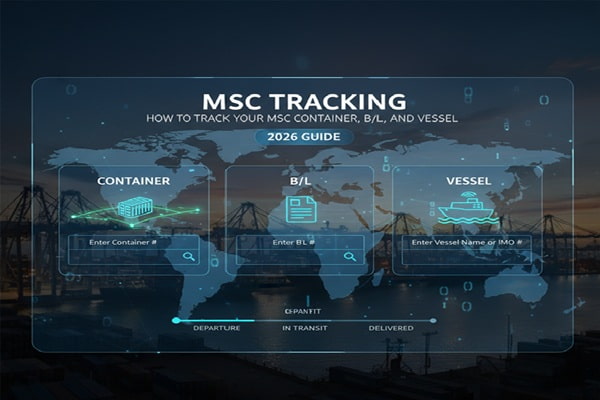

You booked a shipment with MSC. The container left the origin port days ago and now you need answers. Where exactly is it? Has it cleared customs? Has it transshipped at an intermediate port? What time does the vessel arrive?
Track Your Order
Those questions are reasonable. And they have specific answers, if you know where to look and how to read what you find.
This guide covers MSC tracking from every angle: how to use it as a first-time shipper, how to read each milestone, what to do when tracking stops updating, and how large logistics operations use advanced tools to monitor dozens of containers at once. Whether you shipped one box or five hundred, the fundamentals are the same.
What Is MSC and Why Does It Matter for Tracking?
MSC stands for Mediterranean Shipping Company. It was founded in 1970 by Captain Gianluigi Aponte in Naples, Italy, starting with a single cargo vessel called the MV Patricia. Today the company is headquartered in Geneva, Switzerland, and is still privately owned by the Aponte family.
As of March 2026, MSC is the world’s largest container shipping company by fleet size and capacity. The numbers are significant for anyone trying to understand the tracking challenge:
| 900+ vessels
Fleet size |
500+ ports
Global reach |
215+ trade routes
Service network |
20% of global capacity
Market share |
Why does this scale matter for tracking? Because MSC containers frequently move through hub-and-spoke routing. Your shipment from Shanghai to Rotterdam may pass through Port Said, Singapore, or Algeciras before reaching its destination. Each transshipment point creates a gap in tracking data, which is the single most common cause of confusion among MSC shippers.
MSC Tracking Numbers: Which One Do You Have?
You need the right reference number before you can track anything. MSC accepts three types. Each serves a different purpose and returns slightly different information.
1. Container Number
This is the physical identifier printed on the side of the container itself. It follows a universal ISO format: four letters followed by seven digits, with the last digit being a check digit.
Example: MSCU 123456 7 (where 7 is the check digit)
The first three letters (MSC in many cases, but also MEDU, MSDU, or MSKU) identify the container owner. The fourth letter is always U for a standard freight container. The six digits are the serial number. The check digit is calculated mathematically from the other characters.
Container numbers starting with MEDU are the most common for MSC cargo shipments. MEDU is MSC’s main equipment prefix registered with the Bureau International des Containers (BIC).
2. Bill of Lading Number (B/L)
The Bill of Lading is the legal document that serves as the contract of carriage between the shipper and MSC. Your B/L number is assigned when the booking is confirmed and appears on all shipping documentation.
Format: MSC B/L numbers typically begin with MSCU followed by 8 to 12 alphanumeric characters.
Tracking with a B/L number shows all containers on that shipment at once, which is useful when you shipped multiple containers under a single booking.
3. Booking Number
The booking number is the reference generated when you first book cargo space with MSC or through a freight forwarder. It is the earliest reference you will have, before a container number or B/L is assigned.
Tracking with a booking number is most useful in the early stages, before the container has been gated in at the port of loading.
How to Track Your MSC Shipment: Step by Step
Method 1: MSC Official Website (msc.com)
This is the primary and most authoritative source. No registration required for basic shipment tracking.
- Open a browser and go to msc.com
- Click Track a Shipment in the top navigation bar
- Choose whether you are entering a container number, Bill of Lading number, or booking number
- Type your reference number in the search field. You can enter up to 10 references at once.
- Click the search icon or press Enter
- Review the results: you will see the container type, current status, port of loading (POL), port of discharge (POD), vessel name, voyage number, and ETA
- Click Notify Me to subscribe to email updates for any changes to that shipment
Important: msc.com tracking is updated from live port scan data, but there can be a lag of 4 to 12 hours between a physical scan and when it appears online. If tracking appears frozen, wait before assuming something is wrong.
Method 2: MSC MyShipments Portal
For registered MSC customers, the MyShipments dashboard provides a more detailed view of all active shipments under your account. You can filter by trade route, vessel, or time period. This is more suited to freight forwarders and logistics teams than individual shippers.
Method 3: Third-Party Tracking Platforms
If msc.com returns limited information, or if you manage shipments across multiple carriers and want everything in one place, third-party platforms are worth using. Most pull data directly from MSC’s systems and supplement it with AIS vessel tracking.
| Platform | Best Use Case | Free Tier | Key Advantage |
| 17TRACK | Multi-carrier, consumer | Yes | Widest carrier support (2,887+) |
| ShipsGo | Ocean freight teams | 3 free credits | Live map + delay alerts |
| GoComet | Freight forwarders | 3 free trackings | Port congestion tool included |
| AfterShip | eCommerce & API users | Yes (limited) | Webhook and API integration |
| Dockflow | Enterprise logistics | 30-shipment demo | AI-powered predictive ETA |
| SeaVantage | Supply chain teams | Trial | Predicted ETAs + multi-carrier |
| Beacon | Large importers/exporters | Trial | Full milestone visibility, dashboard |
For businesses shipping regularly with MSC, a third-party platform that sends automated alerts is worth the investment. Manual checking is time-consuming, and a missed ETA update can cascade into demurrage charges.
Reading MSC Tracking: What Every Milestone Actually Means
MSC tracking milestones use industry-standard logistics language. Here is a plain-English translation of each stage, in the order you will see them.
| Milestone Status | What It Means | Normal Duration |
| Empty Container Released | MSC has assigned an empty container for your booking. It has not been packed yet. | 1 to 3 days before gate-in |
| Gate In Full | Your packed container entered the port terminal at origin. The clock on free time begins here for export. | Days before vessel departure |
| Loaded on Vessel | Container is physically on the ship. The vessel has not necessarily departed yet. | Day of loading |
| Departed Port of Loading (ATD) | Vessel has left the origin port. Your container is at sea. | Marks start of ocean transit |
| Arrived at Transshipment Port | Vessel reached an intermediate hub port. Container is being shifted to a connecting vessel. | Hours to 5 days depending on schedule |
| Departed Transshipment Port | Container is on its second (or third) vessel, heading to your final destination. | Marks restart of ocean transit |
| Arrived at Port of Discharge (ATA) | Vessel carrying your container has arrived at the destination port. | The vessel is at anchor or berth |
| Discharged at Port of Discharge | Your container has been physically unloaded from the ship onto the terminal. | Usually same day as ATA |
| Gate Out Full | Container has left the terminal, typically collected by a trucker or rail operator. | After customs clearance |
| Empty Container Returned | Your empty container has been returned to the MSC depot. Detention clock stops here. | After cargo is unpacked |
MSC Transit Times by Trade Route
Transit times with MSC vary significantly by route. These are approximate ocean transit times, not including time at origin port or customs clearance at destination.
| Trade Route | Approximate Transit Time | Typical Transshipment Ports |
| Asia to North Europe | 22 to 28 days | Port Said, Algeciras |
| Asia to Mediterranean | 16 to 22 days | Port Said, Malta |
| Asia to US East Coast | 25 to 35 days | Panama Canal or Suez |
| Asia to US West Coast | 14 to 18 days | Direct or via Los Angeles |
| Asia to Middle East | 12 to 18 days | Jebel Ali |
| Europe to North America | 10 to 16 days | Algeciras, Tangier Med |
| Europe to West Africa | 14 to 22 days | Dakar, Abidjan |
| Intra-Asia | 5 to 14 days | Singapore, Port Klang |
MSC operates over 215 trade routes calling at more than 500 ports globally. Because of this scale, routing options vary considerably. Ask your freight forwarder for the specific service name (for example, Shogun Service or Griffin Service) so you can track the vessel schedule directly on msc.com under Vessel Schedules.
Vessel Tracking: How to Find Your Ship’s Live Location
If you want to see where the actual vessel carrying your container is right now, you have two options.
Option 1: MSC Vessel Schedule Tool
- Go to msc.com and click Services, then Vessel Schedules
- Enter the vessel name or select your trade route
- View the vessel’s itinerary, including actual departure times (ATD) and estimated arrival times (ETA) at each port
Option 2: AIS Marine Tracking
AIS (Automatic Identification System) is a maritime radio technology that every large vessel broadcasts. Third-party websites aggregate this signal and display live vessel positions on a world map.
- MarineTraffic (marinetraffic.com) – the most widely used AIS platform
- VesselFinder (vesselfinder.com) – includes MSC fleet map
- MarineVesselTraffic – provides a dedicated MSC fleet view
Enter the vessel name from your MSC tracking results into any of these tools. You will see the ship’s current position, speed, heading, and ETA at the next port. This is particularly useful during long ocean transits when MSC’s own system shows no new scan events for several days.
Why MSC Tracking Stops Updating: Six Real Reasons
Gaps in tracking data are the most common complaint among MSC shippers. In most cases, the gap has a logical explanation. Here are the six most frequent causes.
1. Ocean Transit Gap
Once your container is loaded onto a vessel and the ship departs, there are no further port scans until the vessel reaches the next port. Depending on the route, this gap can be 10 to 28 days. During this time, tracking shows the last departure event with no new updates. This is completely normal.
What to do: Use AIS vessel tracking (MarineTraffic or VesselFinder) to confirm the ship is moving normally.
2. Transshipment Delay
MSC uses hub-and-spoke routing extensively. When your container arrives at a transshipment hub, it waits for the connecting vessel. Depending on the schedule, this wait can be 1 to 5 days. Tracking may show Arrived at Transshipment Port and then go quiet until the next departure scan.
What to do: Check msc.com for the connecting vessel name and look up its schedule separately.
3. Port Congestion
Busy ports like Los Angeles, Rotterdam, and Singapore regularly experience congestion. When vessels queue at anchor before getting a berth, tracking shows the vessel as arrived but the discharge scan may not appear for another 24 to 72 hours.
What to do: Third-party platforms like GoComet have real-time port congestion dashboards. Check those to understand if the delay is port-wide, not just your container.
4. Customs Hold
If your container is selected for customs examination, it is physically moved to an inspection area at the terminal. This often causes a gap in tracking because the container is off the standard terminal tracking grid during examination. The delay can range from one day to over a week depending on the country and the nature of the examination.
What to do: Contact your customs broker immediately. Do not wait. Customs holds are time-sensitive because demurrage free time continues to run.
5. Data Lag Between Physical Scan and System Update
MSC’s tracking system is updated from terminal scan data. There is sometimes a lag of 4 to 24 hours between when a physical scan occurs at a port and when that event appears in the online tracking tool. A missing update does not always mean something is wrong.
6. Incorrect or Mislabeled Container
In rare cases, a scan may be attributed to a different container number due to a labeling issue or scanning error. If your tracking shows no movement beyond gate-in for more than three days after the vessel’s scheduled departure, contact your freight forwarder or MSC directly.
Demurrage, Detention, and Per Diem: The Hidden Cost of Slow Tracking
Most shippers learn about demurrage and detention the hard way: through an unexpected invoice. Understanding these charges, and how tracking visibility helps you avoid them, is one of the most financially practical reasons to stay on top of MSC tracking.
What Is Demurrage?
Demurrage is the charge MSC (or the terminal) applies when your container stays at the port terminal longer than the permitted free time after it has been discharged from the vessel. Free time for standard dry containers at most US ports is 4 working days.
What Is Detention?
Detention applies when you keep the container outside the terminal, for example at your warehouse while you unpack it, beyond the permitted free time. This is the charge for using MSC’s equipment (the box itself).
What Is Per Diem?
Per diem is essentially the same concept as detention in most contexts. It is the daily charge for having the container outside the terminal or port facility beyond the free period.
| Charge Type | When It Starts | US Rate Example (40ft dry container) | How Tracking Helps |
| Demurrage | After free time expires at terminal (typically 4 working days from discharge) | $80/day initially, rising to $150+/day after period 2 | Know your ATA immediately to start your free-time clock |
| Detention / Per Diem | After free time expires once container is out of terminal | Varies by contract; typically $50 to $200/day | Get Gate Out Full alert to know exactly when your free time begins |
Important MSC Policy: MSC does not assess demurrage, detention, or per diem charges for days when a terminal is closed due to holidays, weekends, or port closure events. This was confirmed in a customer notification from MSC in line with FMC compliance requirements.
The practical takeaway: if you set up tracking alerts for the Arrived at Port of Discharge and Discharged at POD milestones, you know the moment your free time clock starts. Without these alerts, shippers routinely find out about discharge days after the fact, burning through free time before the container has even been arranged for pickup.
Also Read : OSM Tracking: How to Track Your OSM Worldwide Package (Complete Guide)
MSC Tracking for Businesses and Freight Forwarders
Individual shippers use MSC tracking reactively. Businesses need it to be proactive. The requirements are different, and the tools available are more sophisticated.
MSC MyMSC Portal
MyMSC is MSC’s registered customer platform. It provides:
- Booking management and documentation
- Multi-shipment tracking dashboard
- Access to MSC e-invoicing and customs documents
- Vessel schedule lookup
- Rate quotes and service information
Registration requires an existing account relationship with MSC or a regional MSC office.
MSC eBusiness API
MSC offers API-level data access for logistics technology platforms and large-volume shippers. This allows businesses to pull tracking data directly into their own TMS (Transport Management System), ERP, or customer-facing portals without manual entry.
Third-Party Tracking API Integration
Several platforms offer MSC container tracking APIs that businesses can integrate into their systems. These are often faster to set up than MSC’s own eBusiness platform and support multi-carrier tracking in a single integration.
- ShipsGo: unlimited API calls, real-time data, ETA/ETS updates, container release alerts
- AfterShip: supports MSC alongside 1,100+ carriers, webhook notifications
- GoComet GoTrack: MSC tracking plus port congestion intelligence
- Dockflow: AIS-enhanced tracking, AI-predicted ETA, stakeholder portal
Automated Milestone Alerts Worth Setting Up
Not all milestones carry equal financial weight. For a business, the most important alerts to configure are:
- Vessel Departure from POL – confirms cargo is on board and ocean transit has started
- Arrival at Transshipment Port – confirms first leg complete and watch for connecting vessel schedule
- Arrival at POD (ATA) – this is when your demurrage free time clock starts; arrange customs clearance and pickup immediately
- Discharge at POD – your container is off the ship and on the terminal; free time is running
- Gate Out Full – container has left the terminal; detention/per diem clock begins
Common Mistakes When Tracking MSC Shipments
- Waiting passively during ocean transit. Shippers see the Departed POL scan and assume they cannot track anything until arrival. You can. Use AIS vessel tracking tools to monitor the ship’s position throughout the voyage.
- Not accounting for transshipment time. A tracking result showing ETA at POD is an estimate. If your container is transshipping at a major hub, schedule disruptions there can push your ETA back by 3 to 7 days. Always build buffer into your planning.
- Using only MSC’s website for complex shipments. MSC’s own tracker is fine for basic status. For predictive ETAs, port congestion context, and automated alerts, a third-party platform adds meaningful intelligence.
- Ignoring the free time clock on discharge. Discharge happens. Then the demurrage clock runs. Shippers who find out about discharge from a demurrage invoice rather than a tracking alert routinely pay avoidable fees.
- Not distinguishing ETA from ATA. ETA is estimated. ATA (Actual Time of Arrival) is confirmed. Treating an ETA as a firm date leads to planning errors. Track ATA, not just ETA.
- Contacting MSC customer service too early. For shipments in ocean transit, MSC customer service cannot tell you more than the tracking portal. Contact them only when you have a specific issue at origin or destination that requires their intervention.
The Future of MSC Container Tracking
Container tracking technology is developing quickly. Several trends are reshaping what shippers will expect from MSC and the broader industry within the next two to three years.
Predictive ETA Models
Current ETAs on msc.com are schedule-based estimates. Next-generation tools use machine learning to predict actual arrival times based on vessel speed, weather patterns, port congestion levels, and historical performance on each route. Platforms like Dockflow and SeaVantage already offer this. MSC is integrating predictive visibility into its own portal as part of its broader digitization strategy.
IoT-Based Container Sensors
MSC and other major carriers are trialling smart containers with built-in sensors that track temperature, humidity, door openings, shock, and GPS position in real time. For cargo types like pharmaceuticals, food, and electronics, this adds a layer of cargo condition monitoring alongside location tracking. Commercial rollout is gradual and currently more common in refrigerated (reefer) containers.
Blockchain-Based Documentation
Several initiatives are underway to put Bill of Lading documentation on blockchain ledgers, making ownership transfer and tracking data tamper-proof and instantly verifiable. MSC has participated in industry consortia exploring this. Practical adoption at scale is still several years away, but it will eventually change how B/L-based tracking works.
Unified Industry Platforms
The fragmentation of container tracking across 20-plus major carriers has driven efforts toward unified visibility platforms. DCSA (Digital Container Shipping Association), of which MSC is a member, is standardizing tracking event data formats across carriers. As this standard matures, third-party tracking platforms will become more accurate and more consistent, regardless of which carrier handles your container.
Frequently Asked Questions About MSC Tracking
How do I track an MSC container?
Go to msc.com and click Track a Shipment. Enter your container number (format: MSCU1234567), Bill of Lading number, or booking number. Results show current container status, vessel name, port information, and ETA. You can also track via third-party platforms like ShipsGo, GoComet, or AfterShip using the same reference numbers.
What does MEDU mean on an MSC container?
MEDU is MSC’s primary container equipment prefix registered with the Bureau International des Containers. It identifies the container as owned by MSC. Other MSC equipment prefixes include MSCU, MSDU, and MSKU. The prefix appears as the first four characters of every MSC container number.
Why is my MSC tracking not updating?
The most common reasons are: the container is in ocean transit between ports (no scans occur at sea), the container is awaiting a connecting vessel at a transshipment hub, or there is a 4 to 24 hour data lag between a physical terminal scan and the online display. For longer gaps, check AIS vessel tracking on MarineTraffic to confirm the ship is moving.
What is the MSC tracking number format?
MSC container numbers follow the ISO standard: four letters followed by seven digits. The first three letters identify the owner (often MSC or MED), the fourth letter is always U for a standard freight unit, the next six digits are the serial number, and the final digit is a check digit. Example: MSCU 123456 7. Bill of Lading numbers start with MSCU followed by 8 to 12 alphanumeric characters.
Can I track an MSC shipment without a container number?
Yes. You can use either a Bill of Lading number or a booking number instead of a container number on msc.com. The B/L number is particularly useful because it returns all containers on that shipment simultaneously, rather than requiring you to track each container number individually.
How accurate is MSC’s estimated time of arrival (ETA)?
MSC ETAs are based on vessel schedules and are updated when the schedule changes. Global container shipping schedule reliability averaged around 51.5% in early 2025, meaning ETAs frequently shift. For critical shipments, use a third-party platform with AI-powered predictive ETAs rather than relying solely on MSC’s schedule-based estimate.
What does Arrived at Transshipment Port mean?
It means your container has arrived at an intermediate hub port and is being transferred to a different vessel for the next leg of its journey to the final destination. This is part of MSC’s hub-and-spoke network design. The container typically waits 1 to 5 days at the transshipment port before the connecting vessel departs.
How do I track an MSC vessel’s live position?
Take the vessel name from your MSC tracking result and enter it into MarineTraffic (marinetraffic.com) or VesselFinder (vesselfinder.com). Both use AIS data to show the ship’s real-time position, speed, heading, and ETA at the next port. This is the most reliable way to track the ship itself during ocean transit.
How do I avoid demurrage charges with MSC?
Set up tracking alerts for the Arrived at Port of Discharge and Discharged at POD milestones. The moment discharge is confirmed, begin coordinating customs clearance and container pickup. Know your free time allowance before the shipment departs. For US ports, standard dry container free time is typically 4 working days from discharge. Plan to pick up well within that window.
What is MSC’s customer service number for tracking issues?
MSC operates local offices in over 155 countries, each with their own contact details. Find the correct office for your port of discharge at msc.com under Contact Us, then select your country. Calling the global headquarters in Geneva is rarely effective for specific shipment issues. Always contact the local MSC office nearest to where the problem is occurring.