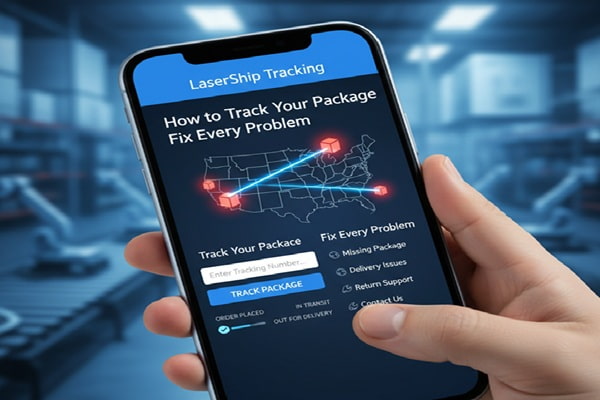

You ordered something. The retailer sent you a tracking number. Now you are staring at a website wondering why it says “LaserShip” but is redirecting you to something called OnTrac. Or maybe the status has not changed in three days. Or it says delivered but there is nothing at your door.
Track Your Order
You are not alone. LaserShip is one of the most searched carriers on the internet, and a significant portion of those searches come from frustrated people trying to figure out what happened to their package. This guide answers every question you actually have: what happened to LaserShip, how to track properly, what every status message means, and exactly what to do when things go wrong.
The most important thing to know first: LaserShip rebranded as OnTrac in 2023. Your tracking number still works. The website changed. Everything else will make sense once you understand this.
LaserShip Is Now OnTrac: The Full Story
In October 2021, LaserShip acquired OnTrac, a major West Coast delivery carrier, for 1.3 billion dollars. The two companies spent the next two years merging their networks. In April 2023, they officially rebranded the entire combined operation under the OnTrac name.
This is why you are confused. You placed an order, the retailer used LaserShip, but now the tracking page redirects to ontrac.com. The delivery driver might have a van with a different logo. The phone number is different. None of this means your package is lost or at the wrong company. It is all the same operation now.
What this means for your tracking: Enter your LaserShip tracking number on ontrac.com exactly as you normally would. It works. The official LaserShip website (lasership.com) now forwards directly to ontrac.com/tracking/.
| Old LaserShip Details | New OnTrac Details |
| Website: lasership.com | Website: ontrac.com (lasership.com redirects here) |
| Customer service: (804) 414-2590 | Customer service: 1-800-334-5000 |
| Email: support@lasership.com | Email: support@ontrac.com |
| Service area: East Coast + Midwest | Service area: 31 states + D.C., coast to coast |
| SMS: N/A | SMS tracking: Text ‘track my package’ to 205-855-5110 |
| Brand: LaserShip | Brand: OnTrac (same carrier, same network) |
How to Read a LaserShip Tracking Number
LaserShip tracking numbers are alphanumeric. Knowing the format helps you verify you have the right number before spending time troubleshooting a blank result.
Standard Formats
Most LaserShip tracking numbers follow one of these patterns:
| Prefix | Example Format |
| 1LS | 1LSCY720002KE2J (most common for recent shipments) |
| LS | LS12345678 (older standard format, 2 letters + 8 numbers) |
| LX | LX26608682 (common for certain retailer integrations) |
| BN | BN12345678 (used for specific merchant partnerships) |
Numbers can range from 10 to 15 characters. If your tracking number starts with “C” followed by 13 digits, that is an OnTrac (West Coast legacy) format, not a LaserShip number, though both now track on the same system.
How to Track Your LaserShip Package: Every Method
Method 1: Official OnTrac Website (Use This First)
This is the most accurate and up-to-date tracking source. Third-party tools pull from this same data, sometimes with a delay.
- Go to ontrac.com
- Enter your LaserShip tracking number in the search field on the homepage
- Click ‘Track Your Package’
- Your full shipment timeline will appear, including facility scans, current status, and estimated delivery date
- If available, proof of delivery photos will appear after the package is marked delivered
Note: Typing ‘lasership.com’ in your browser will automatically redirect you to ontrac.com. Both work.
Method 2: SMS Text Tracking
Text the words ‘track my package’ to 205-855-5110 from your mobile phone. You will receive automated status updates by text message. This is useful when you cannot check a browser and want a quick status. The automated system will ask for your tracking number in response.
Method 3: NotifyMe Alerts
On the ontrac.com tracking page, after entering your tracking number, you can opt into the NotifyMe program. Provide your phone number and you will receive SMS updates automatically as your package moves through each stage. This eliminates the need to check manually.
Method 4: Customer Service Phone
Call 1-800-334-5000 to speak with an OnTrac/LaserShip customer service representative. For legacy LaserShip-specific inquiries, (804) 414-2590 may also work. Customer service hours are Monday through Friday 8 AM to 10 PM, Saturday 8 AM to 8 PM, and Sunday 8 AM to 5 PM. The service center is closed on New Year’s Day, Christmas, Thanksgiving, and July 4th.
Method 5: Submit a Tracking Inquiry Online
If your package has a specific problem (marked delivered but missing, stuck in transit, exception showing), the most effective route is the online inquiry form at ontrac.com. After entering your tracking number and clicking Track, select the relevant issue type. This generates a case number and puts you in the formal investigation queue, which is different from general customer service.
Method 6: Third-Party Tracking Tools
If you manage multiple carriers or want a single dashboard, several platforms support LaserShip/OnTrac tracking:
- AfterShip (aftership.com) – carrier code: lasership or ontrac
- 17TRACK (17track.net)
- Ship24 (ship24.com)
- TrackingMore (trackingmore.com)
- Parcels app (mobile, iOS and Android)
These pull from the same source as ontrac.com. If the official site shows no data, third-party tools will show no data either. They are most useful for comparing multiple carrier shipments side by side.
Every LaserShip Tracking Status Explained
The status messages you see on ontrac.com are often confusing because they do not always say what you expect. Here is what each one actually means and whether you need to take action.
| Status Message | What It Actually Means | Action Required? |
| Label Created | The retailer has created a shipping label but has NOT yet given the package to LaserShip. This is a pre-shipment status. | No. Wait 24 to 48 hours. |
| Awaiting Receipt | Same as Label Created. LaserShip is waiting to receive the package from the seller. | No. Contact retailer if stuck here 3+ days. |
| Package Received at Facility | LaserShip has physically scanned the package at their sorting center. The shipment is officially in their network. | No. Tracking will update soon. |
| In Transit | The package is moving between facilities or on a local delivery vehicle. Standard movement status. | No. Normal transit phase. |
| Out for Delivery | A driver has your package loaded and is making deliveries in your area. Should arrive today. | No. Be available if possible. |
| Delivery Attempted | The driver came but could not complete delivery. Could be access issue, safety concern, or undeliverable address. | Yes. Check address, submit instructions. |
| Delivered | The system shows the package was delivered. May include a timestamp and sometimes a delivery photo. | If missing, see troubleshooting section below. |
| Exception | Something unexpected happened: wrong address, weather delay, access problem, refused delivery, or damage. | Yes. Act immediately. |
| Delay | Delivery is taking longer than the estimated date due to volume, weather, or operational issues. | No immediate action. Monitor daily. |
| Routed Delivery | The package is being assigned into a local delivery route. Typically appears just before Out for Delivery. | No. Delivery is imminent. |
| Unable to Deliver | Multiple delivery attempts failed. Package may be returned to sender if not resolved. | Yes. Contact OnTrac immediately. |
| Returning to Sender | Package is being sent back to the retailer. Common reasons: address issues, refused delivery, or unclaimed package. | Yes. Contact retailer to reship. |
How Long Does LaserShip Take to Deliver?
Delivery time depends on where your package starts, where it is going, and which service the retailer selected. LaserShip/OnTrac positions itself as a faster alternative to UPS and FedEx ground services.
| Service Type | Typical Delivery Window |
| Same-Day | Order before noon in eligible metro areas; delivered by 9 PM the same day |
| Next-Day | Ordered today, delivered next business day; covers East Coast and Midwest primarily |
| 2-Day | Morning or afternoon delivery windows available in most service areas |
| Standard Ground | 1 to 2 business days within the regional network; 3 to 5 days for longer distances |
| Coast-to-Coast | 3 days via combined OnTrac network (East Coast origin to West Coast destination or vice versa) |
| Weekend Delivery | Available in many areas Saturday and Sunday, 8 AM to 9 PM; extra fee may apply |
These are carrier-side estimates. The actual service your package receives depends on what the retailer paid for when they booked the shipment. If a retailer chose standard ground, you will not receive same-day speed regardless of what the carrier offers.
Which States Does LaserShip Deliver To?
The combined OnTrac network now covers 31 states plus Washington, D.C., reaching approximately 74 percent of the U.S. population. Here is the breakdown:
| Region | States Covered | Coverage Level |
| Mid-Atlantic (LaserShip original core) | Delaware, Maryland, New Jersey, Pennsylvania, Virginia, Washington D.C., West Virginia | Full direct service |
| Southeast | Alabama, Florida, Georgia, Mississippi, North Carolina, South Carolina, Tennessee | Full direct service |
| Northeast | Connecticut, Massachusetts, Maine, New Hampshire, New York, Rhode Island, Vermont | Full direct service |
| Midwest | Indiana, Kentucky, Michigan, Missouri, Ohio | Full direct service |
| Texas (added 2023) | Major metropolitan areas: Dallas, Houston, San Antonio, Austin | Metro areas only |
| West Coast (via original OnTrac) | Arizona, California, Colorado, Idaho, Nevada, Oregon, Utah, Washington state | Full direct service |
If your address is not in a covered state, the retailer should not be using LaserShip for your shipment. If they do, a handoff to a partner carrier like USPS may occur for final delivery.
What to Do When Your LaserShip Package Has a Problem
This is the section most guides skip entirely. The truth is that LaserShip/OnTrac has a well-documented history of delivery failures, package theft by contracted drivers, false “delivered” scans, and poor customer service responsiveness. Knowing the right escalation path saves you significant time and frustration.
Problem 1: Tracking Says ‘Label Created’ for More Than 48 Hours
The retailer has not physically handed your package to LaserShip yet. This is almost always a retailer-side issue, not a carrier issue.
What to do: Contact the retailer directly. Ask them to confirm the package was actually picked up by LaserShip. Retailers sometimes create labels days before handing over shipments, especially during high-volume periods.
Problem 2: Tracking Has Not Updated in 3 or More Days
There are two likely causes: the package is stuck at a sorting facility with a scan issue, or it is genuinely lost in the network.
- Step 1: Wait until the business day after the estimated delivery date before escalating. Some delays are legitimate and temporary.
- Step 2: Submit an inquiry at ontrac.com using the tracking page. Choose ‘My package is delayed.’
- Step 3: If no update within 2 business days of your inquiry, contact the retailer. Retailers have account relationships with LaserShip that give them faster escalation access than individual consumers have.
- Step 4: Ask the retailer to initiate a trace on the shipment from their end.
Problem 3: Tracking Shows ‘Delivered’ but You Have Not Received Anything
This is the most common and most frustrating problem. False delivery scans are a documented issue with LaserShip’s independent contractor driver model.
- Check every entrance, porch, side door, mailroom, building manager’s office, and neighbor’s porch at your address.
- Check with any other person at your address who might have accepted the package without telling you.
- Look for a delivery photo. On the ontrac.com tracking page, after ‘Delivered’ status appears, scroll down. Some deliveries include a proof of delivery photo that shows where the package was left.
- If you still cannot find it, contact the retailer immediately. Explain the package is marked delivered but not received. Ask them to file a trace with LaserShip on your behalf.
- Submit your own inquiry at ontrac.com. Select ‘Tracking shows delivered; package not received.’ This opens an investigation case.
- Give the investigation 2 business days. If unresolved, ask the retailer for a replacement shipment or refund.
- If the retailer refuses and the value is significant, dispute the charge with your credit card company. You received no goods.
Problem 4: Delivery Attempted but You Were Home
This happens more often than it should. Some drivers scan packages as attempted without actually ringing the bell or knocking, especially under time pressure.
- Immediate step: Submit delivery instructions at ontrac.com. After tracking your package, choose ‘Add Delivery Instructions.’ Specify that the driver should ring the bell, knock loudly, or call the phone number you provide.
- If it happens again: Request a hold at facility. LaserShip can hold your package at their local facility for you to pick up rather than attempting another delivery.
- If you have a Ring camera or similar: Save the footage showing no delivery attempt was made. This documentation is useful when filing a formal complaint or disputing with your credit card company.
Problem 5: Package Stuck on ‘Out for Delivery’ for Multiple Days
This is unusual and almost always indicates a problem. A package loaded for delivery should either be delivered or returned to the facility the same day.
Submit an inquiry immediately. A package cannot physically be ‘out for delivery’ for multiple consecutive days. Either it was scanned incorrectly, it was misdelivered and the scan never updated, or there is a system error.
Problem 6: Package Shows an ‘Exception’
An exception means normal delivery has been interrupted. The specific reason matters:
- Address exception: Your delivery address has an issue. Check your order confirmation and submit a corrected address through the retailer or via the delivery instructions option at ontrac.com.
- Access exception: The driver could not access your building or delivery location. Add access codes or instructions immediately.
- Weather exception: Legitimate delay. Monitor for updates.
- Refused delivery exception: Someone at your address refused the package. Contact the retailer.
The Right Escalation Order: How to Get Your Problem Solved
Most people contact LaserShip first and get frustrated. Here is the order that actually works.
| Step | Action and Why It Works |
| Step 1 | Check all delivery locations thoroughly at your address before doing anything else. |
| Step 2 | Submit an online inquiry at ontrac.com with your specific issue selected. This creates a case number. |
| Step 3 | Contact the retailer with your order number and the case number from Step 2. Retailers have account-level access and can escalate internally at LaserShip faster than you can. |
| Step 4 | Text OnTrac at 205-855-5110 or call 1-800-334-5000 with your case number from Step 2. |
| Step 5 | If the retailer will not help and the package is confirmed lost or stolen: dispute the charge with your credit card company (Visa, Mastercard, and Amex all have buyer protection for undelivered goods). |
| Step 6 | For repeated issues: file a complaint with the Better Business Bureau (bbb.org) or your state attorney general’s consumer protection office. Companies respond faster to formal complaints. |
Expert Tips for Anyone Receiving a LaserShip Package
Sign Up for NotifyMe or SMS Alerts Immediately
The moment you receive a LaserShip tracking number, go to ontrac.com, enter your tracking number, and enroll in NotifyMe. You can also text ‘track my package’ to 205-855-5110. Getting real-time alerts means you know the moment your package goes out for delivery, which gives you time to arrange to be home or secure a safe delivery location.
Add Delivery Instructions Proactively
Do not wait for a failed delivery attempt. After tracking your package and seeing it is nearby, submit delivery instructions at ontrac.com before the attempt. Tell the driver exactly where to leave the package, which entrance to use, or that you want them to ring the bell twice. Specific instructions are relayed to the local facility.
Check the Delivery Photo
After a package is marked delivered, return to the tracking page on ontrac.com. Scroll to the bottom of the tracking timeline. If the driver took a delivery photo, it will appear there. The photo shows where the package was left. This is often the fastest way to locate a package you cannot immediately find.
Know Which Retailer to Call
LaserShip/OnTrac does not have a direct relationship with you as the recipient. They have a relationship with the retailer. The retailer paid for the shipment and has the account access. When things go wrong, your fastest path is almost always through the retailer, not through LaserShip directly.
Keep Your Packaging Until Confirmed
If your package arrives and something looks wrong (damaged exterior, lighter than expected, wrong item inside), do not throw away the packaging. Photograph everything before opening. Photographs of original packaging are often required for successful claims, whether filed by you or the retailer.
For Businesses: Evaluate Before Choosing LaserShip
If you are a business considering LaserShip/OnTrac as a carrier, understand the trade-off. Their rates are 10 to 35 percent lower than UPS and FedEx for regional delivery. Their transit times are competitive. However, their reputation for failed deliveries and customer service responsiveness trails behind the national carriers significantly. For high-value items or customers who demand a premium experience, this is a meaningful consideration.
Also Read : Daylight Transport Tracking: PRO Number, MyDaylight Portal and Status Guide
LaserShip vs UPS vs FedEx vs USPS: Honest Comparison
Here is how LaserShip/OnTrac compares to the major carriers on the factors that actually matter to recipients.
| Factor | LaserShip/OnTrac | UPS / FedEx |
| Coverage area | 31 states + D.C. (~74% of U.S. population) | All 50 states, nationwide |
| Typical regional transit | 1 to 2 business days | 1 to 5 business days (ground) |
| Cost to retailer | 10 to 35% less than UPS/FedEx | Higher; standard market rate |
| Tracking granularity | Key facility scans and delivery | Detailed scan-by-scan tracking |
| Customer service access | Primarily automated; live agents limited | Phone, chat, in-person locations |
| Proof of delivery photo | Available for some deliveries | Available (FedEx); signature available (UPS) |
| Weekend delivery | Available in most areas | Available with extra fee |
| Complaint resolution | Primarily through retailer | Direct consumer resolution available |
| Independent contractor drivers | Yes (contractor model) | FedEx Ground: yes; UPS: employee drivers |
| Tracking reliability reputation | Mixed; false delivered scans documented | Generally more reliable |
The reason LaserShip continues to grow despite its reputation is simple: retailers save significant money per package. When margins are tight and volume is high, a 20 percent shipping cost reduction adds up quickly. The service quality gap is real but the economics drive the decision.
Frequently Asked Questions About LaserShip Tracking
Is LaserShip the same as OnTrac?
Yes. LaserShip acquired OnTrac in 2021 and the combined company rebranded as OnTrac in April 2023. The LaserShip name, logo, and website were retired. If you are tracking a LaserShip package, enter your tracking number at ontrac.com. Your old tracking number format still works.
How do I track a LaserShip package?
Go to ontrac.com and enter your tracking number in the search field. Your tracking number starts with 1LS, LS, LX, or BN. You can also text ‘track my package’ to 205-855-5110 for automated SMS updates, or call 1-800-334-5000 for customer service.
Why is my LaserShip tracking not updating?
The most common reasons are: the retailer has not handed the package to LaserShip yet (if status shows ‘Label Created’), the package is in transit between facilities with no new scan points, or the system has a delay. Allow one to two business days before escalating. If the estimated delivery date has passed with no update, submit an inquiry at ontrac.com and contact the retailer.
What does ‘Label Created’ mean on LaserShip tracking?
It means the retailer created a shipping label but has not physically given the package to LaserShip. The shipment is not yet in LaserShip’s possession. This status can persist for 24 to 48 hours. If it stays on Label Created for three or more business days, contact the retailer.
My LaserShip package says delivered but I have not received it. What do I do?
First, check all entrances, porches, and mailroom areas at your address. Look for a delivery photo on the ontrac.com tracking page by scrolling below the status timeline. Then contact the retailer with your order number and ask them to initiate a trace with LaserShip. Also submit your own inquiry at ontrac.com selecting ‘Tracking shows delivered; package not received.’ Give the investigation two business days. If unresolved, request a replacement or refund from the retailer.
Does LaserShip deliver on weekends?
Yes. Weekend delivery (Saturday and Sunday) is available in many service areas from 8 AM to 9 PM. Not all areas offer weekend delivery and the availability depends on what the retailer selected when booking the shipment. Whether your specific package includes weekend delivery will be reflected in the estimated delivery date shown in your tracking.
What retailers use LaserShip?
LaserShip/OnTrac works with major retailers including Amazon, Walmart, Urban Outfitters, Lululemon, TJMaxx, Bath and Body Works, Blue Apron, Chewy, IKEA, PetSmart, Temu, and others. Retailers choose LaserShip primarily because it is 10 to 35 percent cheaper than UPS and FedEx for regional deliveries.
Can I pick up my LaserShip package from a facility?
Yes, in some circumstances. If your package has had multiple failed delivery attempts or is being held at a facility, you can request to pick it up. Submit an inquiry at ontrac.com or call 1-800-334-5000 to ask about in-facility pickup options and to get the address of the facility holding your package.
How do I add delivery instructions to a LaserShip order?
Go to ontrac.com, enter your tracking number, and after tracking loads, look for the option to submit delivery instructions. You can specify where to leave the package, access codes for gates or buildings, and contact information for the driver. These instructions are sent to the local facility handling your delivery.
What is LaserShip’s customer service phone number?
The primary OnTrac/LaserShip customer service number is 1-800-334-5000. For legacy LaserShip inquiries, (804) 414-2590 may also work. Hours are Monday through Friday 8 AM to 10 PM, Saturday 8 AM to 8 PM, and Sunday 8 AM to 5 PM Eastern. The service is closed on New Year’s Day, Christmas, Thanksgiving, and July 4th.