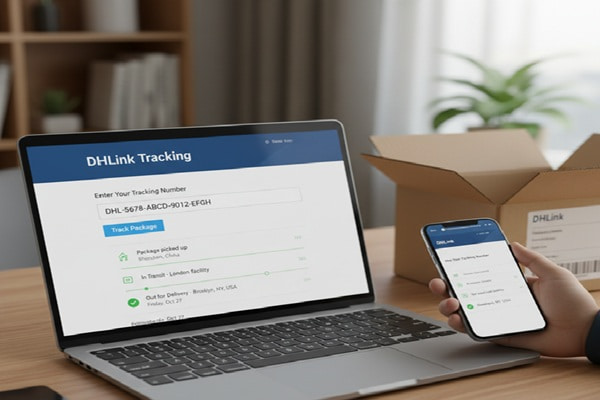

You ordered something on DHgate. A few days later, a shipping confirmation lands in your inbox with a DHLink tracking number. You paste it into Google, visit the official website, get two or three scan updates, and then nothing. Days pass. The status freezes somewhere in China or at a customs checkpoint, and the anxiety starts to build.
Track Your Order
This is the single most common DHLink experience. It is not a sign that your package is lost. It is a sign that most guides about DHLink tracking skip the parts that actually matter.
This guide covers the whole picture. What DHLink actually is, how to find your tracking number, what the different formats mean, where to track when the official site runs dry, what every status label really tells you, and exactly what steps to take when your shipment goes quiet for too long.
What Is DHLink and Why Is It Handling Your Package?
DHLink, known in Chinese as Tuofeixia (written as 驼飞侠), was established in 2014 as the logistics arm of DHgate, one of China’s largest B2B cross-border ecommerce platforms. Think of DHgate as a Chinese marketplace similar to Alibaba, and DHLink as its built-in shipping and delivery network.
If you ordered something from DHgate, Myyshop, or another platform that uses DHgate’s seller ecosystem, your package is almost certainly moving through DHLink’s network. External sellers outside DHgate can also use DHLink for logistics, so the carrier shows up across a range of platforms.
The company runs over 100 international logistics routes and operates more than 10 overseas warehouses across strategic locations including the United States, Europe, and Southeast Asia. It serves 223 countries and regions worldwide. DHLink does not move packages with its own trucks and planes alone. It works with partner carriers including China Post, FedEx, UPS, DHL, 4PX, J&T Express, Sunyou, and CNE Express to move goods from Chinese sellers to global buyers.
That partner model is the reason DHLink tracking can feel inconsistent. Once your package transfers from DHLink to a partner carrier, the DHLink system often stops logging updates. Your parcel is still moving, but a different tracking system is now responsible for the data.
Your DHLink Tracking Number: What It Looks Like and Where to Find It
What Does a DHLink Tracking Number Look Like?
DHLink uses several tracking number formats depending on the shipping service and partner carrier involved. Here is a breakdown of the most common patterns:
| Format Pattern | Example | Service Type |
| Starts with letter(s), ends in YQ | AB1234567890YQ | Standard DHLink direct line shipments |
| Two letters + 13 digits (15 chars) | HP1648536458XX | DHLink Express via FedEx / UPS / 4PX |
| Starts with GM, LX, or RX | GM1234567890 | eCommerce and marketplace orders |
| Starts with 000, JJD00, JVGL | JJD001234567890 | DHL-partnered shipments via DHLink |
| FC prefix + 13 digits | FC2410241664545 | International cargo shipments |
| 10 to 39 alphanumeric characters | Varies widely | Cross-carrier handoff shipments |
If your tracking number does not match any of these, check whether the seller gave you a partner carrier number instead, such as a USPS, 4PX, or China Post tracking number. That can happen once DHLink hands the parcel off to its last-mile partner.
Where to Find Your DHLink Tracking Number
- Shipping confirmation email: Check the email you received when your order shipped. The tracking number appears in the shipment details section.
- DHgate account dashboard: Log into your DHgate account, go to My Orders, select your order, and click on Shipment Details. The DHLink number and any partner carrier number appear there.
- Order confirmation page: Some sellers include the tracking number directly on the order page before sending a separate email.
- Contact the seller: If none of the above work, message the seller through the platform. They can pull the tracking number from the dispatch record.
- DHLink customer support: Email info@dhlink.com or call +86 010-82028870 with your order details. They can retrieve the tracking number for you.
How to Track Your DHLink Package: Every Method That Works
Method 1: DHLink Official Website
- Open dhlink.com in your browser.
- Find the tracking input field on the homepage. It is usually labeled Track Your Shipment.
- Type or paste your DHLink tracking number into the field.
- Press the Track or Search button.
- Your shipment history, current status, and location checkpoints will appear.
| Important Limitation to Know
The official DHLink portal reliably updates your shipment while it is inside China or during the initial export process. Once the package leaves Chinese customs and transfers to a partner carrier in the destination country, the official DHLink page often stops updating. This is not a bug. It is how the handoff model works. To continue tracking after that point, use one of the third-party platforms listed below. |
Method 2: 17TRACK (Recommended for Most Users)
17TRACK supports over 3,186 carriers including DHLink and all of its main partner carriers. When DHLink hands your parcel to USPS, 4PX, or another last-mile carrier, 17TRACK automatically detects the handoff and continues tracking across all legs of the journey.
- Go to 17track.net.
- Enter your DHLink tracking number in the search bar.
- Click Track. 17TRACK auto-identifies the carrier.
- If the system does not recognize your number, manually select DHLink from the carrier dropdown.
- View your complete shipment history, current location, and estimated delivery window.
17TRACK also supports bulk tracking. If you manage multiple orders, you can enter all tracking numbers at once, separated by commas or line breaks. This makes it particularly useful for ecommerce sellers managing dozens of shipments at a time.
Method 3: TrackingMore
TrackingMore provides real-time DHLink tracking with a clean interface, and its API is widely used by ecommerce platforms. Shopify and WooCommerce stores frequently integrate TrackingMore to show customers live shipping updates without redirecting them to external sites.
- Visit trackingmore.com.
- Enter your DHLink tracking number.
- TrackingMore identifies the carrier automatically and displays results in under one second.
- View tracking data in nine languages including English, Spanish, French, Japanese, and Chinese.
Method 4: Parcels App (Best for Mobile Tracking)
The Parcels app is popular among individual shoppers who order from AliExpress, DHgate, Shopee, and similar platforms. It tracks DHLink shipments alongside orders from over 200 carriers and sends push notifications when your status changes.
Method 5: Parcelstrackers.com
Parcelstrackers supports over 900 global carriers and automatically detects carrier switches mid-shipment. If your DHLink parcel transfers to USPS for final delivery in the United States, Parcelstrackers will continue tracking under the new number without you having to do anything.
Method 6: Your Shopping Platform
If you ordered from DHgate, your order page has a built-in tracking interface. Log in, go to My Orders, click on your order, and look for the Shipment Tracking section. DHgate pulls status data from DHLink directly, though it shares the same limitations as the official DHLink portal once the package crosses into the destination country.
| Platform | Best For | Key Advantage |
| dhlink.com | First check after placing order | Official, direct from source |
| 17track.net | End-to-end tracking across carriers | Auto-detects partner carrier handoffs |
| trackingmore.com | Shopify / WooCommerce stores | API integration, 9 languages |
| parcelsapp.com | Mobile shoppers | Clean app, push notifications |
| parcelstrackers.com | Orders switching carriers | Auto-continues across 900+ carriers |
| DHgate order page | DHgate buyers | Integrated, no extra signup needed |
What Every DHLink Tracking Status Actually Means
The labels DHLink uses are standard across logistics systems, but what they mean in practice for a cross-border shipment from China is not always obvious. Here is what each status actually signals:
| Status Label | What Is Really Happening |
| Order Created / Shipment Booked | DHLink has received the shipping request from the seller. The package has not been physically picked up yet. This status can last 24 to 48 hours after you receive your tracking number. |
| Picked Up / Package Received | DHLink physically collected the parcel from the seller or warehouse. First physical scan logged. |
| In Transit | The package is moving between sorting hubs or distribution centers inside China. Multiple In Transit updates may appear over one to three days. |
| Departed from Origin Country | The package has cleared Chinese export customs and is on a plane or vessel headed to the destination country. This is one of the key handoff moments. |
| Arrived at Destination Country | The parcel has landed in the destination country. It may now enter customs clearance. This is where many packages pause for one to several days. |
| Customs Clearance in Progress | The package is being inspected and processed by customs authorities in the destination country. Normal wait times range from one day to two weeks depending on the country and package contents. |
| Clearance Completed / Released | Customs has cleared the package. It is now in the destination country postal or courier network for final delivery. |
| Out for Delivery | A local delivery driver has the package. Delivery is expected the same day. |
| Delivered | The package has been delivered to the address on record. Some services include a delivery photo or recipient signature. |
| Delivery Attempted / Failed | The driver tried to deliver but could not complete it. Common causes include no one home, locked access, or missing address details. A re-delivery or pickup notice should follow. |
| Exception / Delay | An irregular event has interrupted normal transit. This could be a customs hold, address issue, damaged label, or route disruption. Action may be required. |
| Returned to Sender | Multiple failed delivery attempts or a customs refusal caused the package to be sent back to the Chinese seller. Contact the seller to resolve. |
DHLink Shipping Services and Delivery Times
DHLink is not a single service. It is a logistics platform offering multiple tiers of service with different carriers, delivery speeds, weight limits, and routes. Knowing which service tier your package is on explains a lot about what tracking behavior to expect.
Express Services (3 to 20 Days)
DHLink partners with FedEx, UPS, DHL, and DPEX Worldwide for express shipments. These are the fastest options and offer the most consistent tracking because these major carriers maintain full end-to-end scan data. If your package is in the express tier, your tracking will typically update every few hours and follow the partner carrier’s full tracking system once the handoff occurs.
Standard Services (7 to 30 Days)
The largest share of standard DHLink shipments move through China Post ePacket, EMS, or 4PX. Tracking updates for standard shipments are less frequent. Once the package leaves China, updates may go quiet for three to seven days until the next scan in the destination country. This is normal.
DHLink Smart US Line
One of DHLink’s most popular services for shipments to the United States. Packages shipped via Smart US Line typically arrive in 7 to 20 business days. DHLink operates satellite warehouses in the US, and packages routed through those warehouses can be delivered to American buyers within 7 days with tracking updates available within 24 hours of shipping. Smart US Line tracking can be followed on the DHLink site or 17TRACK.
DHLink Smart EU Line
Built on a partnership with Sunyou, Smart EU Line covers the United Kingdom, France, Germany, Italy, and Spain. It accepts general, electric, and special products under 2 kg per package. Sellers must be IOSS-registered and orders must not exceed 150 euros in product value. Tracking for Smart EU Line is available through DHLink’s official portal, Sunyou’s tracking page, or third-party platforms like ParcelWILL.
Economy and Simple Services (20 to 45 Days)
Economy tier shipments are the slowest and cheapest option. These often move through lesser-known Chinese logistics partners like Yuanyou, Topwin, Linlong Express, and CNE Express. Tracking updates at the economy tier are infrequent, sometimes showing no movement for 10 to 15 days at a stretch. This is not cause for alarm. It simply reflects the nature of budget international freight.
FBD Overseas Warehouse Service
Sellers who store inventory in DHLink’s overseas warehouses can ship products that are already inside the destination country. For US buyers, this means packages can be dispatched in 2 to 4 hours and arrive within 7 days. Tracking for FBD warehouse shipments is faster and more consistent because most of the journey takes place within a single country’s postal network.
| Service Tier | Typical Carriers | Delivery Time (USA) | Tracking Quality |
| Express | FedEx, UPS, DHL | 3 to 20 days | Full end-to-end via partner carrier |
| Standard | China Post, 4PX, EMS | 10 to 30 days | Good in China, gaps at handoff |
| Smart US Line | DHLink + US partners | 7 to 20 days | Good, continues via USPS or local |
| Smart EU Line | Sunyou + local EU carriers | 10 to 25 days | Moderate, track via Sunyou too |
| Economy / Simple | Yuanyou, CNE, Linlong | 20 to 45 days | Sparse, long gaps are normal |
| FBD Warehouse | Local US / EU carriers | 3 to 7 days | Excellent, domestic tracking only |
Why DHLink Tracking Stops Updating After Leaving China
This is the question most tracking guides never properly answer. Here is what is actually happening when your DHLink tracker goes silent after the package leaves China.
DHLink operates as a consolidator and originating carrier. Its core tracking system logs every scan that happens inside its own network, which mostly covers the origin country leg of your shipment. Once your package is handed to a partner carrier in the destination country, such as USPS in the United States, Royal Mail in the UK, or La Poste in France, that partner carrier takes over both the physical parcel and the tracking data.
The problem is that DHLink’s portal does not always pull tracking data from those partner carriers in real time. So your package can be sitting in a USPS facility in Los Angeles, fully scanned and logged in USPS’s system, while the DHLink page still shows the last update as Departed Origin Country.
The solution is not to wait for DHLink’s portal to catch up. The solution is to switch to a tracker that reads both systems simultaneously.
| What to Do When DHLink Tracking Stops After Leaving China
Go to 17track.net or parcelstrackers.com and enter the same DHLink tracking number. These platforms query both the DHLink system and the partner carrier network at the same time. In many cases, they will automatically detect that your parcel is now in the USPS or local postal system and show you the current location using the partner carrier’s data. |
If the third-party tracker also shows no updates for more than 15 business days after the last scan, that is when it makes sense to contact DHLink or the seller directly.
Troubleshooting: Common DHLink Tracking Problems and Fixes
Tracking Number Not Found or Showing No Results
This usually happens within the first 24 to 48 hours after a tracking number is issued. The seller may have generated the label but not yet handed the package to DHLink. Wait one full day and try again. If it still shows nothing after 72 hours, confirm the number with the seller or contact DHLink support.
Tracking Stuck on the Same Status for Days
For standard and economy tier shipments, tracking can pause for 7 to 15 days, especially during the ocean or air transit leg where no new scans occur. If you are within the expected delivery window for your service tier, this is normal. If the delivery window has passed, contact the seller first, then DHLink.
Package Stuck in Customs
International shipments from China occasionally get held in customs for inspection. The typical hold is 3 to 10 business days. In some cases, customs may require documentation from you, such as proof of identity or import declaration. Check whether your local customs authority has sent you any communication. If you are in the US, check with USPS or CBP (Customs and Border Protection). In the UK, check with HMRC.
Tracking Shows Delivered But Package Is Not There
Check every spot around your delivery address: front door, back entrance, mailroom, with a neighbor, or with building management. Check whether the tracking page shows a delivery photo. Wait 24 hours, as scan timestamps sometimes appear before physical delivery. If still missing, contact DHLink and the seller to initiate a missing parcel investigation.
Tracking Number Not Working on DHLink’s Own Site
Try the same tracking number on 17TRACK or TrackingMore. Sometimes DHLink’s portal has a temporary sync issue while third-party platforms still pull the correct data. If all platforms show nothing, it is worth double-checking the tracking number for typos or extra spaces, which are a common source of failed lookups.
DHLink Tracking for Ecommerce Sellers and Businesses
If you are a seller shipping through DHLink, tracking visibility is not just a customer convenience. It directly affects your dispute rate, negative feedback volume, and buyer retention. Here is how to build a better tracking operation around DHLink’s network.
Use the DHLink API for Automated Tracking
DHLink’s tracking API lets you pull real-time shipment data into your own platform or CRM. Instead of manually checking each order, you connect your system to DHLink’s data feed, set up automated status updates, and push notifications to customers without human intervention. The setup involves getting an API key from DHLink, following the integration documentation, and testing webhook responses before going live.
Integrate with TrackingMore or 17TRACK for Multi-Carrier Visibility
Since DHLink uses multiple partner carriers, a single-carrier API will not give you the full picture. Platforms like TrackingMore and 17TRACK aggregate data across DHLink and all its partner carriers into one unified feed. Their APIs support Shopify, WooCommerce, and BigCommerce with documented SDKs and webhook support.
Automate Customer Notifications at Key Milestones
Rather than waiting for customers to ask where their order is, set up automated emails or SMS messages triggered by key status changes: when the package departs China, when it clears customs, and when it goes out for delivery. Tools like AfterShip, ParcelWILL, and TrackShip integrate with DHLink and support these automation flows.
Leverage FBD Warehouses to Cut Delivery Time and Simplify Tracking
If you sell frequently to US or European buyers, storing inventory in DHLink’s overseas FBD warehouses eliminates the China-to-destination leg entirely. This means packages ship from inside the destination country, tracking is domestic and consistent, and delivery windows drop to 3 to 7 days. The tradeoff is upfront warehousing costs and the need to forecast inventory accurately.
Also Read : CDL Tracking: How to Track Your CDL Last Mile Package
Mistakes People Make With DHLink Tracking
- Only checking the DHLink official site: The official portal is the right starting point, but it is not built for end-to-end tracking. Always have a backup platform ready.
- Panicking when tracking goes silent after leaving China: This is the most predictable phase of DHLink shipping. Switch to 17TRACK and check the partner carrier’s system before assuming the package is lost.
- Contacting DHLink instead of the partner carrier for last-mile issues: Once your package is in USPS or a local courier’s network, DHLink has limited ability to intervene. Contact the last-mile carrier directly using the handoff tracking number.
- Not recording the partner carrier’s tracking number: When DHLink hands your parcel to USPS, 4PX, or another carrier, a new tracking number is assigned. Note that number because you will need it to follow the final delivery leg.
- Filing a missing parcel claim too early: Standard and economy DHLink shipments can take 30 to 45 days. Filing a dispute before the expected window closes can create unnecessary friction. Wait until the window is clearly exceeded.
- Using the wrong tracking platform for your number format: Not every tracking site supports every DHLink tracking number format. If one platform fails, try 17TRACK, which covers the widest range of DHLink formats.
How to Contact DHLink Customer Support
| Channel | Details |
| Official Website | dhlink.com — main resource for tracking, services, and support forms |
| Phone | +86 010-82028870 — best for urgent shipment issues |
| info@dhlink.com — for written inquiries and dispute documentation | |
| Live Chat | Available through the DHLink contact page during business hours (Beijing time) |
| DHgate Order Page | Message the seller directly if your issue started at the origin side |
When contacting DHLink, always have your tracking number, the order number, and the delivery address ready. For lost or delayed shipments, note the last tracked location and the date it stopped updating. This speeds up the investigation significantly.
Frequently Asked Questions
How do I track my DHLink package?
Enter your tracking number at dhlink.com for initial updates. For end-to-end tracking including the last-mile delivery in your country, use 17track.net or trackingmore.com. These platforms continue tracking after DHLink hands off to a partner carrier like USPS, 4PX, or China Post.
What does a DHLink tracking number look like?
DHLink tracking numbers come in several formats. Common ones include numbers ending in YQ (standard direct line), 15-character alphanumeric numbers starting with two letters (Express via FedEx or UPS), and numbers beginning with GM, LX, or RX (marketplace orders). The exact format depends on which DHLink service was used for your shipment.
Why did my DHLink tracking stop updating after leaving China?
This happens because DHLink’s tracking portal primarily logs scans within its own network inside China. Once the package transfers to a partner carrier in your country, that carrier’s system takes over. Switch to 17TRACK or Parcelstrackers to continue tracking across the partner carrier network. The package is almost certainly still moving.
How long does DHLink take to deliver to the USA?
Delivery time depends on the service tier. DHLink Smart US Line typically takes 7 to 20 business days. Standard shipments via China Post or 4PX take 10 to 30 days. Economy services can take 20 to 45 days. If your seller ships from a DHLink FBD warehouse inside the US, delivery can be as fast as 3 to 7 days.
My DHLink tracking shows delivered but I never received my package. What should I do?
Check every delivery spot around your address including back entrance, mailroom, and with neighbors. Look for a delivery photo on the tracking page. Wait 24 hours since scan timestamps sometimes arrive before physical delivery. If still missing, contact DHLink at info@dhlink.com and ask the seller to open a missing parcel investigation.
What does Exception status mean on DHLink tracking?
An Exception status means an unexpected event has interrupted normal delivery. This could be a customs hold, an incorrect or undeliverable address, a damaged label, or a failed delivery attempt. Check the tracking page for additional details. In most cases, you need to contact either DHLink or the seller to provide updated information or resolve the issue.
Can I track DHLink on 17TRACK?
Yes. 17TRACK fully supports DHLink tracking including all major tracking number formats. It also automatically detects when your parcel transfers to a partner carrier such as USPS or DHL and continues tracking across the handoff. For bulk shipments, 17TRACK supports entering multiple tracking numbers at once.
What is DHLink Smart US Line tracking?
DHLink Smart US Line is a dedicated shipping service from China to the United States, typically delivering in 7 to 20 business days. You can track Smart US Line packages on the DHLink official portal, 17TRACK, Postal Ninja, or Parcelstrackers. Once inside the US, the package usually transfers to USPS for last-mile delivery.
Does DHLink ship to my country?
DHLink covers 223 countries and regions worldwide through its partner carrier network. Express services reach most major markets. Standard and economy services are focused on the US, Europe, Southeast Asia, and the Middle East. For specific country availability, check the DHLink website or ask the seller which shipping options are available for your destination.