
Your freight is on the road. You need to know where it is, when it arrives, and what to do if something looks wrong. Most of the results you find when searching for Daylight Transport tracking are third-party aggregator pages that just send you to the official site anyway. This guide skips that and gives you everything directly: every tracking method, every status message explained in plain English, how the MyDaylight portal works, and a step-by-step fix for the most common tracking problems.
Track Your Order
Daylight Transport (carrier code: DYLT) is not a typical LTL carrier. Understanding how they operate explains a lot about why their tracking behaves the way it does, and why their transit times are consistently faster than what most shippers are used to.
What Is Daylight Transport?
Daylight Transport, LLC is a privately held expedited Less-Than-Truckload (LTL) carrier headquartered in Cypress, California. It was founded in 1977 as an air freight company and has since built a ground-based network that competes directly with air freight on transit times but charges standard truck rates.
The company’s core innovation is its direct-loading model combined with two-driver sleeper teams. Here is what that means in practical terms:
- When you ship with Daylight, your freight is loaded directly onto the truck headed for its destination. It does not get offloaded, sorted, and reloaded at a central hub the way it would with most major LTL carriers.
- Two drivers share each long-haul truck and alternate driving so the vehicle keeps moving around the clock. No mandatory rest stops that park your freight overnight at a terminal.
- The result is coast-to-coast delivery in 2 days for roughly 75 percent of the company’s long-haul freight.
Headquarters: 5660 Katella Ave, Suite 250, Cypress, CA 90630
Phone: 1-800-468-9999 (24 hours a day, 7 days a week)
Website: dylt.com
SCAC Code: DYLT
Founded: 1977
Understanding Your Daylight Transport Tracking Number
Before you search for anything, you need the right number. Daylight uses a few different identifiers and using the wrong one is the most common reason a search comes back empty.
The PRO Number (Your Primary Tracking ID)
The PRO number is the unique identifier assigned to each individual Daylight freight shipment. It is typically 8 digits long (for example: 24744112 or 321119865). This number is generated when your shipment is picked up and processed into Daylight’s system. It is the most reliable number to use for tracking.
Where to find your PRO number:
- The shipping confirmation email sent after pickup is scheduled
- The freight receipt or bill of lading (BOL) given at time of pickup
- Your MyDaylight account dashboard if you are a registered account holder
- The invoice you receive from Daylight after delivery
Bill of Lading (BOL) Number
The BOL is the legal contract between shipper and carrier. Some tracking portals accept the BOL number when a PRO has not yet been generated. If your freight was just picked up hours ago and your PRO is not in the system yet, try the BOL number as an alternative.
Pickup Number / Reference Number
When you book a pickup through Daylight or through a freight broker, you receive a booking or pickup reference number. This can sometimes be used to locate tracking records in third-party systems, though the official Daylight portal works best with the PRO number.
How to Track a Daylight Transport Shipment: All Methods
Method 1: Official Website (Fastest Option)
This is the most direct route and the one that gives you the most up-to-date information. Third-party tracking tools pull from this same source, so going directly here eliminates any lag.
- Open a browser and go to dylt.com
- Find the Trace link in the top navigation menu
- Enter your PRO number in the search field
- Click Track or Trace to submit
- Your shipment status, location, and estimated delivery date will appear
Tracking data normally appears in the system within 2 to 4 hours of physical pickup. If your freight was just picked up and you are checking immediately, wait a few hours before concluding something is wrong.
Method 2: MyDaylight Account Portal
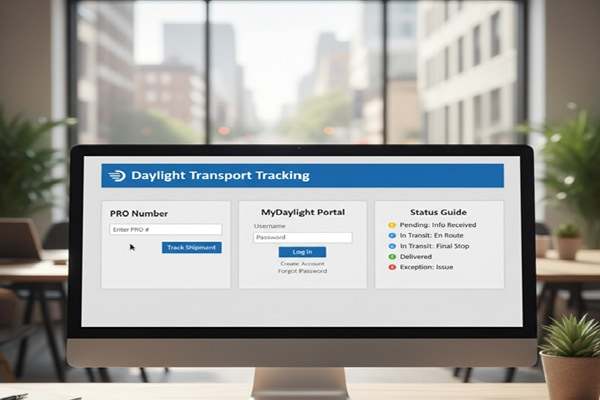
MyDaylight at mydaylight.dylt.com is Daylight’s customer account platform. If you ship with Daylight on a recurring basis, this is the tool that makes the biggest difference in your daily workflow.
What you can do inside MyDaylight:
- Track all active shipments in one dashboard without entering PRO numbers individually
- Request pickups in three button clicks, print Bills of Lading, and print shipping labels
- Access the Daily Shipment Status Report which consolidates every active shipment under your account
- Get rate quotes, view invoices, and manage billing
- Access proof of delivery documents after delivery is completed
To open a MyDaylight account, fill out the Account Application on dylt.com. Once your account is created, you receive an Access Code that serves as your login. If you already ship with Daylight and do not have an account, call 1-800-468-9999 and ask your account executive to set one up.
Method 3: Phone (24 Hours a Day)
Call 1-800-468-9999 at any hour. Daylight’s customer service team has direct access to shipment records and can give you a current status, terminal location, and expected delivery window. For shipments showing an exception or a problem not reflected in online tracking, calling is faster than waiting for the system to update.
Method 4: Daily Shipment Status Report
For businesses managing large shipping volumes, Daylight offers a Daily Shipment Status Report. This report consolidates all current shipments under your account into a single document that can be requested and reviewed each morning. It covers active shipments, recent deliveries, and any exceptions or delivery exceptions. To set this up, contact your account executive or submit a request through the Shipment Request form on dylt.com.
Method 5: Third-Party Tracking Platforms
Several third-party tools support Daylight Transport tracking by pulling from Daylight’s system. Use these if you manage multiple carriers and want a single interface.
- AfterShip (aftership.com) – carrier code: dylt
- 17TRACK (17track.net)
- Ship24 (ship24.com)
- GoComet (gocomet.com)
- ExpressTracking (expresstracking.org)
Note: All of these platforms read from Daylight’s own data. They do not have additional visibility that the official site lacks. If the official Daylight portal shows no data, third-party tools will also show nothing.
Method 6: EDI and API Integration (For Businesses)
If you ship at high volume, Daylight offers direct B2Bi (Business-to-Business Integration) through two channels:
- EDI (Electronic Data Interchange): Daylight supports ANSI ASC X12 standards including 214 (shipment status), 210 (invoice), 204 (load tender), 997 (acknowledgment), and 990 (response to load tender). This allows automated tracking updates to feed directly into your TMS or ERP system.
- API Integration: Daylight’s public API at dylt-portalapi.apigee.io supports Rate Quote, Pickup Request, Transit Times, Fuel Surcharge, and Tracing. Contact edi@dylt.com for technical setup details.
To set up B2Bi, speak with your Daylight account executive. Your IT team will work with Daylight’s IT department through a formal onboarding process.
Daylight Transport Tracking Status Messages Explained
LTL tracking status language is not always obvious. Here is what each message actually means so you are not left guessing.
| Status | What It Means |
| Picked Up | Freight has been collected from the shipper’s location and is at or en route to the origin service center. |
| In Transit | Freight is actively moving on a linehaul truck between service centers. Because Daylight uses two-driver teams, this phase is often shorter than with other carriers. |
| Arrived at Terminal | Freight has reached a Daylight service center. For direct-load shipments this may be the destination terminal. |
| Out for Delivery | A local driver has loaded your freight and is making deliveries in the destination area. Expect arrival the same day. |
| Pending Delivery Appointment | A delivery appointment needs to be scheduled with the consignee. This is common for commercial consignees with specific receiving hours or for limited-access locations. |
| Delivered | Freight has been signed for at the destination. The delivery is complete. |
| Exception | A problem has been identified: incorrect address, refused delivery, damage noted, or an access issue. Contact Daylight customer service immediately with your PRO number. |
| Appointment Confirmed | A delivery time window has been agreed upon with the consignee. Delivery will occur within that window. |
How Fast Does Daylight Transport Deliver?
Daylight’s standard transit times are genuinely faster than most LTL alternatives. Approximately 75 percent of the company’s long-haul freight arrives in 2 days. This is their standard service, not an expedited add-on.
Transit times vary by origin and destination. Use the Transit Time Calculator at dylt.com/transit-times/ for exact estimates for your specific route. The broad ranges below give you a baseline.
| Route Type | Typical Transit Time |
| Local and regional (within California) | Same day to next day |
| West Coast to Southwest | 1 to 2 business days |
| West Coast to Midwest | 2 to 3 business days |
| Coast to coast (California to Northeast) | 2 to 3 business days |
| South (Texas, Florida, Atlanta) | 2 to 4 business days |
| Pacific Northwest region | 1 to 3 business days |
| Hawaii (via Long Beach port) | Additional ocean transit time |
| Alaska (via Auburn, WA port) | Additional transit time |
| Puerto Rico (via Jacksonville port) | Additional transit time |
| Canada (Ontario and Quebec) | Transit reduced by 2-3 days vs standard, subject to customs |
Transit times exclude Saturdays, Sundays, and holidays. For exact delivery windows, use the online calculator or call customer service.
Daylight Transport Services: Complete Overview
Understanding the full service menu helps you pick the right option and set the right expectations when tracking.
Standard Expedited LTL
This is Daylight’s base service and it is already faster than what most carriers call expedited. Two-driver teams and direct loading mean your freight does not sit overnight at intermediate hubs. Coast-to-coast in 2 days at standard LTL market rates.
Daylight Urgent Care
A guaranteed delivery service built on top of the standard LTL offering. Delivery day is guaranteed, or you pay nothing for the shipment. A small premium applies over standard rates. To activate Urgent Care, write the words “Urgent Care” on the Bill of Lading when booking the shipment. You do not need to call separately – the notation on the BOL is enough to trigger the guarantee.
Daylight Critical Care
The highest tier of delivery certainty. Both the delivery day and the specific arrival time are guaranteed. If Daylight cannot meet the commitment by ground, they arrange air transport at their own expense. If the guarantee is missed, the full shipping cost is refunded. Critical Care is positioned as a direct alternative to air freight for emergency situations.
Volume and Truckload
For shipments that exceed standard LTL thresholds, Daylight provides volume and full truckload services across all 50 U.S. states.
Air Freight
Available as a standalone service for shipments where ground transport is not fast enough. Rate quotes are available by phone at 1-800-468-9999 or via the online rate quote form on dylt.com.
Warehousing and Logistics
Available specifically in the California market. Covers warehousing, storage, and logistics management for companies that need a California-based distribution point.
Compliance Services
A specialty service for shippers supplying large retail chains. Daylight manages vendor compliance requirements including appointment scheduling, daily status reporting, and exception handling to help shippers avoid retailer chargebacks.
Canada Service
Cross-border LTL service to Ontario and Quebec. Daylight manages the U.S. leg and coordinates with customs brokers at the border. Transit times are reduced by 2 to 3 days compared to standard cross-border options, assuming no customs delays.
Daylight Transport Tracking Not Working: Fixes for Common Problems
Most tracking issues have a straightforward explanation. Work through these before calling customer service.
Problem: No results when entering the PRO number
Check the number itself first. PRO numbers at Daylight are 8 numeric digits. If yours has letters, dashes, or a different length, you may be entering a BOL number, reference number, or a number from a different carrier. Verify your PRO number against the original shipping confirmation or freight receipt.
If the number is correct but nothing appears, allow 2 to 4 hours from the time of pickup before concluding the system has a problem. Tracking records are created when freight is physically scanned, not when the pickup is booked.
Problem: Status has not changed in 24 or more hours
Because Daylight uses a direct-loading model with fewer terminal stops, tracking updates can be less frequent than with hub-and-spoke carriers. A shipment in active transit on a two-driver linehaul truck may not generate a new scan for a full day. Check the estimated delivery date on your tracking record. If the date has not passed and no exception is showing, your freight is likely moving normally.
If the estimated delivery date has passed and status has not changed, call 1-800-468-9999 with your PRO number.
Problem: Status shows Pending Delivery Appointment and delivery has not happened
This status requires action. Daylight cannot complete delivery until an appointment is scheduled with the consignee. If you are the shipper, contact the consignee to make sure they have received Daylight’s call and confirmed a time. If you are the consignee and have not been contacted, call 1-800-468-9999 with the PRO number and your available receiving hours. Unclaimed appointment requests can result in storage charges.
Problem: Tracking shows Delivered but freight has not arrived
Before calling, check all loading docks and receiving areas at your facility. Verify whether someone else at your location signed for the delivery. Ask receiving staff if a delivery arrived that was not expected. If you still cannot locate the freight, call customer service immediately with the PRO number. Daylight can retrieve the delivery confirmation including the name of the person who signed.
Problem: Tracking shows an Exception
An exception status means something interrupted normal delivery: wrong address, refused freight, damage noted at delivery, or a site access problem. Do not wait for the status to update on its own. Call 1-800-468-9999 immediately. The faster you respond to an exception, the faster delivery can be completed and the easier any damage or shortage claim will be.
Problem: Tracking on a third-party site does not match dylt.com
Third-party tracking tools sometimes have a delay of several hours before they pull the latest data from Daylight’s system. If there is a discrepancy, always trust dylt.com or MyDaylight as the authoritative source.
How to Handle Freight Claims with Daylight Transport
Damage and shortage claims are a reality of freight shipping. Knowing the process in advance saves time and significantly improves your chances of a successful resolution.
Step 1: Document Before Signing
Before the driver leaves, inspect the freight carefully. If you see damage, shortages, or anything unusual, write it clearly on the delivery receipt before you sign. Once you sign without noting a problem, filing a successful claim becomes substantially harder. Take photographs of the packaging exterior and of any damage inside.
Step 2: Submit the Claim
Daylight provides three ways to submit a freight claim:
- Online claims form at dylt.com for digital submission
- Printable claims form available on the website for manual completion and submission by mail or email
- Claims inquiry form for following up on an existing claim (requires bill number, claim number, company name, and contact details)
Step 3: Understand the Timeline
Once a claim is submitted, Daylight’s process follows a structured schedule:
- Acknowledgment: within 30 business days of submission
- Resolution (approval or denial): within 120 business days
- If unresolved after 120 business days: status updates provided every 60 business days until settlement
For Urgent Care shipments that miss the guaranteed delivery day, the refund process is separate from the standard freight claim process. The shipping charge for that shipment is simply not applied.
Also Read : Oak Harbor Tracking: How to Track Your Shipment Step by Step
Common Mistakes to Avoid
- Entering a BOL number or reference number in the PRO tracking field. These are different identifiers and will not return results in the PRO search.
- Expecting updates every few hours. Daylight’s direct-loading model means fewer terminal scans. Less frequent updates are normal, not a sign of a problem.
- Ignoring a Pending Delivery Appointment status. This requires you or the consignee to take action. Leaving it unaddressed stops delivery from completing.
- Signing a delivery receipt without inspecting the freight. Once signed without exception noted, damage claims become significantly more difficult.
- Using a third-party tracking site and assuming it has more current data than dylt.com. It does not. Third-party tools update on a delay.
- Not saving the PRO number. If you lose your shipping confirmation, recovering the PRO number requires a call to customer service. Save it before your freight is in transit.
- Expecting Daylight to serve residential addresses like a parcel carrier. Daylight is a B2B freight carrier. Residential deliveries are handled differently and typically require an appointment.
Daylight Transport vs Competitors: What Makes It Different
If you are evaluating Daylight against other LTL options, the differences worth understanding are in transit speed, operating model, and service guarantees.
| Feature | Daylight Transport | Old Dominion (ODFL) | XPO Logistics |
| Operating model | Direct loading, 2-driver teams | Hub-and-spoke network | Hub-and-spoke network |
| Coast-to-coast LTL | 2 to 3 days (standard) | 4 to 6 days typical | 4 to 6 days typical |
| Speed premium | No (fast service is base rate) | Expedited add-on costs extra | Expedited add-on costs extra |
| Guaranteed service | Urgent Care + Critical Care | Guaranteed service available | Guaranteed service available |
| Money-back guarantee | Full refund if guaranteed missed | Varies by service level | Varies by service level |
| Canada service | Ontario and Quebec (direct) | Via partner network | Via partner network |
| Hawaii/Alaska/Puerto Rico | Yes (via ports) | Limited | Limited |
| Account portal | MyDaylight | OD Online | MyXPO |
| EDI and API support | Yes (full B2Bi) | Yes | Yes |
| Customer service hours | 24/7 | Business hours primarily | Business hours primarily |
The clearest competitive difference is that Daylight’s fastest transit times are available at standard LTL market rates. At most carriers, two-day coast-to-coast delivery is priced as a premium expedited tier. At Daylight, it is simply what they do by default.
Expert Tips for Getting the Most Out of Daylight Transport
For First-Time Shippers
Use the Transit Time Calculator at dylt.com/transit-times/ before booking so you know what to expect. For your first few shipments, save every piece of documentation: the BOL, the pickup confirmation, and the PRO number. Call customer service to confirm pickup the day of – they are available 24 hours.
For Businesses Shipping Regularly
Set up a MyDaylight account immediately. The ability to batch-track all active shipments from one screen, request pickups in three clicks, and access the Daily Shipment Status Report dramatically reduces the time your team spends on shipment management. Talk to your account executive about setting up EDI if you process more than 20 to 30 shipments per month.
For Time-Critical Freight
Write “Urgent Care” on the Bill of Lading when booking. That one notation activates the day-specific delivery guarantee and the full refund policy. For situations where both the day and the specific arrival time matter, ask for Critical Care instead. The cost difference between standard and Urgent Care is a small premium. Compare it to the cost of a missed delivery or a production line stoppage and the math is straightforward.
For Canada Shipments
Have your customs documentation ready before pickup. Daylight manages the U.S. leg and coordinates with brokers at the border, but the shipper is responsible for accurate customs paperwork. Delays at the border are almost always documentation issues. Proper paperwork means the 2 to 3 day transit advantage Daylight offers is actually realized.
For Retail Compliance Shipments
If you supply large retail chains and are managing vendor compliance requirements, ask your Daylight account executive specifically about Compliance Services. This is a managed service that handles appointment scheduling, daily status reporting, and exception management to help you avoid retailer chargebacks. It is one of the less-publicized but genuinely useful service tiers they offer.
Frequently Asked Questions
How do I track a Daylight Transport shipment?
Go to dylt.com and enter your PRO number in the Trace section. Account holders can track all shipments through MyDaylight at mydaylight.dylt.com. For immediate assistance, call 1-800-468-9999 any time of day.
What is a Daylight Transport PRO number?
A PRO number is the unique shipment identifier Daylight assigns to each individual freight bill. It is typically 8 numeric digits and is found on your shipping confirmation, freight receipt, or Bill of Lading. It is the primary number used for tracking.
How long does Daylight Transport take to deliver?
Approximately 75 percent of Daylight’s long-haul freight arrives in 2 business days. Coast-to-coast delivery typically takes 2 to 3 business days at standard LTL rates. Regional and local deliveries are often same day or next day. Use the Transit Time Calculator at dylt.com for exact estimates.
Why is my Daylight Transport tracking not updating?
Daylight uses a direct-loading model with fewer terminal stops than hub-and-spoke carriers. This means fewer automatic scans and less frequent status updates. If no exception is showing and the delivery date has not passed, your freight is most likely moving normally. If the delivery date has passed with no update, call 1-800-468-9999.
What is Daylight Urgent Care?
Urgent Care is Daylight’s guaranteed delivery service. The delivery day is guaranteed with a full refund if the deadline is missed. A small premium applies over standard rates. To activate it, write the words “Urgent Care” on the Bill of Lading when booking.
What is the difference between Urgent Care and Critical Care?
Urgent Care guarantees the delivery day. Critical Care guarantees both the delivery day and the specific arrival time. Critical Care is positioned as a ground alternative to air freight for emergency shipments. Both services include a full refund if Daylight misses the guarantee. For Critical Care, Daylight will arrange air transport at their own expense if necessary to fulfill the commitment.
Does Daylight Transport deliver to residential addresses?
Yes, Daylight can deliver to residential addresses, but they are a B2B freight carrier primarily serving commercial accounts. Residential deliveries typically require a scheduled appointment. Contact customer service after your shipment arrives at the destination terminal to arrange a delivery window.
What states does Daylight Transport serve?
Daylight provides service to all 50 U.S. states. Their strongest direct service is in California and the western United States. They also provide service to Hawaii via the Long Beach port, Alaska via the Auburn, Washington port, Puerto Rico via the Jacksonville port, and Canada service to Ontario and Quebec.
What do I do if my Daylight shipment arrives damaged?
Note all visible damage on the delivery receipt before signing. Photograph packaging and contents before moving anything. Then submit a claim through the online claims form at dylt.com, the printable claims form, or by calling customer service. Daylight acknowledges claims within 30 business days and resolves them within 120 business days.
How do I set up a MyDaylight account?
Complete the Account Application form on dylt.com or have a Daylight account executive help you. Once approved, you receive an Access Code that gives you full access to MyDaylight for shipment management, tracking, rate quotes, and billing.