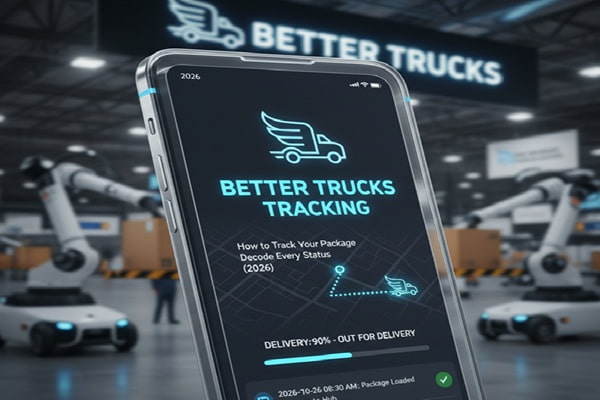

You placed an order from a DTC brand or online retailer. A shipping notification lands in your inbox with a carrier you might not recognize: Better Trucks. The tracking link looks different from UPS or FedEx. The status has not changed in a day. Questions start building up.
Track Your Order
Better Trucks is not a household name yet, but it is moving millions of packages every year across the United States, and its network is growing fast. The company was built from the ground up specifically for eCommerce, which means its tracking system, delivery speeds, and communication style work differently from legacy carriers.
This guide covers everything: how to track your shipment step by step, what every status update actually means, where to find your tracking number, what to do when tracking stalls, and how the carrier itself works. Whether you are a consumer waiting on a package or a business evaluating Better Trucks as a shipping partner, you will find clear answers here.
What Is Better Trucks?
Better Trucks is a regional last-mile parcel carrier headquartered in the Chicago area (Hillside, Illinois), founded in 2019. The company was built specifically for direct-to-consumer eCommerce, not for legacy freight or general retail distribution.
Unlike FedEx or UPS, which handle every type of shipment imaginable, Better Trucks focuses on one thing: getting small parcels from fulfillment centers and warehouses to residential addresses quickly and cheaply. Their model cuts out the unnecessary middle steps that slow down national carriers and drive up costs.
Key facts about Better Trucks:
- Founded 2019, headquartered in Hillside, Illinois
- Co-founders: Andy Whiting (CEO) and Weston Webb (COO)
- Specializes in same-day, next-day, and two-day residential delivery
- Operates across 25+ metro areas in 17+ US states
- Partners include ShipStation, ShipWise, Uber Freight, and 50+ logistics platforms
- In November 2025, Uber Freight made a strategic investment in Better Trucks, expanding combined coverage to approximately 68% of the US population with a target of 85% by end of 2026
| Why Businesses Choose Better Trucks Over National Carriers
Cost: Third-party integrators report 20 to 40% lower shipping costs vs. national carriers for lightweight parcels under 5 lbs. Speed: Same-day and next-day delivery as standard service options. Tech: Open API connects with 50+ eCommerce and logistics platforms. AI-powered address validation (Checkpoint engine) reduces failed first attempts. Vestigo tracking platform provides real-time visibility with no-code integration. |
How to Track a Better Trucks Package: 3 Ways
Method 1: The Official Better Trucks Tracking Page
This is the fastest and most accurate source of tracking data for any Better Trucks shipment.
- Go to tracking.bettertrucks.com in any browser.
- Enter your tracking number in the search field.
- Press Track (or hit Enter).
- Review your shipment timeline, current status, location history, and estimated delivery window.
The official page also supports address corrections before a package goes out for delivery. If your address is wrong, use the link provided in your SMS or email notification, or go to address-correction.bettertrucks.com. Once a package is already out for delivery, address changes are no longer possible through the portal.
Method 2: Third-Party Tracking Tools
Third-party platforms are useful when you are tracking multiple carriers at once or the official page is slow to update.
| Platform | Best For | Notes |
| AfterShip | Consumers and eCommerce sellers | Clean interface, email/SMS alerts, app available |
| 17TRACK | Bulk tracking, multiple orders | Supports 3,200+ carriers; auto-detects carrier from number |
| Ship24 | Cross-carrier continuity | Continues tracking if package transfers to USPS or another carrier |
| TrackingMore | Developers and businesses | API access, supports 1,500+ carriers |
| ParcelMonitor | International buyers | Multi-language support, Gmail auto-detection |
| AfterShip (API) | Shopify and DTC brands | Integrates into branded order status pages |
Method 3: Your Retailer or Marketplace Order Page
If you ordered through Shopify, Amazon, TikTok Shop, or another marketplace, the order status page often pulls Better Trucks tracking data directly. Refresh the order details page rather than navigating to a separate tracking site. This works for most major eCommerce platforms that have integrated the Better Trucks API.
Better Trucks Tracking Number Format Explained
A Better Trucks tracking number is alphanumeric, meaning it contains both letters and numbers. The most commonly reported format from real shipments uses a BTP prefix followed by a string of digits.
Example format: BTP17400000454553
The number is always included in your shipping confirmation email and SMS notification. It is also printed on the physical label attached to your package. If you are the sender, the tracking number appears in your Better Trucks account under order or shipment history.
| Where to Find Your Tracking Number
Shipping confirmation email – Usually arrives within minutes of label creation SMS delivery notification – Sent to the phone number on the shipping address Retailer order status page – Under ‘Order Details’ or ‘Shipment Tracking’ Physical shipping label – Printed as a barcode with the number beneath Better Trucks account portal – Under ‘Shipment History’ if you have an account |
If you cannot find the tracking number through any of these methods, contact the retailer or seller first. They assigned the number when creating the shipment. Better Trucks customer support can look up a shipment with your order details if needed.
Better Trucks Tracking Status Guide: What Every Update Means
Better Trucks tracking uses plain-language status updates that are easier to read than traditional postal terminology. Here is what each status actually means and what to expect next.
| Label Created | The seller has generated a shipping label. Better Trucks has not yet physically scanned or collected the package. No action needed. Expect a scan within 1 to 2 business days. |
| Shipment Created | Better Trucks has confirmed the shipment in their system. Package may be at the seller’s location awaiting pickup or drop-off. |
| Received at Hub / CHI Hub | The package has arrived at a Better Trucks sorting hub. Example: ‘Received at CHI hub’ means it arrived at the Chicago sorting facility. |
| In Transit | The package is moving through the Better Trucks delivery network toward your city. It has left a sorting hub and is on its way. |
| Out for Delivery | Your package is with a Better Trucks driver on their route today. Delivery should happen within the same day, typically by early evening. |
| Delivered | The package has been delivered to your address. Better Trucks uses proof-of-delivery systems including photos in some service areas. |
| Attempted Delivery / Failed Attempt | The driver could not complete delivery. Reasons include: no one home to sign, inaccessible address, or incorrect address. Redelivery will be scheduled automatically. |
| Exception / Delay | A temporary issue has affected delivery. This could be weather, traffic, a sorting delay, or an address problem. Check again in 24 hours. |
| Returned to Sender | The package could not be delivered and is being sent back to the original shipper. This is usually caused by an incorrect address, multiple failed delivery attempts, or recipient refusal. |
| Pending | The shipment is registered but not yet active in transit. This sometimes appears briefly after label creation. |
What Does ‘Out for Delivery’ Actually Mean with Better Trucks?
Out for Delivery means your package is physically on a driver’s vehicle right now. Better Trucks routes are typically completed within the same business day. Same-day shipments marked Out for Delivery in the morning usually arrive by early evening. If a delivery attempt fails that day, you will see a Failed Attempt or Exception status, and Better Trucks will automatically schedule another attempt for the next available delivery day.
Better Trucks Service Types and Delivery Speeds
Better Trucks offers three main delivery speed tiers. Knowing which one your shipment uses helps set realistic expectations for when tracking updates will appear and when to contact support if nothing is moving.
| Service | Delivery Timeframe | How It Works |
| Same-Day Delivery | Delivered the same day by evening | Orders placed by a morning cutoff time ship and arrive that day. Primarily for local metro areas. |
| Next-Day Delivery | Delivered the day after pickup | Standard service for most Better Trucks coverage areas. Most common for eCommerce orders. |
| Two-Day Delivery | Delivered within two business days | Covers locations slightly outside primary service areas. Still faster than most standard shipping options from national carriers. |
Better Trucks does not currently offer international delivery as a primary service. It operates as a US domestic last-mile carrier. Some shipments originating from overseas may use Better Trucks as the final-mile delivery partner after clearing customs and transferring from another carrier.
Better Trucks Service Areas: Where They Deliver
Better Trucks currently operates across 25+ metropolitan areas in 17+ US states. Their core coverage spans the Midwest, Southeast, New York, and Texas, with active expansion ongoing.
| Region | Key Metro Areas Covered |
| Midwest | Chicago, Columbus, Indianapolis, Detroit, Milwaukee, Cleveland |
| Southeast | Atlanta, Charlotte, Raleigh, Nashville, Birmingham |
| New York | New York City metro area, New Jersey |
| Texas | Dallas, Houston, Austin, San Antonio |
| Other | Florida (expanding), Carolinas (expanding) |
Coverage is expanding quickly. The November 2025 strategic partnership with Uber Freight extended the combined network reach to approximately 68% of the US population, with a stated goal of reaching 85% by the end of 2026. If Better Trucks does not cover your area today, that may change within the year.
If your package is shipping outside Better Trucks’ current coverage, the retailer will typically route it through a different carrier. Better Trucks does not force deliveries into areas they cannot reliably service.
Better Trucks Tracking Not Updating? Here Is Why (And What to Do)
Tracking gaps are the most common complaint people have with any carrier, including Better Trucks. Most of the time there is a simple explanation. Here is a clear breakdown.
Normal Reasons Tracking Stops Updating
- Label Created but no scan yet: The seller created a label but has not shipped the package. This can sit for 1 to 3 days before a first scan appears. This is a seller delay, not a carrier delay.
- Weekend and holiday slowdowns: Better Trucks does not always scan packages on weekends. If your last update was Friday, wait until Monday before becoming concerned.
- Between sorting hub and local delivery: There can be a gap of 12 to 24 hours between a package leaving a hub and appearing as Out for Delivery. This is normal.
- System sync delays: Better Trucks’ tracking system occasionally takes a few hours to post new scans. Third-party tools like AfterShip may update slightly faster than the official page in these cases.
When to Actually Worry
- No tracking update for more than 5 business days after Label Created status (and the seller confirmed the package shipped).
- Tracking has shown In Transit for more than 3 business days with no movement toward your metro area.
- Status shows Attempted Delivery but you received no notice, no knock, and your address is correct.
- Status shows Returned to Sender but you never received a failed delivery notification.
Steps to Take When Tracking Is Stuck
- Wait 24 to 48 hours from the last status update before taking action. Most gaps resolve on their own.
- Check the same tracking number on AfterShip or 17TRACK. These platforms sometimes reflect updates faster than the official Better Trucks page.
- Verify your tracking number is entered correctly. One wrong character returns no results.
- Contact the retailer first. They have account-level access to shipment data and can often resolve issues faster than contacting Better Trucks directly.
- Contact Better Trucks customer support if the retailer cannot resolve it. Have your tracking number and order details ready.
Common Better Trucks Tracking Problems and Fixes
Problem: Tracking number returns no results
This almost always means either the label was just created (allow 24 to 72 hours for a first scan to appear) or there is a typo in the number. Double-check the number character by character. Better Trucks tracking numbers are case-sensitive on some platforms. If you copied it from an email, make sure no extra spaces were included.
Problem: Status stuck at Label Created for 3+ days
The package has not been picked up or dropped off yet. This is a seller-side delay. Contact the retailer and ask them to confirm the package was actually handed to Better Trucks. Until Better Trucks scans the package, they have no record of it in their system.
Problem: In Transit for 4+ days with no movement
Check whether the destination is within Better Trucks’ primary service area. For locations on the edge of their coverage zone, longer transit times are normal. If the destination is in a major metro area Better Trucks serves directly, contact their support team with your tracking number.
Problem: Out for Delivery but package never arrived
First check all possible delivery locations: front door, side entrance, with a neighbor, or at a building front desk. Better Trucks drivers sometimes leave packages in covered or secure spots without a direct notification. If nothing is found, contact Better Trucks support within 24 hours. They can pull the driver’s proof-of-delivery data including any delivery photos taken.
Problem: Address correction needed after shipment
Better Trucks provides an address correction portal at address-correction.bettertrucks.com. If your SMS or email confirmation includes a correction link, use that. Address changes are only possible before the package is loaded onto a delivery vehicle. Once it is Out for Delivery, the address cannot be changed for that day’s attempt.
Problem: Package shows Returned to Sender
Contact the original retailer or seller. Once a package is returned to the sender, Better Trucks has fulfilled their role. The seller receives the returned package and is responsible for reshipping. Most retailers will either resend the package at no charge or issue a refund depending on their return policy.
Better Trucks Technology: Why Their Tracking Is Different
Most people do not think about the technology behind a tracking update. But Better Trucks was built from the ground up as a tech-first carrier, which is part of why their tracking system behaves differently from UPS or USPS.
Checkpoint: AI-Powered Address Validation
Better Trucks uses an AI system called Checkpoint to verify addresses before packages ever go out for delivery. It cross-references addresses against multiple data sources, uses geocoding to confirm physical locations, and in some cases sends an SMS to recipients asking them to confirm their address. This happens automatically before the driver loads their vehicle.
The practical effect for recipients: you are more likely to receive an address verification SMS if you have a new address, an apartment unit that is missing from the label, or a rural delivery location. Responding to that SMS confirms your address and prevents a failed delivery attempt.
Vestigo: No-Code Tracking Integration
For businesses using Better Trucks, Vestigo is their tracking management platform. It allows eCommerce operators to map tracking events, set custom KPIs, and integrate delivery visibility directly into their customer-facing order status pages. This is why your Shopify or DTC brand order page sometimes shows Better Trucks tracking data without you needing to visit a separate tracking site.
SmartRate: Dynamic Pricing
Better Trucks uses dynamic pricing that adjusts in real time based on delivery demand, route density, and capacity. This is primarily relevant for businesses and shippers rather than end consumers.
Also Read : Kuehne+Nagel Tracking: Complete Guide to Track Sea, Air and Road Shipments (2026)
Better Trucks Customer Support: How to Reach Them
Better Trucks does not publicly list a general customer service phone number or email address on their website. Their contact approach is structured differently depending on whether you are a consumer or a business.
| You Are a Consumer | Contact the retailer or seller first. They have direct account access to your shipment and can escalate to Better Trucks on your behalf. This is the fastest resolution path for most issues. |
| You Are a Business / Shipper | Contact your assigned account representative or use the Better Trucks business portal. Enterprise customers have dedicated support contacts. |
| Address Correction | Use address-correction.bettertrucks.com or the link in your SMS/email notification. |
| Tracking Portal | Use tracking.bettertrucks.com directly. No account or login required. |
| Uber Freight Customers | For shipments routed through the Uber Freight + Better Trucks integration, contact Uber Freight support through your Uber Freight account. |
Better Trucks vs USPS, UPS, and FedEx: What Is Different
If you are used to tracking packages with the big national carriers, here is a quick comparison of what to expect differently with Better Trucks.
| Feature | Better Trucks | USPS / UPS / FedEx |
| Coverage | 25+ US metro areas (growing) | Nationwide US coverage |
| Delivery Speed | Same-day and next-day standard | 2 to 5 days standard; priority upgrades cost more |
| Cost for Lightweight Parcels | 20 to 40% less than national carriers (per ShipWise data) | Higher base rates for sub-5 lb parcels |
| Tracking Technology | AI-powered; Vestigo, Checkpoint, SmartRate platforms | Traditional tracking systems |
| eCommerce Integration | Native API, 50+ platform integrations | API available but less natively eCommerce-focused |
| Weekend Delivery | Available in core service areas | Variable by service type and carrier |
| Address Validation | AI + SMS recipient confirmation before delivery | Standard address verification only |
| Customer Support | Through retailers / account reps | Direct consumer phone lines available |
Expert Tips for a Smoother Better Trucks Delivery Experience
- Use a delivery address where someone is available. Better Trucks next-day and same-day deliveries move fast. If you miss the first attempt, rescheduling can add a full day to your wait.
- Reply to address verification SMS messages immediately. The Checkpoint system sends these before delivery. Ignoring them can cause your delivery to be held or reattempted.
- Track on AfterShip as a backup. In cases where the official Better Trucks page is slow to update, third-party tools like AfterShip often reflect the latest scan faster.
- For high-value orders, ask the retailer to require a signature. Not all Better Trucks deliveries default to signature-required. If your package is valuable, confirm this with the seller before shipment.
- Note the hub your package passes through. If you see a hub name in the tracking history (like ‘CHI hub’ for Chicago), you know your package is in the right regional system for your delivery area.
- For businesses: integrate via ShipStation or ShipWise for the best native Better Trucks tracking experience. These integrations surface Better Trucks tracking directly inside your fulfillment workflow.
Mistakes People Make When Tracking Better Trucks Shipments
- Contacting Better Trucks directly as a first step. Consumers do not have direct account access. The retailer has it. Start with the retailer and save time.
- Assuming Label Created means the package shipped. It does not. The label was printed. The package ships when Better Trucks scans it, which can be 1 to 3 days later.
- Panicking after 48 hours with no update. Most delays resolve in 1 to 2 business days. Give it time before escalating, especially over weekends.
- Not responding to address verification SMS. Better Trucks sends these to prevent failed deliveries. Ignoring them can cause a delay or hold.
- Searching for Better Trucks in the USPS or FedEx tracking systems. Better Trucks is a separate carrier. Enter your BTP-prefix number at tracking.bettertrucks.com, not at usps.com or fedex.com.
- Discarding the shipping notification before the package arrives. You need the tracking number to investigate any delivery issues. Keep the confirmation email until the package is in hand.
Frequently Asked Questions
Is Better Trucks legit?
Yes. Better Trucks is a legitimate, US-based last-mile delivery carrier founded in 2019 and headquartered in Hillside, Illinois. They work with major eCommerce retailers, fulfill millions of packages annually, and received a strategic investment from Uber Freight in November 2025. They are integrated with major shipping platforms including ShipStation and ShipWise.
Why does my Better Trucks package show Label Created but nothing is moving?
Label Created means the seller generated a shipping label but the package has not been physically scanned by Better Trucks yet. This is a seller-side step. Allow 1 to 3 business days for a first scan to appear. If nothing changes after 3 days, contact the retailer to confirm the item was actually shipped.
Can I change my delivery address after the order ships?
Yes, but only before the package goes out for delivery. Better Trucks offers an address correction option at address-correction.bettertrucks.com, and the SMS or email notification you receive may include a direct correction link. Once the package is loaded onto a driver’s vehicle (Out for Delivery status), the address cannot be changed for that delivery attempt.
Does Better Trucks deliver on weekends?
Yes, in their primary service areas. Better Trucks offers weekend delivery for same-day and next-day shipments in metro areas where they have active operations. Coverage for weekend delivery varies by location. Check with the retailer or Better Trucks directly for your specific area.
What should I do if my Better Trucks package says Delivered but has not arrived?
First, check all possible delivery locations at your address: front door, back door, covered porch, building lobby, or with a neighbor. Better Trucks drivers sometimes leave packages in secure spots and their proof-of-delivery system may log the event as complete. If the package truly is not there, contact the retailer within 24 hours. They can pull delivery confirmation data including any delivery photos from the driver.
How do I contact Better Trucks customer service?
Better Trucks does not publicly list a direct consumer phone number. For delivery issues, contact the retailer or seller first. They have direct account access to your shipment. For address corrections, use address-correction.bettertrucks.com. For business accounts, contact your assigned Better Trucks account representative through the business portal.
Why is Better Trucks delivering my package instead of USPS or FedEx?
The retailer or seller chose Better Trucks as their carrier for your delivery region. Better Trucks is typically selected because it offers faster delivery speeds and lower costs for eCommerce shipments in the areas they cover. This is a shipping decision made by the seller, not the buyer.
Does Better Trucks deliver to PO Boxes?
Better Trucks is a last-mile residential delivery carrier and does not deliver to PO Boxes. Their model is optimized for home and business address delivery. If your shipping address is a PO Box, the retailer should use a different carrier for that order.
What happens to my package if Better Trucks cannot deliver it?
Better Trucks will typically make a second delivery attempt on the next available delivery day. If multiple attempts fail, the package will be returned to the sender. You will see a Returned to Sender status in the tracking system. Contact the retailer at that point to arrange a resend or refund.
Is Better Trucks expanding to my area?
Likely yes, if you are in the continental United States. As of late 2025, Better Trucks serves 25+ metro areas across 17+ states and has publicly stated plans to expand aggressively, with a focus on Texas, Florida, and the Carolinas. The Uber Freight partnership is expected to push combined coverage to 85% of the US population by end of 2026.