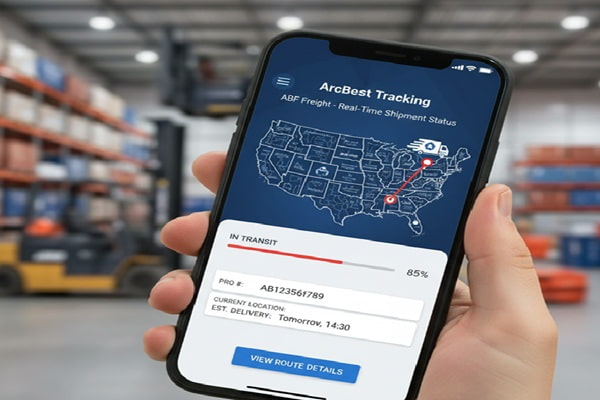

Your freight left the dock three days ago. You have a customer waiting, a warehouse to coordinate, and zero idea whether the shipment is 10 miles away or sitting at a terminal two states over. Sound familiar?
Track Your Order
ArcBest is one of the largest logistics companies in North America, running LTL freight under the ABF Freight brand, expedited shipments through Panther Premium Logistics, and a growing suite of managed transportation services. Tracking a shipment through their network is straightforward once you know which tool to use and what the status updates actually mean.
This guide covers every tracking method available, explains the difference between ABF and Panther tracking, decodes all the common status messages, and tells you exactly what to do when something goes wrong.
What Is ArcBest and Why Does It Have Multiple Tracking Systems?
This is a question a lot of shippers run into, and the answer matters for tracking.
ArcBest Corporation was founded in 1923 in Fort Smith, Arkansas, under the name Arkansas Best Corporation. The company rebranded to ArcBest in 2014 to reflect its growth beyond its original LTL roots. Today it operates through several subsidiaries that serve different shipping needs.
| ArcBest Brand | Service Type | Primary Tracking Portal |
| ABF Freight | LTL (Less-Than-Truckload) | arcb.com/tools/tracking.html |
| Panther Premium Logistics | Expedited and time-critical freight | arcb.com/panther-premium/tracking |
| ArcBest International (ABF Global) | International freight and air | arcb.com/tools/tracking.html |
| U-Pack | Residential moving containers | upack.com (separate tracking) |
Each brand uses ArcBest’s core tracking infrastructure, but the entry points and available features differ. The most common situation you will face is an LTL shipment moving through ABF Freight. That is what most of this guide focuses on.
Your ArcBest Tracking Number Explained
Before you open any tracking page, make sure you know which type of reference number you have. ArcBest accepts several.
| Reference Type | Description | Where to Find It |
| PRO Number | The primary shipment tracking ID for ABF LTL freight. Also called the ABF PRO number. | Shipping confirmation email, Bill of Lading, or your arcb.com account |
| BOL Number | Bill of Lading. A legal freight document created at pickup. | Physical paperwork on the shipment or emailed by the shipper |
| PO Number | Your internal Purchase Order number, if linked to the shipment. | Your own purchasing or ERP system |
| Pickup Number | Assigned when a pickup is scheduled through ArcBest. | Pickup request confirmation email |
| Panther PRO | A five-digit PRO number for Panther expedited shipments. | Panther booking confirmation email or the Panther portal |
How to Track an ArcBest Shipment: Step by Step
Method 1: ArcBest Website (No Account Needed)
This is the fastest option and works without logging in.
- Open arcb.com and click Track Shipment in the navigation, or go directly to arcb.com/tools/tracking.html.
- Enter your PRO number, BOL number, PO number, or Pickup number in the search box.
- Click Track Shipment.
- The results page shows current status, last known location, transit history with timestamps, and estimated delivery.
| Tip: Track Multiple Shipments at Once
ArcBest’s tracking tool accepts multiple reference numbers separated by commas or on separate lines. You can look up a batch of shipments in a single search instead of entering them one at a time. |
Method 2: ArcBest View Platform (Account Required)
ArcBest View at view.arcb.com is ArcBest’s next-generation logistics platform, currently in expanded beta. It goes well beyond basic tracking.
When you log in, the dashboard shows a summary of all current shipments with status flags, recent alerts, and special instruction notes. From there you can:
- Pin shipments to a Watchlist for fast access to loads that need extra attention
- Click into any shipment to see party location details, freight information, available documents, and full shipment history
- Use Milestone Tracking, which breaks the journey into stages and sends alerts for pickup, in transit, out for delivery, and delivered events
- Set up email alerts for pending appointments, delivery updates, and delay notifications
- Access documents including the Bill of Lading, delivery receipts, and invoices in one place
- Use Dynamic Rerouting to change a delivery address while freight is in transit
Legacy arcb.com account holders keep access to the older dashboard until they migrate to ArcBest View. Both systems pull from the same live freight data.
Method 3: Panther Premium Logistics Tracking
For expedited, same-day, or time-critical shipments booked through Panther, use the dedicated portal at arcb.com/panther-premium/tracking.
Enter your five-digit Panther PRO number and you get live location updates around the clock. Account holders can also see billing status and, for temperature-sensitive shipments, live temperature-validation readings.
Former Panther Premium Logistics customers from the old pantherpremium.com website can sign in with their existing credentials on the ArcBest platform after the rebrand.
Method 4: Phone and Email
Customer Service Phone: 1-800-610-5544 (ArcBest general, ABF Freight inquiries)
Panther Direct Line: 1-800-PANTHER or 1-800-726-8437
Email: customersolutions@arcb.com
EDI Support: edi@arcb.com
Have your PRO or BOL number ready. Phone support can provide status updates, arrange redelivery appointments, initiate rerouting, and escalate exception shipments.
Method 5: API and EDI Integration (Business Shippers)
ArcBest offers two technology paths for businesses that want tracking data piped directly into their own systems.
- ArcBest API: Provides real-time tracking, rate quotes, document retrieval, and automated pickup requests. API documentation is available after logging into arcb.com. Supports quick rate quotes, real-time shipment tracking, document retrieval, and automated pickup scheduling.
- ArcBest EDI: Uses ANSI X12 standard in any version. ArcBest supports common EDI transaction sets and also accepts XML and JSON per EDI connections. Businesses start the process by completing a Trading Partner Form (TPF). Contact edi@arcb.com to begin.
For developers using third-party platforms, ABF Freight is also available through ShipEngine’s API, which lets you connect an existing ABF account to access LTL tracking, rate quotes, pickup scheduling, and invoice generation.
Method 6: Third-Party Tracking Platforms
Several multi-carrier tracking platforms support ArcBest and ABF Freight shipments for shippers who prefer a single dashboard across multiple carriers.
- AfterShip: Supports ArcBest alongside 1,100-plus carriers. Useful for ecommerce businesses managing many shipments.
- 17TRACK: Covers over 3,165 carriers including ArcBest/Panther. Accepts multiple tracking numbers at once.
- TrackingMore: Supports ABF Freight tracking with PRO, BOL, and PO number lookups.
- ParcelPanel and Synctrack: Shopify-focused platforms that include ArcBest/Panther support for merchants.
Third-party platforms pull data from ArcBest’s system and may lag behind by 30 to 60 minutes. For time-sensitive situations, always check the official portal first.
ArcBest and ABF Freight Tracking Status Meanings
When you look up your shipment, you will see one of these standard status messages. Here is what each one means and what you should do.
| Status | What It Means | Action Required? |
| Order Received / Booked | ArcBest has accepted the shipment request. Freight has not been picked up yet. | None. Wait for pickup confirmation. |
| Picked Up | Freight is loaded and in ArcBest’s custody. Transit has started. | None. Shipment is moving. |
| In Transit | Freight is moving between service centers or is at an intermediate terminal. | None. Normal progress in the LTL network. |
| At Terminal | Freight is at a service center, being sorted or staged for the next leg. | None unless this status persists more than two business days. |
| Out for Delivery | Freight is on the delivery truck and will arrive today. | Confirm someone is available to receive and sign. |
| Appointment Scheduled | A delivery appointment has been set with the recipient. | Confirm you will be on-site at the agreed time. |
| Delivered | Freight has been signed for and delivered. | Check for damage and retain all documentation. |
| Delivery Updated | The estimated delivery date or time has changed. | Review the new estimated delivery and adjust plans. |
| Delivery Delayed | Something has paused normal delivery progress. | Contact customer service for the reason and revised ETA. |
| Exception | A problem has interrupted the shipment, such as an address error or missed appointment. | Call 1-800-610-5544 with your PRO number immediately. |
| Held at Terminal | Freight is being held, often due to an unresolved delivery issue. | Contact ArcBest to arrange redelivery or terminal pickup. |
ArcBest View Milestone Tracking: What the Stages Look Like
If you use the ArcBest View platform, Milestone Tracking breaks your shipment into defined stages rather than simple status text. This is particularly useful for businesses coordinating receiving staff or dock appointments.
The milestone stages move in sequence through the freight journey. Each stage triggers a notification if you have alerts turned on. The available alert types are: Pending Appointment, Delivery Updated, and Delivery Delayed.
The practical value of milestone notifications is that you can allocate staff or dock resources based on real estimated arrival windows, rather than checking the portal manually throughout the day.
What to Do When ArcBest Tracking Is Not Updating
This is the most common frustration for freight shippers. You checked the portal this morning and again this afternoon and the status has not moved. Before you call, consider these reasons.
Normal Transit Gaps in LTL Freight
Unlike parcel carriers, LTL freight does not scan every few hours. When a shipment is moving overnight from one service center to another, there may be a gap of 12 to 18 hours with no update. This is expected. The next scan event typically appears when the freight arrives at the next terminal.
Weekend and Holiday Schedules
ArcBest operates primarily on business days. A shipment that last scanned on a Friday evening may not show a new update until Monday morning. This does not indicate a problem.
New Shipment Entry Lag
When a shipment is booked late in the day, it can take a few hours for the record to appear in the tracking system. If you are seeing no results at all for a very new PRO number, try again in three to four hours.
When to Escalate
Contact customer service at 1-800-610-5544 if any of these apply:
- No tracking update for more than two full business days
- Status shows Exception or Held at Terminal with no explanation
- Estimated delivery date has passed with no delivered confirmation
- The PRO number returns no results after 24 hours from pickup
ABF Freight vs. Panther: Which Tracking System Are You Using?
A common point of confusion is not knowing whether a shipment moved through ABF Freight or Panther Premium Logistics. The service type determines which tracking portal applies.
| Factor | ABF Freight | Panther Premium Logistics |
| Service type | Standard LTL freight | Expedited, time-critical, high-value freight |
| Typical transit time | 2 to 5 business days | Same-day to next-day |
| Tracking portal | arcb.com/tools/tracking.html | arcb.com/panther-premium/tracking |
| PRO number format | Standard alphanumeric PRO | Five-digit Panther PRO |
| Temperature monitoring | Not available | Available for sensitive shipments |
| Team driver option | No | Yes, for near-continuous delivery |
| Best for | Palletized commercial and industrial freight | Healthcare, automotive parts, critical manufacturing |
ArcBest and ABF Freight Service Coverage
Direct ABF Freight network: 240 service centers across all 50 U.S. states, Canada, and Puerto Rico.
Extended coverage via partners: Carrier partnerships bring total U.S. coverage to 99% of the country.
International: ArcBest International (formerly ABF Global) handles air freight, ocean freight, warehousing, and customs clearance for cross-border and global shipments.
SCAC code: ABF Freight’s Standard Carrier Alpha Code is ABFS. This code is used on shipping documents and some tracking integrations.
For shipments within the direct ABF network, tracking tends to be most detailed and frequently updated. When a shipment transfers to a partner carrier, updates come from that carrier’s system and may look different.
Tips for Getting Better Results from ArcBest Tracking
- Use the PRO number whenever possible. It is the fastest and most direct tracking reference. Ask the shipper for the PRO number as soon as pickup is confirmed rather than relying on the BOL.
- Pin your active shipments in ArcBest View. The Watchlist feature keeps your most important shipments at the top of the dashboard so you do not have to search for them repeatedly.
- Set up milestone email alerts. Delivery Updated and Delivery Delayed notifications let you react to changes without manually checking the portal. This is especially useful when managing multiple active shipments.
- Use Dynamic Rerouting before delivery day. If a delivery address needs to change, log in to your account and use the Reroute Shipment option from the tracking detail page. Only the sender can request an address change, and it should be done well before the shipment goes out for delivery.
- Contact the local service center directly for appointments. For commercial deliveries requiring a dock appointment, call the specific service center handling the delivery rather than the general customer service line. The service center number is available on the tracking detail page in your account.
- Get proof of delivery electronically. Use Document Retrieval in your ArcBest account to access delivery receipts and signed BOLs immediately after delivery. Do not wait for paper copies in the mail.
Common Mistakes When Tracking ArcBest Shipments
Tracking an ABF shipment on the Panther portal, or vice versa. These are separate systems. Using the wrong portal returns no results, which leads to unnecessary panic. Check your booking confirmation to identify which service type you used.
Confusing the BOL number with the PRO number. The BOL is a legal document created by the shipper. The PRO number is assigned by ArcBest after pickup. Both can be used for tracking, but they are different numbers. Entering a BOL in a field that expects a PRO will fail.
Checking third-party sites instead of arcb.com. Aggregators can lag by 30 to 60 minutes and sometimes show outdated cached status. When timing matters, always verify at the official portal.
Not setting up email notifications before the shipment moves. Notifications only cover future events. If you set them up after a delay has already occurred, you have already missed the alert that mattered. Configure notifications at booking time.
Assuming a two-day gap in updates means freight is lost. LTL freight moves on hub-and-spoke schedules, not continuous scan events. A 12 to 20 hour gap during overnight transit is completely normal.
Also Read : Poste Italiane Tracking: How to Track Any Italian Post Shipment (Complete 2026 Guide)
Frequently Asked Questions
How do I find my ArcBest PRO number?
The PRO number is assigned by ArcBest when freight is accepted for transport. The shipper receives it first. Check the shipping confirmation email or log in to arcb.com and use the shipment visibility tool, entering your BOL or PO number to locate the associated PRO. If you are the recipient, ask the sender directly.
Can I track an ArcBest shipment without creating an account?
Yes. The tracking tool at arcb.com/tools/tracking.html is publicly available and does not require a login. Enter any valid reference number and get live status updates. An account is only needed for advanced features like Watchlists, milestone alerts, document retrieval, and Dynamic Rerouting.
What is ArcBest View and how is it different from the regular account?
ArcBest View is ArcBest’s updated logistics platform at view.arcb.com, currently in expanded beta. It replaces the legacy arcb.com dashboard over time. ArcBest View adds Milestone Tracking, Watchlists, richer shipment detail views, and a redesigned document center. Legacy account holders continue using the existing dashboard until they choose to migrate.
How long does an ABF Freight LTL shipment take?
Most ABF Freight LTL shipments within well-connected lanes deliver in 2 to 5 business days. ABF moves over 20,000 LTL shipments daily and has won the Logistics Management Quest for Quality Award nine times, reflecting a strong on-time delivery record. Transit time does not include the pickup day, weekends, or holidays.
What does it mean if my tracking shows an Exception?
An exception means normal delivery has been interrupted. Common causes include an incorrect delivery address, a failed delivery attempt with no one available to sign, a missed appointment at a commercial location, or a weather or road issue. Call 1-800-610-5544 with your PRO number to get the specific reason and arrange a resolution. The sooner you call, the sooner delivery can resume.
Can I change the delivery address after the shipment is picked up?
Yes, but only the sender can request this. Log in to your ArcBest account and use the Dynamic Rerouting tool on the shipment tracking page, or call customer service at 1-800-610-5544. Address changes after pickup are treated as reconsignments and may incur additional charges. Request changes as early as possible.
How do I get proof of delivery for an ArcBest shipment?
Account holders can access proof of delivery documents through Document Retrieval in the ArcBest portal immediately after delivery confirmation. From the tracking detail page, click View Documents to access the signed delivery receipt, Bill of Lading, and invoice. Non-account holders can email customersolutions@arcb.com to request a copy.
Why is my ArcBest tracking number not showing any results?
The four most common reasons are: a typo in the number, the shipment not yet entered into the system (usually within a few hours of booking), using an ABF PRO on the Panther portal or vice versa, or a short system delay during peak periods. Wait four hours and try again. If there are still no results after 24 hours from the scheduled pickup time, call 1-800-610-5544.
Does ArcBest offer tracking for international shipments?
Yes. ArcBest International, the rebranded version of ABF Global, handles international air and ocean freight with end-to-end tracking. For cross-border Canada shipments through ABF Freight, tracking continues within the same portal. International shipments may transition to partner carrier tracking once they leave the ArcBest network.
What is the best way to integrate ArcBest tracking into my own system?
ArcBest offers a REST API for real-time tracking, rate quotes, document retrieval, and pickup automation. API documentation is available after logging into arcb.com. For businesses already running EDI workflows, ArcBest supports ANSI X12 in any version, plus XML and JSON. Start by contacting edi@arcb.com to complete a Trading Partner Form. ShipEngine also provides an ABF Freight API integration for developers building on third-party platforms.
Conclusion
ArcBest built a genuinely capable tracking system, but it has a few quirks that trip people up: two separate portals for ABF and Panther, a new ArcBest View platform running alongside the legacy dashboard, and the normal LTL dynamic of long quiet stretches between scan events.
Once you know which portal your shipment belongs to, tracking it takes about 30 seconds. Getting an account set up for ArcBest View adds real value if you manage more than a handful of shipments per month, particularly because of milestone alerts and the ability to reroute freight digitally.
When something goes wrong, do not wait. Exceptions and holds resolve faster when you call early with your PRO number in hand.