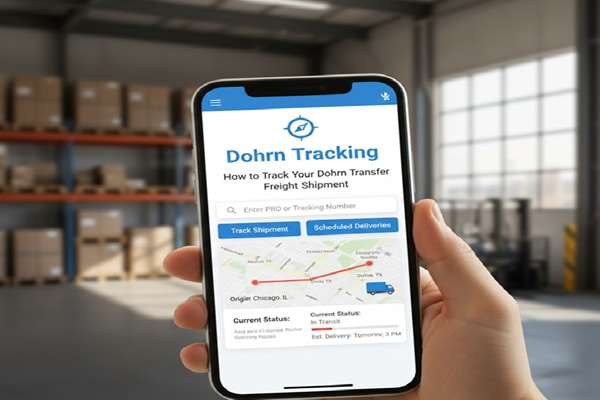
Most shipping guides treat Dohrn tracking like it is just a matter of pasting a number into a box. It is not. Dohrn Transfer is an LTL freight carrier, not a parcel courier. That one difference changes almost everything about how tracking works, what the status labels mean, and why your shipment can appear stuck for hours when it is actually running on time.
Track Your Order
Dohrn has been moving freight across the Midwest since 1921. More than a century of regional logistics experience is packed into a company that now operates across an 11-state core territory, serves Canada through partner networks, and handles everything from palletized general freight to hazardous materials, rail connections, and cold-weather specialized runs. If a Midwest business is shipping something that does not fill a full trailer, there is a solid chance Dohrn is involved.
This guide explains everything that actually matters for Dohrn tracking: the difference between a PRO number and a BOL number, where to track and what each method gives you, how to read every status message, what transit times look like by state, how Dohrn’s API works for businesses, and exactly what steps to take when a shipment is delayed or missing.
What Is Dohrn Transfer Company?
Dohrn Transfer Company started in 1921 when Charles Dohrn loaded up a single wood-slatted truck and drove a single daily route between Rock Island, Illinois and Kewanee, Illinois. That was the whole operation. One truck. One route. One driver.
A century later, Dohrn operates across 11 core states, runs 39 terminal locations, employs between 1,000 and 5,000 people depending on the season, and generates annual revenues estimated between 250 million and 500 million dollars. It is now part of the Pitt Ohio Transportation Group, which acquired Dohrn in 2014 and further expanded its footprint with the January 2025 acquisition of Sutton Transport, a Wisconsin-based LTL carrier that is being integrated into the Dohrn network in phases.
The company is headquartered at 625 3rd Avenue, Rock Island, Illinois. It specializes in less-than-truckload freight, which means businesses that need to move freight but do not have enough volume to fill an entire trailer. Dohrn consolidates shipments from multiple customers onto shared trailers, routes them through regional terminals, and delivers them within its coverage zone.
That terminal-based model is exactly why Dohrn tracking works differently from standard parcel tracking. Your shipment moves from origin to a local Dohrn terminal, gets sorted, moves to one or more intermediate terminals, and then routes to the destination terminal before final delivery. Each of those terminal stops produces a scan event that shows up in your tracking history.
PRO Numbers, BOL Numbers, and Reference IDs: What Is the Difference?
Before you can track a Dohrn shipment, you need to understand what type of tracking identifier you have. Dohrn uses four different identifiers, and each one unlocks slightly different information.
| Identifier | What It Is | Where You Get It |
| PRO Number | The primary Dohrn-assigned shipment tracking number. PRO stands for Progressive Rotating Order. It is a numeric code assigned when Dohrn picks up your freight. This is the most reliable identifier for real-time tracking. | Your Dohrn driver leaves a copy of it at pickup. It also appears in your Dohrn account if you have one, or in the shipment notification email. |
| BOL Number (Bill of Lading) | A legal shipping document number that identifies the freight contract between shipper and carrier. Dohrn can trace shipments using a BOL number if no PRO number is available. | The shipper generates the BOL before pickup. It appears on all shipping paperwork. |
| Reference Number | A custom identifier that the shipper assigns to the shipment in their own system, such as a purchase order number or internal job number. Dohrn stores this alongside the PRO for cross-reference. | Provided by the business that shipped the freight. Not always available for consumer recipients. |
| Agent Shipment Number | Used when the shipment moves through an agent or connecting carrier as part of Dohrn’s partner network for coverage outside its core territory. | Provided when the shipment involves a connecting line carrier partner. |
How to Track a Dohrn Transfer Shipment: All Methods
Method 1: Track by PRO on Dohrn’s Official Website
This is the fastest and most complete tracking method for single shipments.
- Go to dohrn.com.
- Click on Ship in the top navigation bar.
- Select Track by Pro from the dropdown menu.
- Enter your PRO number exactly as it appears on your shipping paperwork. Do not add spaces or extra characters.
- Click the Track button.
- Your full scan history, current status, last known location, and estimated delivery information appear.
Logged-in account holders get enhanced results. This includes links to scanned document images such as the delivery receipt, proof of delivery signature, and the bill of lading. If you manage freight regularly through Dohrn, creating a free account at dohrn.com gives you access to these additional documents directly from the tracking result page.
Method 2: Track by Date
Dohrn offers a Track by Date feature that allows account holders to pull a list of all shipments scheduled for delivery on a specific date. This is especially useful for receiving teams at warehouses and distribution centers who need to prepare dock space and staffing around an expected delivery window. Access this at dohrn.com under Ship, then Track by Date.
Method 3: Track by BOL or Reference Number
If you do not have a PRO number, navigate directly to facts.dohrn.com. This is Dohrn’s FACTS system, which stands for Freight Accounting and Customer Tracking System. From here you can search by:
- BOL / Reference number
- Purchase order number
- Agent shipment number
The FACTS portal is the same system that Dohrn’s customer service team uses internally. Results include terminal scan events, exception notes, and delivery confirmation details.
Method 4: Tracking Without an Account via Third-Party Platforms
If you are a freight recipient rather than the shipper and you do not have a Dohrn account, third-party tracking platforms provide access to Dohrn shipment data without requiring a login.
| Platform | Best Use Case | Notes |
| parcelstrackers.com | Recipients tracking a single shipment, no account needed | Supports PRO, BOL, and reference numbers. Mobile-optimized. No signup required. |
| 17track.net | Multi-carrier tracking alongside other freight or parcel carriers | Auto-detects carrier from tracking number. Supports bulk entry for multiple PRO numbers at once. |
| trackingvent.com | Quick status lookup for occasional recipients | Clean interface, returns scan events and current status without account creation. |
| synctrack.io | Ecommerce sellers integrating Dohrn into post-purchase tracking pages | Shopify-compatible. Branded tracking pages. Best for businesses, not individual recipients. |
Method 5: Dohrn Shipment Alerts by Email
Dohrn’s system lets you set up automated email alerts tied to specific PRO numbers. You receive a notification when a defined event occurs, such as pickup confirmation, terminal arrival, out for delivery, or final delivery. This is available through the FACTS API for business integrations or by contacting Dohrn’s customer service team to set up alerts on individual shipments.
Method 6: The Dohrn Tracking API
For businesses, logistics platforms, and developers who need to embed Dohrn tracking into their own systems, Dohrn provides a direct XML tracking API. This is a genuine technical capability that most competing articles miss entirely.
The API supports three primary operations:
- PRO number trace: Returns real-time scan events and delivery status for a single shipment. Endpoint: facts.dohrn.com/scripts/cgiip.exe/protracexml.htm?pronum=PRONUMBER
- Connecting line trace: Traces shipments using a connecting carrier reference number. Endpoint: facts.dohrn.com/scripts/cgiip.exe/protracexml?clno=CLNUMBER
- Shipment alert subscriptions: Sends email alerts to a defined address when specific events occur. Supports multiple PRO numbers and event types in a single request.
Authenticated API calls using a Dohrn username and password return richer data, including links to scanned document images. Unauthenticated calls return basic status data. Dohrn also supports pre-allocated PRO numbers for high-volume shippers who want to assign tracking numbers before pickup. Contact Dohrn’s billing department to request a batch of pre-allocated PROs.
What Every Dohrn Tracking Status Means
LTL freight tracking statuses are not always intuitive, especially if you are used to parcel shipping. Here is a plain-English explanation of every status you might encounter in Dohrn’s tracking system.
| Status | What It Actually Means |
| Shipment Booked / Order Created | Dohrn has received the shipment request and assigned a PRO number. The freight has not yet been physically picked up. This status may show for several hours before the driver arrives at origin. |
| Picked Up | A Dohrn driver collected the freight from the shipper’s location. The first physical scan has been recorded. Weight and dimensions are confirmed at this point. |
| In Transit | The shipment is moving through Dohrn’s terminal network. It may pass through one or more intermediate terminals before reaching the destination terminal. This status can hold for multiple days on longer Midwest routes. |
| Arrived at Terminal | The freight has arrived at a Dohrn terminal facility and is being processed. This is a normal checkpoint in the LTL hub-and-spoke model and does not indicate a problem. |
| Out for Delivery | A Dohrn driver has loaded the freight onto a delivery vehicle and is en route to the consignee. Delivery is expected that business day within the standard delivery window. |
| Delivered | The shipment has been delivered to the destination address. Proof of delivery (POD), including recipient signature and delivery timestamp, is available through your Dohrn account or the FACTS system. |
| Delivery Attempted | The driver was unable to complete delivery. Common causes include no one available to receive the freight, closed business, inaccessible dock, or address issues. A re-delivery will typically be scheduled for the next business day. |
| Exception | An unexpected event has interrupted normal transit. This could be weather, a missed connection between terminals, an address correction needed, or a weight discrepancy. Review the exception notes in the tracking detail for specifics. |
| On Hold | The shipment has been placed on a temporary hold. This can be at the shipper’s request, due to payment issues, or because a delivery appointment needs to be scheduled before final delivery. |
| Returned to Shipper | Multiple failed delivery attempts or a recipient refusal caused the freight to be returned to the origin address. Contact Dohrn and the shipper to resolve before re-tendering. |
| Connecting Line Dispatched | The shipment has been transferred to one of Dohrn’s partner carriers to complete delivery outside Dohrn’s direct service territory. Tracking continues through the partner carrier’s system. |
Dohrn Service Area and Transit Times by State
Knowing Dohrn’s actual coverage territory explains a lot about your shipment. Dohrn provides complete-state coverage in its core Midwest footprint and partial coverage in surrounding states. Shipments outside the core territory route through Dohrn’s connecting line partner network.
Complete State Coverage (Core Territory)
- Illinois
- Iowa
- Indiana
- Missouri
- Nebraska
- Wisconsin
Partial State Coverage
- Kansas
- Kentucky
- Minnesota
- South Dakota
Extended Coverage via Partner Networks
- California: Through Dohrn’s Premier California Link Partners for seamless West Coast deliveries from the Midwest.
- Canada: Full coverage through Dohrn’s Canada Link Partners for cross-border US to Canada and Canada to US shipments.
- Mid-Atlantic: Enhanced services between the Midwest and the Mid-Atlantic region.
| Route | Typical Transit Days | Notes |
| Within core 6-state territory | 1 to 2 business days | Fastest service; daily linehaul runs between all core terminals |
| Core territory to partial states | 2 to 3 business days | Dependent on terminal connections |
| Midwest to California | 4 to 7 business days | Via Premier California Link Partner carriers |
| Midwest to Canada | 3 to 6 business days | Requires customs processing at border crossing |
| Midwest to Mid-Atlantic | 2 to 4 business days | Enhanced service lanes between regions |
Use the transit time calculator at dohrn.com/ship/transit-time-calculator to get precise transit estimates between specific ZIP codes. Enter your origin city or ZIP and your destination to see Dohrn’s published standard transit times and confirm coverage availability before booking.
Dohrn Services Beyond Basic LTL Freight
Most people searching for Dohrn tracking are tracking a standard LTL shipment. But Dohrn’s service portfolio is much broader than a single freight lane. Understanding the full service menu helps you track the right shipment type and set the right expectations.
Less-Than-Truckload (LTL)
The core service. Businesses that need to move palletized freight without filling a full trailer share trailer space with other shippers. Dohrn consolidates, routes through terminals, and delivers within its 11-state territory and beyond via partners.
Full Truckload (FTL)
For shipments large enough to fill a trailer, Dohrn offers dedicated truckload service. Tracking for FTL moves faster through the system because the freight does not stop at intermediate terminals for consolidation.
Expedited Shipping
Time-critical shipments that need to move faster than standard LTL transit times. Dohrn routes expedited freight on priority lanes with fewer terminal stops. Useful for manufacturing just-in-time supply chains and urgent replacement parts.
Rail Access
Dohrn’s Rock Island headquarters has direct access to the BNSF Railway. This enables multi-modal movement for customers who want to combine rail efficiency with Dohrn’s local trucking for pickup and delivery legs. Rail-linked shipments have different transit time expectations and tracking checkpoints.
Pool Distribution
Used for high-frequency shippers with regular deliveries to multiple destination points within a geographic region. Dohrn consolidates orders from a single shipper destined for multiple recipients in the same area, delivering all of them on a single route run. Pool distribution tracking works through the same PRO-based system but may show a group manifest rather than individual shipment status at some checkpoints.
Warehouse and Storage
Dohrn offers short-term and long-term warehouse storage throughout its Midwestern territory, plus storage trailers for on-site customer storage. Inventory held in Dohrn’s warehouse does not generate active transit tracking events; status will show as In Storage or similar until the freight is released for delivery.
Liftgate Delivery
Dohrn operates the largest liftgate fleet in the Midwest. Liftgate delivery is for consignees that do not have a loading dock, such as retail locations, construction sites, or residential deliveries. If your shipment requires a liftgate, the tracking will note this service requirement, and the driver will use the liftgate mechanism to lower freight from the trailer to ground level. Schedule liftgate service at booking to avoid delivery exceptions.
Hazardous Materials Handling
Dohrn is certified to handle hazardous goods shipments that comply with DOT regulations. Hazmat shipments require additional documentation at booking and generate different tracking checkpoints reflecting compliance verification steps.
What to Do When Dohrn Tracking Is Not Working or Shows a Problem
Tracking Number Returns No Results
This happens most often in the first few hours after a PRO number is assigned but before the driver completes pickup. Wait 4 to 6 hours after receiving your PRO number, then try again. If it still shows nothing after 24 hours, verify you have the correct number type. A BOL number entered in the PRO field will return no results. Use the correct search type on the FACTS portal.
Shipment Has Been In Transit for Longer Than the Published Transit Time
First check the transit time calculator to confirm what Dohrn’s standard transit time is for your specific origin and destination ZIP codes. Published transit times are in business days only and exclude weekends, federal holidays, and severe weather delays. If you are within that window, the shipment is on schedule even if tracking has not updated recently.
If the window has clearly passed, call Dohrn’s customer service line at 800-747-3507 with your PRO number ready. Ask specifically whether the freight is at a terminal and what the next scheduled movement is.
Exception Status on Your Shipment
An Exception does not automatically mean a serious problem. Review the exception detail in the tracking record. Common exception types include:
- Weather delay: No action required. Dohrn will resume movement once conditions allow. Midwest winters regularly cause short-term weather exceptions.
- Address correction needed: Contact Dohrn immediately with the correct delivery address. Delays accumulate quickly if this sits unresolved.
- Weight discrepancy: The freight weighed differently than the shipper declared. This can affect freight charges and requires shipper resolution.
- Delivery appointment required: The consignee location requires a scheduled appointment before delivery. Call the destination terminal directly to schedule.
Shipment Shows Delivered But Freight Not Received
Check with the receiving dock immediately. LTL freight is sometimes signed for by a dock worker and moved to a staging area before the intended recipient is notified internally. If the receiving dock has no record, call Dohrn customer service with your PRO number and request a copy of the signed proof of delivery. The POD will show who signed, when, and at what location.
Shipment Transferred to a Connecting Line Carrier
If your tracking shows Connecting Line Dispatched, your freight has moved to a partner carrier outside Dohrn’s direct territory. Dohrn’s own tracking system may not update further. Contact Dohrn customer service to get the connecting carrier name and the new tracking number assigned for the partner carrier leg of the journey.
Also Read : DHLink Tracking: How to Track Your DHLink Package
Common Mistakes People Make With Dohrn Tracking
- Using a parcel tracking site to look up LTL freight: USPS, FedEx, and UPS tracking pages do not recognize Dohrn PRO numbers. Always go directly to dohrn.com or use a freight-capable third-party tracker like parcelstrackers.com or 17track.net.
- Confusing the BOL number with the PRO number: These are different documents. Entering a BOL number in the PRO tracking field will always return no results. Know which number you have before searching.
- Assuming the shipment is lost when tracking has not updated overnight: LTL freight moves on linehaul schedules. Shipments are often loaded onto overnight trailers between terminals and will not generate new scans until they arrive at the next terminal the following morning. A gap of 12 to 18 hours between scan updates is completely normal.
- Not checking the transit time calculator before worrying about delays: Dohrn’s published transit times vary significantly by origin and destination ZIP. A shipment from Chicago to Omaha moves faster than one from Chicago to a rural Iowa ZIP. Always check the published transit time before calling customer service.
- Calling about a shipment that is still within the standard transit window: Dohrn customer service can investigate delays, but calling within the normal transit window diverts their capacity from genuine problem shipments. Wait until the published transit time has clearly been exceeded before escalating.
- Not setting up shipment alerts for high-value or time-sensitive freight: Dohrn’s alert system is underused. Setting up an email alert for key events, specifically pickup confirmation and delivery, removes the need to manually monitor tracking for critical shipments.
Dohrn Tracking Checklist for Shippers and Receivers
Use this checklist to make sure every shipment runs smoothly from first booking to final delivery confirmation.
Before Shipping
- Confirm Dohrn provides complete-state coverage to your destination ZIP or arrange connecting line service in advance
- Choose the correct service level: standard LTL, expedited, pool distribution, or specialized
- Declare accurate freight weight and dimensions to avoid weight discrepancies and billing adjustments
- Add liftgate service at booking if the destination has no loading dock
- Request pre-allocated PRO numbers if you ship high volumes through Dohrn regularly
- Set up API integration or email alerts if you need automated tracking notifications
After Pickup
- Confirm the PRO number with your Dohrn driver or from your account dashboard
- Verify the first scan event appears on dohrn.com within 6 hours of pickup
- Set up a shipment alert for delivery confirmation on high-value or time-sensitive freight
- Note the published transit time from the Dohrn calculator for your specific origin and destination
At Delivery
- Compare received freight count and condition against the BOL before signing
- Note any damage or shortage on the delivery receipt before the driver leaves
- Request a copy of the signed proof of delivery if you need it for your records
- File any freight claim within Dohrn’s claim period if damage is found after the driver departs
Dohrn Transfer Contact Information
| Contact Type | Details |
| Corporate Headquarters | 625 3rd Avenue, Rock Island, Illinois 61201 |
| Toll-Free (Corporate) | 1-888-364-7621 |
| Local Phone | 309-794-0723 |
| Fax | 309-794-1693 |
| Customer Service | 1-800-747-3507 | customerservice@dohrn.com | Monday to Friday 7:00 AM to 4:30 PM CT |
| Rates Department | 1-800-747-3506 | rates@dohrn.com | Monday to Friday 7:00 AM to 4:00 PM CT |
| Pickup Requests | 1-800-747-3401 | pickups@dohrn.com | Monday to Friday 7:00 AM to 4:30 PM CT |
| Official Tracking Portal | dohrn.com/ship/tracking-reports |
| FACTS Tracking System | facts.dohrn.com |
| Transit Time Calculator | dohrn.com/ship/transit-time-calculator |
Frequently Asked Questions
How do I track a Dohrn Transfer shipment?
Go to dohrn.com and click Ship, then Track by Pro. Enter your Dohrn PRO number and click Track. You can also track by BOL or reference number at facts.dohrn.com. For tracking without a Dohrn account, use parcelstrackers.com or 17track.net with your PRO or BOL number.
What is a Dohrn PRO number?
A PRO number is Dohrn’s primary shipment tracking identifier. PRO stands for Progressive Rotating Order. It is a numeric code that Dohrn assigns when freight is picked up. Your driver leaves a copy at pickup and it also appears in your Dohrn account or shipping confirmation. Always use the PRO number first for the most accurate and detailed tracking results.
What is the difference between a Dohrn PRO number and a BOL number?
A PRO number is Dohrn’s internal tracking identifier assigned at pickup. A BOL number, or Bill of Lading number, is a legal document identifier that the shipper creates before the freight moves. Both can be used to look up a Dohrn shipment, but they must be entered into the correct search fields on the tracking portal. Entering a BOL number in the PRO field will return no results.
Why is my Dohrn tracking not updating?
LTL freight moves on terminal-to-terminal linehaul schedules. Gaps of 12 to 18 hours between scan events are normal, especially during overnight linehaul runs between terminals. Check the published transit time for your route at dohrn.com/ship/transit-time-calculator before assuming there is a problem. If the transit window has clearly passed, call Dohrn customer service at 1-800-747-3507.
What states does Dohrn Transfer deliver to?
Dohrn provides complete-state coverage in Illinois, Iowa, Indiana, Missouri, Nebraska, and Wisconsin. Partial coverage is available in Kansas, Kentucky, Minnesota, and South Dakota. Extended service reaches California through Premier California Link Partners and Canada through Canada Link Partners. Dohrn also offers enhanced services to the Mid-Atlantic region.
What does Exception mean on Dohrn tracking?
An Exception status means something unexpected has interrupted the normal transit process. Common causes include weather delays, address corrections needed, weight discrepancies, or a delivery appointment requirement. Check the exception detail notes in your tracking record. Most exceptions require either no action or a simple phone call to Dohrn or the consignee to resolve.
Can I track multiple Dohrn shipments at once?
The official Dohrn portal tracks one shipment at a time unless you are a logged-in account holder using the Track by Date or custom report features. For bulk tracking without an account, use 17track.net, which supports entering multiple tracking numbers at once separated by commas or line breaks.
Does Dohrn have a tracking API for businesses?
Yes. Dohrn provides an XML-based tracking API through their FACTS system. It supports PRO number traces, connecting line traces, and automated email alert subscriptions tied to specific shipment events. Authenticated API calls return richer data including links to scanned document images. Contact the Dohrn sales team to get API credentials and integration documentation.
How long does a Dohrn Transfer shipment take?
Within the 6-state core territory (Illinois, Iowa, Indiana, Missouri, Nebraska, Wisconsin), most shipments deliver in 1 to 2 business days. Routes to partial coverage states take 2 to 3 days. California shipments take 4 to 7 days via partner carriers. Canada shipments take 3 to 6 days including customs processing. Use the transit time calculator at dohrn.com for exact times between specific ZIP codes.
How do I contact Dohrn Transfer customer service?
Call 1-800-747-3507 or email customerservice@dohrn.com. Customer service hours are Monday through Friday, 7:00 AM to 4:30 PM Central Time. Have your PRO number or BOL number ready before calling. For pickup requests, call 1-800-747-3401. For rate questions, call 1-800-747-3506.