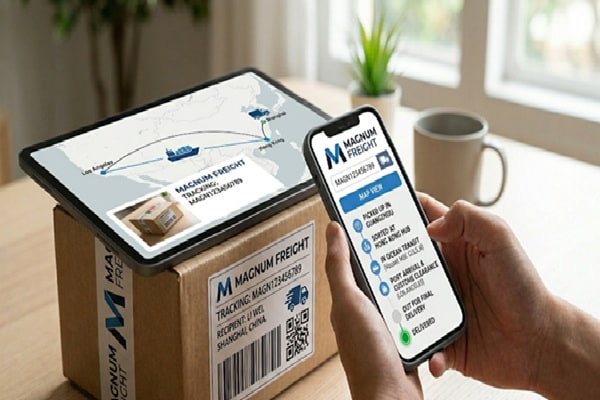
You are waiting on a freight shipment. The pickup confirmation came through fine. Now you want to know where the truck is, when it is arriving, and whether there are any issues you should know about before planning your day around a delivery window.
Magnum Companies is one of the most established freight and logistics providers in the Midwest United States. Founded in 1978 in Fargo, North Dakota, the company has grown from a small regional carrier into a multi-division logistics operation running terminals across 10 states with over 1,600 employees.
Tracking a Magnum shipment is straightforward once you understand which division handled your freight and what identifier to use. This guide walks you through every method, every status message, and every scenario where tracking gets complicated.
Understanding Magnum’s Five Divisions Before You Track
This is where most people go wrong. They search for a tracking number and get confused because Magnum is not one service. It is five separate incorporated divisions, each serving different freight needs. The tracking identifier you need depends on which division handled your shipment.
| Division | What It Does | Tracking Identifier Used |
| Magnum LTD | Long-haul truckload (TL) freight across the U.S. | BOL or shipment reference number |
| Magnum LTL | Less-than-truckload regional service: MN, ND, SD, WI, MT, NE, IA and more | PRO number (primary identifier) |
| Magnum Dedicated | Contract fleet for businesses needing exclusive trucks/trailers | Account-specific reference or BOL |
| Magnum Warehousing | 600,000+ sq. ft. of storage, kitting, light assembly, and distribution | Order or warehouse reference number |
| Magnum Logistics | Full supply chain brokerage and management solutions | Load or logistics reference number |
| Pro Tip: If you are unsure which division handled your shipment, check your shipping confirmation or Bill of Lading. The division name is usually listed alongside the PRO number or reference number. You can also call (800) 726-7510 and the Magnum team will identify it from your sender and delivery details. |
What Is a PRO Number and Where Do You Find It?
The term PRO number comes from Progressive Rotating Order. It is the standard tracking identifier used by LTL freight carriers across North America, and it is the primary number Magnum uses for LTL tracking.
Your PRO number is not the same as:
- The seller’s order number
- Your Bill of Lading (BOL) number, although both appear on the same document
- A reference number you may have assigned internally
- The load or dispatch number used by Magnum’s operations team
The PRO number is assigned by Magnum at the time of pickup. Here is where to find it:
- On the Bill of Lading document provided when your freight was collected
- In the shipping confirmation email from Magnum or from the broker who arranged your shipment
- On your account page if you booked through a platform like FreightCenter
- By calling (800) 726-7510 with your shipper name and delivery address
| Important: If you booked through a third-party freight broker or platform such as FreightCenter, your tracking must go through that platform’s portal. The official Magnum website will only return results for direct bookings. Third-party booking platforms assign their own shipment IDs that link to Magnum’s underlying PRO number. |
How to Track Your Magnum Shipment: Three Methods
Method 1: The Official Magnum Website
This is the fastest and most authoritative option for shipments booked directly through Magnum.
- Open your browser and go to magnumlog.com
- Look for the Track Shipment link in the main navigation menu
- On the tracking page, enter your PRO number or shipment reference in the input field
- Click the Track or Submit button
- Your shipment status, current location, last scan point, and estimated delivery information will appear on screen
The portal is clean and straightforward. It shows each scan event as the freight moves through Magnum’s terminal network, from pickup through final delivery.
Method 2: Third-Party Tracking Platforms
If you manage multiple shipments across several carriers, or if you want email and push notifications, third-party platforms are more practical. They pull data from Magnum’s system and display it alongside other carriers in one dashboard.
The most useful options for Magnum tracking are:
- 17TRACK (17track.net): Supports over 3,000 carriers, mobile app available, batch tracking for multiple PRO numbers
- ParcelsTrackers (parcelstrackers.com): Specifically covers Magnum LTL, LTD, and Logistics with consolidated status views
- Synctrack (synctrack.io): Good for e-commerce sellers using Shopify who ship via Magnum
- FreightCenter (freightcenter.com): Tracks Magnum LTL shipments booked through FreightCenter only
| Note: Third-party trackers can only show you what Magnum’s system reports. They do not have access to additional data beyond what the official portal provides. Their advantage is convenience, notifications, and multi-carrier management, not better data. |
Method 3: Phone Tracking
For shipments where the online system shows no update, or for time-sensitive freight requiring confirmed status, calling is the most reliable option.
- Main customer service: (800) 726-7510
- Corporate office (Fargo, ND): (701) 293-8082
- Email: info@magnumlog.com
- Address: 3000 7th Avenue North, Fargo, ND 58102
When calling, have your PRO number, shipper name, and delivery address ready. If you cannot find your PRO number, the team can search by the shipper’s name and approximate pickup date.
What Every Magnum Tracking Status Actually Means
LTL freight tracking does not update as frequently as parcel delivery. Scans happen at key terminal touchpoints, not continuously. If you see the same status for 12 to 24 hours, this is normal. The table below breaks down what each status means and what, if anything, you need to do.
| Status Message | What It Actually Means | What You Should Do |
| Shipment Picked Up | The driver has collected your freight and it is in the Magnum system. This is the first scan. | No action needed |
| In Transit | Your freight is moving between terminals or heading to the destination terminal. | No action needed |
| At Terminal / Out for Delivery | The freight has arrived at the terminal closest to the delivery address and is being loaded for final delivery. | Ensure someone is available to receive |
| Delivered | The freight has been signed off and delivered to the consignee address. | Confirm receipt and check for damage |
| Exception / Delay | Something interrupted normal transit. Could be weather, access issues, or a missed delivery window. | Contact Magnum customer service |
| Delivery Attempted | The driver tried to deliver but could not complete it. This is common for residential freight. | Call (800) 726-7510 to reschedule |
| On Hold | The shipment is paused, usually pending payment, address confirmation, or special delivery instructions. | Contact the shipper and Magnum immediately |
Magnum Delivery Time by Route and Service
Transit times vary significantly based on the service type and the route. Magnum LTL operates a direct service network in the upper Midwest, which is where it performs fastest. Long-haul and cross-country shipments move through Magnum LTD or via brokered carrier arrangements through Magnum Logistics.
| Route | Service Division | Typical Transit Time |
| Minnesota to North Dakota | LTL | 1 business day |
| Minnesota to South Dakota | LTL | 1 to 2 business days |
| Minnesota to Wisconsin | LTL | 1 to 2 business days |
| Midwest to Chicago area | LTL / LTD | 1 to 2 business days |
| Upper Midwest to East Coast | LTD (Truckload) | 2 to 4 business days |
| Midwest to Southeast / Texas | LTD / Logistics | 3 to 5 business days |
| Cross-country (national) | LTD or partner carriers | 4 to 7 business days |
| Keep in Mind: These are typical ranges under normal conditions. Weather delays, especially in North Dakota, Minnesota, and South Dakota during winter months, can add 1 to 2 business days. Plan accordingly for shipments in November through March. |
Official Magnum Portal vs Third-Party Trackers: A Direct Comparison
Neither option is strictly better. The right choice depends on how you work and what you need from the tracking experience.
| Feature | Official Magnum Portal | Third-Party Tracker |
| Real-time freight status | Yes | Yes |
| English language interface | Yes | Yes |
| Works without login | Yes (PRO number only) | Yes |
| Multiple shipments at once | No | Yes (most platforms) |
| Email / SMS alerts | No (manual check only) | Yes |
| Partner carrier data combined | No | Yes |
| Mobile app available | No dedicated app | Yes (17TRACK, AfterShip) |
| Proof of delivery (POD) | Yes | Partial |
| Best for | Single shipment, official reference | Multiple shipments, alerts, convenience |
For most individual shippers and small businesses, the official portal is all you need. For logistics managers handling dozens of inbound shipments daily across multiple carriers, a third-party platform saves significant time.
Troubleshooting Magnum Tracking Problems
No Tracking Results Showing
If you enter your PRO number and get no results, there are four likely causes. The shipment may have been booked through a broker and the PRO number in your hand is actually the broker’s reference, not Magnum’s internal PRO. Try logging into the broker platform instead. Alternatively, the pickup may have only just occurred and the system needs up to 24 hours to register the first scan. Third, double check that you have the correct number with no transposed digits. Finally, if the shipment is a Magnum Logistics brokered load, the carrier is not Magnum itself but a partner carrier with a different tracking system.
Tracking Stopped Updating Mid-Transit
Magnum’s terminal network does not scan freight at every single point. If a shipment is moving overnight between terminals or is in a linehaul run, scans may not appear for 12 to 18 hours. This is not unusual and does not indicate a problem. Wait until the next business day before contacting support. If there is still no movement after 48 hours, call Magnum directly.
Delivery Attempted but You Were Not Notified
For residential freight deliveries, Magnum drivers should make contact before delivery. If a delivery attempt occurred without notification, it may indicate an incorrect phone number on the Bill of Lading. Call (800) 726-7510 with your PRO number and request rescheduling. Ask the team to confirm the contact number they have on file.
Freight Shows Delivered but Has Not Arrived
This occasionally happens when a delivery is scanned at the terminal or at a shared building reception without the consignee being aware. Check with building management, loading dock staff, or neighbors. If nobody received it, file a formal claim with Magnum immediately, as the window for damage and loss claims is typically 9 months from delivery date under standard LTL freight rules.
Wrong Address or Shipment Needs Rerouting
Contact Magnum as soon as possible. Address corrections before the freight reaches the destination terminal are more manageable. Once it is out for delivery or at the final terminal, rerouting is difficult and may involve redelivery fees. Always verify address details, including suite numbers, dock numbers, and business hours, before your shipment is picked up.
Mistakes That Make Magnum Tracking Harder Than It Needs to Be
Using the Wrong Tracking Number
The most common mistake is entering a BOL number, a purchase order number, or a broker reference instead of the Magnum PRO number. Only the PRO number works in the official Magnum portal for LTL shipments. If you do not have the PRO number, use the phone to retrieve it rather than guessing.
Not Accounting for Terminal Scan Gaps
LTL freight tracking is not like courier parcel tracking. Do not expect an update every few hours. Magnum’s system logs scans at terminal arrivals and departures. Between those points, the freight is moving but not scanning. A quiet tracking page does not mean a delayed shipment.
Waiting Too Long to Report an Issue
If something looks genuinely wrong, contact Magnum early. The earlier you flag a potential problem, the more options are available. Freight claims, rerouting, and delivery exceptions are all easier to resolve when caught quickly. Waiting to see if tracking updates by itself can cost you a delivery window.
Assuming All Magnum Divisions Track the Same Way
Magnum LTL, LTD, Dedicated, Warehousing, and Logistics all use different reference systems. A tracking number from a Warehousing order is not the same format as a LTL PRO number. Before you search, confirm which Magnum division handled your shipment so you are looking in the right place.
Also Read : China Post Tracking: The Complete Guide
Magnum Tracking Quick-Reference Checklist
- Confirm the division: LTL, LTD, Dedicated, Warehousing, or Logistics
- Locate your PRO number on the Bill of Lading or shipping confirmation email
- Check whether you booked directly with Magnum or through a broker platform
- If booked through a broker, track through that broker’s portal first
- Visit magnumlog.com and use the Track Shipment tool for direct bookings
- Wait 24 hours after pickup before expecting the first status update
- For no update after 48 hours, call (800) 726-7510 with PRO number ready
- If tracking shows Exception or Delay, contact Magnum immediately, do not wait
- For residential delivery, confirm your contact number is correct on the BOL
- File any damage or loss claims within 9 months of the delivery date
Related Topics in This Topic Cluster
- LTL Freight Shipping: A complete guide to less-than-truckload shipping for small businesses
- Bill of Lading Explained: What every field means and why it matters for tracking
- Freight PRO Number vs BOL Number: Understanding the difference and when to use each
- How to File a Freight Damage Claim: Step-by-step process for LTL carriers including Magnum
- Best LTL Freight Carriers in the Midwest USA: Comparing Magnum, Old Dominion, Estes, and others
- Freight Broker vs Direct Carrier Booking: Which gives you better tracking and rate control
Frequently Asked Questions
| Q1: What is a PRO number in Magnum tracking? |
| A PRO number (Progressive Rotating Order number) is the primary tracking identifier for Magnum LTL shipments. It is assigned to your freight when it is picked up and entered into the system. You can find it on your Bill of Lading (BOL), your shipping confirmation email, or by contacting the Magnum terminal that handled your pickup. |
| Q2: How do I track a Magnum LTL shipment? |
| Go to magnumlog.com and click on the Track Shipment option. Enter your PRO number in the field provided and click the search button. Your current shipment status, location history, and estimated delivery information will appear on screen. |
| Q3: Can I track a Magnum shipment without a PRO number? |
| Without a PRO number, online tracking is not available through the official Magnum portal. However, you can call Magnum customer service at (800) 726-7510 and provide the shipper name, delivery address, or Bill of Lading reference. Their team can often locate the shipment manually. |
| Q4: How long does Magnum LTL delivery take? |
| For regional LTL routes within the Midwest, Magnum typically delivers in 1 to 3 business days. Long-haul truckload shipments through Magnum LTD can take 2 to 7 business days depending on the origin, destination, and service type. Contact Magnum for route-specific estimates. |
| Q5: My Magnum tracking shows no update. What should I do? |
| First, allow 24 to 48 hours after the pickup before expecting updates, as system sync can take time. If there is still no update after 48 hours, contact Magnum at (800) 726-7510 or email info@magnumlog.com with your PRO number. Also try third-party trackers like 17TRACK or ParcelsTrackers as they sometimes pull data faster. |
| Q6: Does Magnum ship internationally? |
| Magnum primarily operates within the United States, with service in 48 states. They also ship into Canada through partner carrier arrangements. For international shipments beyond North America, Magnum Logistics division handles brokerage connections to other freight providers. |
| Q7: What does an Exception status mean in Magnum tracking? |
| An Exception means something disrupted the normal delivery flow. This can include weather delays, road closures, an incorrect or inaccessible delivery address, a missed delivery appointment, or a shipment that requires special handling. Contact Magnum immediately when you see this status to resolve the issue quickly. |
| Q8: Can I change my delivery address after the shipment is in transit? |
| Address changes after pickup are possible but may involve additional fees and require Magnum customer service approval. The sooner you request the change, the more likely it is to be accommodated. Once a shipment is out for delivery, address changes are extremely difficult to process in time. |
| Q9: What is the difference between Magnum LTL and Magnum LTD? |
| Magnum LTL (Less-than-Truckload) is for businesses shipping freight that does not fill an entire truck. Multiple customers share space in one trailer. Magnum LTD (Long Distance Trucking) is full truckload service where one customer’s cargo occupies the entire trailer, typically for larger or time-sensitive shipments. |
| Q10: How do I contact Magnum customer service for tracking help? |
| Call (800) 726-7510 or (701) 293-8082 during business hours. You can also email info@magnumlog.com. Magnum’s corporate headquarters is at 3000 7th Avenue North, Fargo, ND 58102. For online support, visit magnumlog.com and use the Contact Us page. |
The Bottom Line on Magnum Tracking
Magnum is a well-built freight operation with a straightforward tracking system. The official portal at magnumlog.com handles the vast majority of tracking needs without any fuss. For most shipments, you enter your PRO number and you have your answer in seconds.
The situations where tracking gets confusing are almost always traced back to two things: using the wrong tracking number, or not understanding that LTL freight does not scan continuously the way a courier parcel does. Once those two points click, the tracking process becomes reliable and predictable.
If the system is not giving you what you need, Magnum’s customer service team is genuinely responsive. A two-minute phone call with your PRO number in hand will resolve almost any tracking problem faster than troubleshooting online.