You are a procurement manager, a warehouse supervisor, or a small business owner. A pallet of components, equipment, or retail inventory left a dock three days ago via Saia LTL Freight. Your customer is asking for an ETA. Your operations team needs a confirmation. And the tracking page is showing a status that means nothing to you.
This happens every day across the 30,000-plus shipments Saia handles. The confusion is not about the carrier being unreliable. LTL freight tracking works differently from parcel tracking, and most guides never explain why. This one does.
Below you will find a complete, plain-English guide to Saia tracking: how to do it, what every status means, how long each service level takes, and exactly what to do when something looks wrong.
What Is Saia LTL Freight?
Saia, Inc. (NASDAQ: SAIA) is one of the largest less-than-truckload carriers in the United States. The company was founded in 1924 by Louis Saia Sr. in Houma, Louisiana, originally using a family car to transport goods to New Orleans. Today it operates out of Johns Creek, Georgia, with more than 190 terminals and over 14,000 employees.
The company handles regional and interregional LTL shipments across all 48 contiguous states, with partner coverage extending to Alaska, Hawaii, Puerto Rico, Canada, and Mexico. On an average day, Saia processes more than 30,000 shipments.
Saia is not a parcel carrier like UPS or FedEx. It specializes in freight. That means pallets, crates, and industrial cargo that is too large for a standard parcel service but does not fill an entire truck. Understanding this distinction matters for tracking, because LTL freight moves through a hub-and-spoke terminal network, not a continuous chain of individual parcel scans.
Saia Services at a Glance
| Service | Transit Speed | Best For |
| LTL Direct | 1 to 5 business days | Standard palletized freight across 48 states |
| Saia Guaranteed | Time-definite by 12 PM or 5 PM | Shipments with firm delivery deadlines |
| Expedited | Same-day or next-day | Urgent, time-critical cargo |
| Custom Solutions | Varies by program | Pool distribution, consolidation, large-volume |
| Logistics Services | Varies | Truckload, intermodal, white-glove delivery |
| Cross-Border | Varies by partner | Canada, Mexico, Puerto Rico via partner carriers |
Understanding Your Saia Tracking Number
Saia uses several types of reference numbers, and you can use any of them to track your shipment on saia.com. Here is what each one means:
| Reference Number Type | What It Is and Where to Find It |
| PRO Number | The primary 11-digit identifier assigned by the Saia driver or terminal at pickup. Found on your shipping confirmation email and freight bill. |
| Bill of Lading (BOL) | The legal document issued by the shipper describing the freight. BOL numbers are alphanumeric and defined by the shipper’s system. Format varies. |
| Purchase Order (PO) | A customer-assigned number linked to the freight for internal accounting. You create this number yourself when booking the shipment. |
| Pickup Number | A confirmation number issued when you submit a pickup request to Saia. Useful for tracking before a PRO number is assigned. |
| Partner PRO Number | An 11-digit identifier used when your freight is handed off to a Saia partner carrier for delivery in remote areas or cross-border routes. |
| Shipper Number | A unique ID assigned to the shipping entity. Found on your Saia invoice or Bill of Lading. Useful for account-level tracking. |
Where to Find Your PRO Number
- Shipping confirmation email sent after pickup is booked
- Your Bill of Lading (BOL) document, listed under carrier reference or PRO
- Your Saia freight invoice or freight bill
- The Saia mobile app if you have a shipper account
- By calling Saia customer service at 1-800-765-7242 with your BOL details
How to Track a Saia Shipment: Step by Step
Method 1: Official Saia Website (Recommended)
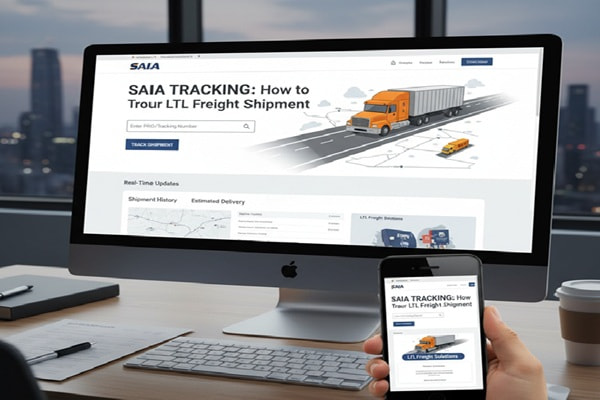
The Saia tracking portal at saia.com/track is the most accurate and up-to-date source. It pulls directly from Saia’s own terminal scan data.
- Open a browser and navigate to saia.com/track
- Select the reference type from the dropdown: PRO Number, BOL, PO Number, Pickup Number, or Shipper Number
- Enter your tracking number in the input field. Make sure there are no spaces or dashes.
- Click the Track button
- Your results will show current status, terminal location history, piece count, weight, and estimated delivery date
- For Saia Guaranteed shipments, you will also see the guaranteed delivery window
Method 2: Saia Mobile App
Saia offers a mobile app for iOS and Android that allows account holders to track shipments, request pickups, and receive push notifications on delivery status changes. If you have a Saia shipper account, the app is worth setting up for regular shipments.
Method 3: Email and SMS Notifications
You can register for automatic status alerts through the Saia website. Provide your contact information and PRO number to receive updates at key milestones: pickup confirmed, in transit, out for delivery, and delivered.
Method 4: Third-Party Tracking Platforms
Third-party aggregators are useful for businesses managing shipments across multiple carriers. They consolidate all tracking into one dashboard.
| Platform | Best Use Case | Notes |
| 17TRACK | Multi-carrier consolidated view | Supports BOL and PRO number input |
| AfterShip | E-commerce seller dashboards | API available, branded tracking pages |
| ParcelWILL | Bulk business shipment tracking | Supports 1,100 plus carrier integrations |
| TrackingMore | Developer API integration | 99.9% uptime, webhook support |
| Parcel Monitor | Email alert automation | Good for recipients without accounts |
What Every Saia Tracking Status Means
This is where most guides fall completely flat. They list statuses without explaining the operational context behind them. Here is what each one actually tells you about where your freight is in the Saia network.
| Tracking Status | What Is Actually Happening |
| Pickup Requested | A pickup has been scheduled. Saia has the request but the driver has not yet collected your freight. No PRO number has been assigned yet. |
| Shipment Picked Up | A Saia driver has collected your freight and scanned it. The PRO number is now active. Your shipment is heading to the origin terminal. |
| In Transit | Your freight is moving between Saia terminals. It may be loaded on a linehaul truck overnight. Scans happen at each terminal stop, not continuously. |
| At Terminal | Your freight has arrived at an intermediate or destination terminal and is being processed. This is a normal part of the hub-and-spoke routing. |
| Out for Delivery | Your freight is on a local delivery truck heading to your address. Delivery is expected today during business hours. |
| Delivered | Saia has confirmed delivery and obtained a signature or delivery confirmation at the destination. |
| Delivery Attempted | A driver attempted delivery but could not complete it. Saia will attempt redelivery or contact you to reschedule. |
| Exception | Something has interrupted normal transit. This could be weather, an address issue, damage, a missed connection, or a refused delivery. |
| Freight on Hold | Your shipment is being held at a terminal. Common reasons: missing delivery instructions, an unconfirmed address, or a customer-requested hold. |
| Returned to Shipper | The shipment could not be delivered and is being sent back to the origin. This follows multiple failed delivery attempts or a refused delivery. |
Saia Freight Delivery Times: What to Realistically Expect
Saia publishes transit time estimates on its website, but real-world delivery depends on distance, service level, terminal density in the destination region, and seasonal volume. Here is what the data actually shows:
| Service Level | Typical Transit | Coverage | Key Detail |
| LTL Regional | Next day to 2 days | Southeast, Midwest lanes | 85% of Saia domestic deliveries within 1 to 3 business days |
| LTL National | 3 to 5 business days | 48 contiguous states | Long-haul lanes from coast to coast |
| Saia Guaranteed | By 12 PM or 5 PM | Most direct service areas | Time-definite; full credit if window is missed |
| Expedited | Same-day or next-day | Select lanes | Arranged through Saia Logistics Services |
| Cross-Border | Varies by partner | Canada, Mexico, PR | Uses partner carriers; transit times vary significantly |
| Remote Areas | Add 1 to 2 days | AK, HI via partners | Partner network handles final delivery |
Saia’s transit time calculator on saia.com gives origin-to-destination estimates based on zip code pairs. Always use this tool when quoting delivery dates to customers.
Factors That Can Add Transit Time
- Residential delivery: adds scheduling complexity and may require a liftgate or appointment
- Delivery to limited-access locations: construction sites, military bases, trade shows
- High freight volume periods: November and December, end of quarter, post-holiday surge
- Weather events: winter storms, flooding, or severe weather in any transit corridor
- Customs processing for Canada and Mexico cross-border shipments
- Incorrect or incomplete delivery address: causes hold at terminal until resolved
Saia Tracking Problems and How to Solve Them
Most tracking issues have straightforward solutions once you know what to look for. Here are the most common problems, what causes them, and exactly what to do.
Problem 1: PRO Number Shows No Results
Why this happens: The most frequent cause is that the freight has not yet been physically scanned by a Saia driver. Label creation and actual pickup can be hours apart. Other causes include a typo in the number or entering a BOL number in the PRO field without switching the dropdown.
What to do:
- Verify the number is exactly 11 digits with no spaces, letters, or hyphens
- Confirm the dropdown on saia.com/track matches the type of number you are entering
- Wait 24 hours from the scheduled pickup time and try again
- If it still shows nothing after 24 hours, call 1-800-765-7242 and provide your BOL details
Problem 2: Tracking Status Has Not Updated in Over 24 Hours
Why this happens: LTL freight is scanned at terminals, not in transit. A long-haul truck leg between terminals can take 10 to 16 hours with no intermediate scans. This is normal behavior, not a system error.
What to do:
- If the last status was In Transit and it has been under 24 hours, wait and check again
- If it has been more than 48 hours with no change and no delivery, check for weather alerts in the transit corridor
- If over 72 hours with no update and no exception showing, call Saia to request a shipment trace at 1-800-765-7242
Problem 3: Status Shows Exception
Why this happens: An exception means something interrupted normal transit. The most common reasons are weather delays, a missed linehaul connection, an address discrepancy, or damage during transit.
What to do:
- Check the exception detail on the tracking page for a specific reason code
- Call Saia at 1-800-765-7242 with your PRO number for a full explanation
- If the exception is an address issue, provide the correct address immediately to avoid a return
- If damage is indicated, document everything when freight arrives and file a freight claim on saia.com within the allowed window
Problem 4: Status Says Delivered but Freight Has Not Arrived
Why this happens: Delivered statuses are tied to signature capture at a terminal or dock. The freight may have been delivered to a receiving department, dock, or building reception area that has not yet notified the right person.
What to do:
- Check with receiving, warehouse dock, building management, or anyone at the delivery address who could have signed
- Ask Saia for the Proof of Delivery (POD) document, which includes the signature and delivery time stamp
- If the POD shows an unfamiliar signature or wrong location, contact Saia immediately to open an investigation
Problem 5: Freight Is Stuck At Terminal for More Than 2 Business Days
Why this happens: Freight held at a terminal usually means there is a delivery issue: an appointment was not confirmed, the delivery address is incomplete, or the consignee is unavailable. Residential deliveries requiring a liftgate are the most common cause.
What to do:
- Call Saia to confirm whether the terminal is awaiting delivery instructions or an appointment
- If a delivery appointment is needed, schedule it directly with the terminal holding your freight
- Confirm the full delivery address including suite, unit, or dock number is on file
Expert Tips for Saia Shippers
Use the Saia Guaranteed Service When Deadlines Are Real
Saia Guaranteed is backed by a service commitment: if the freight does not arrive within the promised window, Saia issues a credit. For any shipment tied to a production schedule, installation appointment, or retail shelf date, the incremental cost of the Guaranteed service is almost always justified.
Always Get a PRO Number at the Time of Pickup
Do not wait for an email. When the Saia driver picks up your freight, ask for the PRO number on the spot. Write it down or photograph the bill of lading before the driver leaves. This eliminates a full day of uncertainty.
Include Complete Address Information in the BOL
The number one cause of freight held at a terminal is an incomplete delivery address. Include the full company name, street address, suite or dock number, city, state, and zip code. For residential deliveries, flag the shipment as residential in advance so Saia schedules the correct equipment and driver route.
Set Up Email Notifications for Every Shipment
Saia allows you to register for email alerts at key shipment milestones. This is free and takes two minutes. You will know about an exception or a hold within hours rather than discovering it the next day when a customer calls.
Keep Your Proof of Delivery Records
POD documents are available on the tracking portal for each delivered shipment. Download and file them. If a freight claim or billing dispute arises later, the POD is the key document. Claims must generally be filed within nine months of delivery.
Also Read : Yun Express Tracking: Track Your Package in Real-Time
Common Mistakes Shippers Make with Saia Tracking
Using a BOL Number in the PRO Number Field
The tracking portal requires you to select the correct reference type from a dropdown. If you enter a BOL number but the dropdown is set to PRO Number, you will get no results. Always match the input type to the dropdown selection.
Expecting Parcel-Speed Updates on Freight
Expecting an update every two to four hours the way you would with a UPS ground package leads to unnecessary concern. LTL freight updates at terminal checkpoints, typically every 8 to 16 hours during active transit.
Not Confirming Delivery Appointments for Residential Stops
Saia will attempt residential delivery without an appointment in many cases, but if a liftgate or specific delivery window is needed, an appointment must be confirmed with the terminal before the delivery date. This is the single biggest cause of missed delivery attempts on Saia shipments.
Waiting Too Long to File a Freight Claim
If your freight arrives damaged or with missing pieces, note the damage on the delivery receipt before the driver leaves. Filing a claim after you have signed a clean delivery receipt is significantly harder. Saia requires claims to be filed within nine months of the delivery date.
Ignoring the Transit Time Tool
Saia’s website has a free transit time estimator. Use it every time you quote a delivery date to a customer. Transit times vary by origin-destination pair, and what works for one lane may not apply to another.
Saia vs Other LTL Carriers: How Does the Tracking Compare?
Businesses choosing between LTL carriers often compare tracking capability alongside price and transit time. Here is how Saia stacks up on key tracking metrics:
| Feature | Saia | FedEx Freight | XPO Logistics |
| Real-time portal tracking | Yes | Yes | Yes |
| PRO number tracking | Yes | Yes | Yes |
| BOL number tracking | Yes | Yes | Yes |
| Email and SMS alerts | Yes | Yes | Yes |
| Mobile app | Yes | Yes | Yes |
| API tracking available | Yes | Yes | Yes |
| Guaranteed service option | Saia Guaranteed | Priority Alert | XPO Guaranteed |
| POD documents online | Yes | Yes | Yes |
| Terminal network size | 190+ terminals | 400+ locations | 290+ locations |
| Direct 48-state coverage | Yes | Yes | Yes |
Saia’s tracking infrastructure is comparable to the other major LTL carriers. The differentiation comes from transit time performance and customer service quality in specific regional lanes, which varies by origin-destination pair and shipment type.
Internal Linking Topic Cluster
| Article Idea | Target Keyword |
| What Is LTL Freight and How Does It Work? | what is LTL freight |
| Saia Guaranteed Service: Is It Worth the Cost? | saia guaranteed delivery |
| How to Read a Bill of Lading (BOL) | what is a bill of lading |
| How to File a Freight Claim with an LTL Carrier | how to file freight claim |
| LTL vs FTL Freight: Which Should You Choose? | LTL vs FTL shipping |
| Top 10 LTL Freight Carriers in the USA 2025 | best LTL carriers USA |
| How to Get a Freight Quote Online | how to get freight quote |
| What Is a Freight PRO Number? | freight PRO number |
Frequently Asked Questions
How do I track a Saia freight shipment?
Go to saia.com/track, select your reference type (PRO Number, BOL, PO Number, etc.), enter the number, and click Track. You will see the current status, terminal history, weight, piece count, and estimated delivery date.
What is a Saia PRO number?
A PRO number is Saia’s primary shipment identifier. It stands for Progressive Rotating Order. It is an 11-digit numeric string assigned by the Saia driver at pickup. You can find it on your shipping confirmation email, your Bill of Lading, or your freight invoice.
Can I track a Saia shipment with a BOL number?
Yes. On the Saia tracking portal, select Bill of Lading from the reference type dropdown and enter your BOL number. BOL numbers are alphanumeric and defined by the shipper’s system, so the format varies by company.
Why is my Saia tracking not updating?
LTL freight is scanned at terminals, not continuously in transit. A gap of 12 to 18 hours without an update during a linehaul leg is normal. If there has been no update for more than 48 hours and no delivery exception is showing, call Saia at 1-800-765-7242 for a shipment trace.
How long does Saia take to deliver?
Standard LTL delivery takes 1 to 5 business days depending on the lane. Regional shipments in the Southeast and Midwest typically arrive in 1 to 2 days. Long-haul national lanes run 3 to 5 days. Saia Guaranteed offers time-definite delivery by 12 PM or 5 PM on a specified date. Over 85% of Saia domestic deliveries are completed within 1 to 3 business days.
Does Saia deliver to residential addresses?
Yes. Saia offers residential delivery as a service option. If a liftgate is needed or a delivery window must be scheduled, this must be arranged in advance. Additional fees apply for residential delivery and liftgate service.
What does Exception mean in Saia tracking?
An exception means something interrupted the normal transit of your shipment. This could be weather, a missed connection, an address issue, damage, or a refused delivery. Check the exception detail on the tracking page and call Saia at 1-800-765-7242 for clarification.
What is the Saia customer service phone number?
Saia’s main customer service line is 1-800-765-7242. You can also reach them by email at customerservice@saia.com or through the contact form on saia.com.
Can I track multiple Saia shipments at once?
The official Saia portal allows single-shipment tracking. For bulk tracking of multiple PRO numbers, use a third-party platform like AfterShip, 17TRACK, or ParcelWILL, which support multi-shipment dashboards and API integration.
Does Saia operate outside the United States?
Saia provides direct service to all 48 contiguous US states. Through partner carriers, it also serves Alaska, Hawaii, Puerto Rico, Canada, and Mexico. Transit times for international and remote destinations vary based on the partner network.