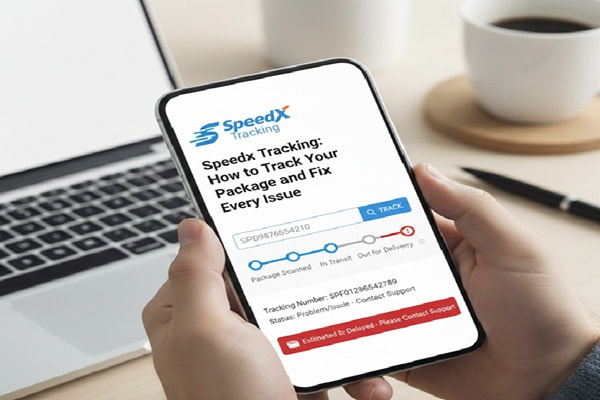

Most people hear the name SpeedX for the first time when a package from Shein, TikTok Shop, or another online store shows up with an unfamiliar tracking prefix. If you see a number starting with SPX and cannot figure out who has your package, the answer is SpeedX.
Track Your Order
SpeedX launched in 2022 and built itself specifically around one mission: last-mile e-commerce delivery. While legacy carriers like UPS and FedEx handle everything from freight to medical shipments, SpeedX focuses entirely on the final stretch, getting small parcels from a distribution hub to your front door.
The company runs on proprietary AI technology, uses geolocation-verified proof of delivery, and takes real-time photos of every delivered package so you know exactly where yours was left. It covers over 12,000 ZIP codes across the United States and Canada, reaching approximately 175 million customers.
SpeedX works with major e-commerce platforms including Shein, TikTok Shop, Amazon third-party sellers, AliExpress, and Temu. Its U.S. offices and delivery hubs are based in Springfield Gardens, New York, with major operations in Los Angeles, Chicago, Miami, and Dallas.
Is SpeedX a legitimate company? Yes. It is a real, operational carrier delivering millions of packages. Like any high-volume carrier, it receives complaints alongside positive reviews. This guide will also tell you honestly what those complaints are and what to do if you experience a problem.
How to Find Your SpeedX Tracking Number
Before you can track anything, you need your tracking number. Here is exactly where to look.
Check your shipping confirmation email. After your order ships, the retailer sends a shipping confirmation that includes a carrier tracking number. Look for a number beginning with SPX. This is your SpeedX tracking number.
Check the order details page on the retailer’s website. Log into your Shein, TikTok Shop, AliExpress, or Amazon account. Navigate to your orders, find the relevant order, and look for a “Track” button or a “Shipping Details” section. The tracking number will be listed there.
Check the order history page on the marketplace app. If you placed the order through a mobile app, open the app, go to your orders, and tap the active shipment. Most apps display the carrier tracking number directly in the order.
One thing to watch for: your SpeedX tracking number is not the same as your order number. The order number is created by the retailer when you buy something. The tracking number is created by SpeedX when the package is physically handed over to their system. They look different. The tracking number will always start with SPX.
How to Track Your SpeedX Package: Step by Step
Method 1: Official SpeedX Website (Most Accurate)
This method gives you the most up-to-date data directly from SpeedX’s own system.
Step 1. Open your browser and go to speedx.io
Step 2. Click the blue “Tracking” button in the top right corner of the homepage.
Step 3. Type or paste your SPX tracking number into the field. Make sure there are no extra spaces before or after the number.
Step 4. Click Track.
Step 5. Your full delivery history, current status, location, and estimated delivery date will load. If a proof-of-delivery photo was taken, it will be visible here after entering your delivery ZIP code.
Step 6 (Optional). Sign up for SMS notifications on the tracking page. SpeedX will send you a text when your package is out for delivery, saving you the need to check manually.
Method 2: 17TRACK (Best for International Shipments)
17TRACK works well when your package started its journey overseas, such as orders from AliExpress or Shein’s international warehouses, where multiple carriers handle different portions of the route.
Step 1. Go to 17track.net
Step 2. Enter your SPX tracking number in the main search box.
Step 3. If you are tracking multiple packages, separate each number with a comma, space, or line break.
Step 4. Click Track.
Step 5. View the full scan history across all carriers involved in your shipment, including the international leg before SpeedX took over.
Method 3: AfterShip
AfterShip is ideal if you regularly shop online and want a single dashboard for all your shipments across different carriers.
Step 1. Go to aftership.com or download the AfterShip app.
Step 2. Enter your SPX tracking number.
Step 3. AfterShip auto-identifies SpeedX as the carrier and pulls the latest status.
Method 4: Through Your Retailer App or Website
Most major e-commerce platforms pull SpeedX tracking data directly into their own interfaces. If you ordered from Shein, TikTok Shop, or Amazon, you can often track directly from within the retailer’s app or website without needing to visit SpeedX at all. Go to your orders, find the shipment, and tap Track Order or View Tracking.
SpeedX Tracking Statuses: What They Actually Mean
This is the section most guides skip entirely or explain poorly. Here is a plain-English translation of every major status you will see.
| Status | What It Means |
| Label Created | SpeedX has your tracking number in their system but has not physically received the package yet. Normal for up to 48 hours after the retailer generates the label. |
| Package Received by SpeedX | The package has been physically scanned into SpeedX’s possession at a hub or pickup point. |
| In Transit | Your package is actively moving between sorting facilities or toward your delivery area. This can last one to several days. It does not mean something is wrong. |
| Arrived at SpeedX Facility | The package reached a SpeedX hub, warehouse, or regional delivery station. |
| Out for Delivery | A SpeedX driver has your package on their vehicle and is scheduled to deliver it today. |
| Delivery Attempted | A driver tried to deliver but could not access your address. Check for a notice at your door or use Miles, SpeedX’s chatbot, to provide access instructions. |
| Delivered | The package was delivered. SpeedX takes a photo as proof. Visit the tracking page and enter your ZIP code to see the delivery photo. |
| Delayed | A disruption in transit has pushed back the expected delivery. No action is usually needed; tracking will resume when the package moves again. |
| Exception | Something unexpected happened such as an incorrect address, inaccessible property, or a customs issue on international shipments. Action may be required. |
| Return to Sender | The package could not be delivered and is being returned to the shipper. Contact the retailer to arrange reshipment. |
SpeedX Delivery Timeframes: What to Realistically Expect
SpeedX does not follow a single delivery timeline for all shipments. The time it takes depends on whether you are receiving a domestic or international package and which service tier the retailer selected.
Domestic U.S. Deliveries: Next-day delivery is available in many major cities. Standard domestic delivery typically takes 1 to 3 business days within SpeedX’s coverage zone.
International E-Commerce Shipments (Shein, AliExpress, etc.): These involve multiple carriers. The international leg from China or another origin country can take 7 to 15 business days depending on the origin, customs clearance speed, and any transit delays. Once SpeedX receives the package domestically, delivery usually follows within 1 to 3 additional business days.
Coverage Area: SpeedX currently covers over 12,000 ZIP codes across the U.S. and Canada, with strongest service density in major metropolitan areas including New York, Los Angeles, Chicago, Miami, and Dallas. If you live outside SpeedX’s direct network, your package may be handed off to a regional carrier for the final leg.
SpeedX Tracking Not Updating: Why It Happens and What to Do
This is the most common complaint across every forum, review site, and customer support thread about SpeedX. Tracking goes quiet and people assume the worst. Most of the time, the explanation is simpler than it feels.
Reason 1: The Package Is Between Scan Points
SpeedX only records a tracking update when the package physically reaches a new scan point. While it is in a truck, in a bulk container, or being sorted, nothing updates. This can mean silence for 24 to 72 hours on some routes, especially for international packages arriving in bulk at a port or regional airport before being individually processed.
What to do: Wait. If there has been no update for fewer than 3 days, this is normal. Refresh the tracking page once a day, not multiple times per hour.
Reason 2: The Label Was Created But the Package Was Not Picked Up Yet
Retailers sometimes generate shipping labels days before the package actually leaves their warehouse. SpeedX creates the tracking record at label generation, but no real movement shows until pickup happens.
What to do: Wait 48 hours from label creation. If nothing updates after that, contact the retailer to confirm the package was actually handed over to SpeedX.
Reason 3: Your Package Is Stuck in Customs (International Orders)
For international shipments from Shein, AliExpress, or other overseas platforms, customs clearance can pause tracking entirely for several days. Once cleared, the package enters the domestic SpeedX network and starts moving again.
What to do: Wait up to 5 business days for customs clearance. This is normal and does not indicate a problem.
Reason 4: The Tracking Number Does Not Work at All
If SpeedX’s website says the tracking number is invalid, there are three likely causes. First, you may have entered an order number instead of a tracking number. Second, the label may have been recently created and the system has not synced yet. Third, the package may have been handed to a different carrier and the number belongs to that carrier, not SpeedX.
What to do: Confirm with the retailer that the number you have is the SpeedX tracking number. Try entering it on 17TRACK, which auto-identifies the carrier. If it still shows nothing after 72 hours, contact the retailer.
SpeedX Says Delivered But I Did Not Receive My Package
This situation causes real frustration, and it comes up frequently enough to deserve its own section.
Step 1: Check SpeedX’s delivery photo. Go to speedx.io, enter your tracking number, click Track, and enter your delivery ZIP code when prompted. SpeedX takes a photo of every delivered package. The photo shows exactly where your package was left. Check the front porch, back porch, mailroom, mailbox, garage area, and any sheltered spots near your property.
Step 2: Ask neighbors and housemates. In apartment buildings especially, packages sometimes end up in the wrong unit’s mailroom or with a neighbor who accepted them.
Step 3: Contact SpeedX via Miles, their support chatbot. Go to speedx.io and open the Miles chatbot. Have your tracking number ready. Miles can flag the delivery for investigation and connect you with a support agent.
Step 4: Contact the retailer. SpeedX’s own policy is that refund and replacement claims must go through the merchant, not directly through SpeedX. Once you notify SpeedX, contact Shein, TikTok Shop, or whoever you purchased from. They are responsible for replacing or refunding the item.
Step 5: File a police report if the package was stolen. If the delivery photo shows the package was left at your address and it is no longer there, file a theft report. Some retailers require this before processing a replacement on high-value orders.
How to Contact SpeedX Customer Support
SpeedX customer support options are limited compared to legacy carriers. This is worth knowing before you need help.
Miles Chatbot (Primary Channel): Go to speedx.io and open the Miles chatbot. This is SpeedX’s main recommended contact method. Have your SPX tracking number ready before starting the chat.
Phone: +1-800-658-4192. Note that multiple user reports suggest this line can be difficult to reach during peak periods. Use it alongside the chatbot for best results.
Email: help@speedx.io
Support Center: support.speedx.io has a self-service FAQ covering the most common delivery questions without needing to contact anyone.
Address: Springfield Gardens, New York, NY (Serving major hubs: Los Angeles, Chicago, Miami, Dallas)
Important: SpeedX does not accept claims from package recipients directly. If your package was lost or damaged, SpeedX will investigate, but the merchant where you placed your order is responsible for issuing a refund or replacement. Always contact both SpeedX and the retailer when things go wrong.
SpeedX vs Other Last-Mile Carriers: An Honest Comparison
| Feature | SpeedX | USPS | UPS | OnTrac |
| Founded | 2022 | 1775 | 1907 | 1991 |
| U.S. ZIP Code Coverage | 12,000+ | Near universal | Near universal | Western U.S. focused |
| Domestic Delivery Speed | 1 to 3 business days | 2 to 5 business days | 1 to 5 business days | 1 to 5 business days |
| Proof of Delivery Photo | Yes, standard | No | Select services | Yes |
| SMS Notifications | Yes | Informed Delivery only | Yes (UPS My Choice) | Yes |
| E-Commerce Platform Focus | High (Shein, TikTok Shop) | Moderate | Moderate | Moderate |
| Direct Consumer Claims | No, go through merchant | Yes | Yes | Yes |
| AI-Powered Delivery Tech | Yes | No | Partial | No |
| Third-Party Tracking Support | Yes (17TRACK, AfterShip) | Yes | Yes | Yes |
Common Mistakes People Make When Tracking a SpeedX Package
Entering the order number instead of the tracking number. These are two different things. The order number is created by the retailer. The tracking number is created by SpeedX and always starts with SPX. Using the order number in SpeedX’s tracking tool will always return no results.
Expecting real-time updates every hour. SpeedX only records updates at physical scan points. Checking every 30 minutes is wasted effort. Once a day is completely sufficient.
Using third-party tracking sites that are not affiliated with SpeedX. Several websites mimic SpeedX branding to capture search traffic but do not have access to real SpeedX data. Always use speedx.io, 17TRACK, or AfterShip as your tracking sources.
Assuming “In Transit” means the package is lost. In Transit simply means the package is on its way. It is the most common status for most of a package’s journey. No action is needed unless it stays in this status for more than 5 to 7 days.
Going directly to SpeedX to file a claim. SpeedX does not process recipient claims. If your package was lost, stolen after delivery, or significantly delayed, your merchant is the party who can issue a refund or replacement. Contact them alongside SpeedX, not instead of them.
Panicking before the expected delivery window closes. SpeedX gives an estimated delivery date range, not a guaranteed single day. If the range says July 18 to July 23, do not contact anyone until July 24 at the earliest.
Also Read : GOFO Tracking: How to Track Your GOFO Express Package (Step-by-Step Guide)
Expert Tips for Smoother SpeedX Deliveries
Sign up for SMS notifications when you first receive your tracking number. SpeedX notifies you the moment your package is out for delivery, which is the only notification that truly matters.
Save your delivery address with clear instructions in advance. If you live in an apartment building with a gate, a confusing lobby layout, or a mailroom that is hard to find, update SpeedX through Miles before the delivery attempt. Delivery failures are often caused by inaccessible properties, not by SpeedX errors.
Check the delivery photo before filing a complaint. Many “missing” packages are simply in an unexpected spot. SpeedX’s photo proof almost always solves the mystery in under 30 seconds.
For Shein orders specifically, expect tracking to go quiet during the international transit phase. SpeedX typically only gets the package domestically. Everything before that is handled by an overseas carrier. 17TRACK is the better tool for watching that earlier portion of the journey.
If you need to change your delivery address, act immediately. SpeedX can update street number or apartment number changes in real time. City, state, or ZIP code changes require going through the merchant. The earlier you make this request, the more likely it succeeds before the package reaches the final delivery stage.
Frequently Asked Questions
What is SpeedX tracking?
SpeedX tracking is the system SpeedX uses to let customers monitor their packages from the point of pickup through to final delivery. Each shipment is assigned a unique tracking number starting with SPX. You enter this number at speedx.io to see real-time updates on your package’s location and delivery status.
Where do I find my SpeedX tracking number?
Your SpeedX tracking number is in your shipping confirmation email from the retailer, or in your order details page on the retailer’s website or app. It starts with SPX. If you cannot find it, contact the seller directly.
Why is my SpeedX tracking not updating?
The most common reasons are that the package is between scan points (normal during transit), the label was recently created and pickup has not happened yet, the package is held at customs for international orders, or there is a temporary system sync delay. Wait 24 to 48 hours before taking action. If there is no update after 5 business days, contact SpeedX support.
What does “In Transit” mean on SpeedX?
In Transit means your package is moving within the SpeedX delivery network toward your address. This is a normal status that can last anywhere from a few hours to a few days. It does not indicate a problem.
How long does SpeedX take to deliver?
For domestic U.S. deliveries, SpeedX typically delivers within 1 to 3 business days. International shipments, such as orders from Shein or AliExpress, may take 7 to 15 business days depending on the origin country, customs clearance, and your distance from a major SpeedX hub.
SpeedX says delivered but I did not receive my package. What do I do?
First, check SpeedX’s delivery photo by visiting speedx.io, entering your tracking number, and entering your ZIP code. The photo shows where the package was left. Check all areas of your property, mailrooms, and neighboring units. If you still cannot locate it, contact SpeedX through Miles and also contact your merchant to open a missing package claim.
Does SpeedX deliver on weekends?
Yes. SpeedX delivers seven days a week, including Saturdays and Sundays.
Can I pick up my package from a SpeedX facility?
No. SpeedX does not currently offer facility pickup. All deliveries are made to your address. If you miss a delivery attempt, provide updated delivery instructions through Miles or wait for the next attempt.
How do I contact SpeedX about a missing or delayed package?
Contact SpeedX through the Miles chatbot at speedx.io, by phone at +1-800-658-4192, or by email at help@speedx.io. Have your SPX tracking number ready. For refunds or replacements, you must also contact the merchant who sold you the item.
Can I track SpeedX packages on third-party apps?
Yes. SpeedX is supported by 17TRACK, AfterShip, Parcel Monitor, and several other multi-carrier tracking platforms. Enter your SPX tracking number on any of these platforms to get status updates.