
Your seller said the package was shipped. Three days have gone by. You have a long string of letters and numbers that might be a tracking number, or might be an order reference, and you are not entirely sure which one you need or where to paste it.
Track Your Order
SF Express handles hundreds of millions of shipments a year across China and more than 50 countries. It is the fourth largest logistics company in the world. Yet for most buyers outside China, SF Express tracking feels like a mystery. The portal is in Chinese by default, status messages translate awkwardly, and tracking goes quiet at customs without explanation.
This guide fixes all of that. You will know exactly how to track your package, what every status message means, and what to actually do when something goes wrong.
What Is SF Express?
SF Express (full name SF Express Group Co., Ltd., Chinese: 顺丰速运) is a Chinese logistics company founded in 1993 in Shunde, Guangdong Province. The founder, Wang Wei, started the business at age 22 by physically carrying packages between Shenzhen and Hong Kong.
Today, SF Express operates a fleet of 69 cargo aircraft, serves over 50 countries, and ranks in the Fortune Global 500. Within China, it is the dominant privately owned courier. Internationally, it operates under the SF International brand and competes directly with DHL, FedEx, and UPS in the Asian cross-border e-commerce market.
| Company Fact | Details |
| Founded | 1993, Shunde, Guangdong, China |
| Headquarters | Shenzhen, China |
| Cargo aircraft | 69 (as of 2024) |
| Countries served | 50+ directly, wider via partners |
| Global rank | 4th largest logistics provider |
| Listed | Shenzhen Stock Exchange since 2017 |
| International brand | SF International (sf-international.com) |
| Customer support (US) | +1 888 888 6050 |
SF Express Tracking Number: What It Looks Like and Where to Find It
The tracking number is also called a waybill number or AWB number. Since July 2019, SF standardised its international tracking numbers to 15 alphanumeric characters.
Current format (international shipments)
| SF + 13 digits Example: SF1541932890638 Example: SF6043121733056 |
Older domestic and regional formats you might still encounter
- 12-digit numeric string (older domestic shipments)
- 11-digit numeric string (some regional services)
- Pure numeric strings ranging from 10 to 15 digits depending on service tier
If you received a code from a seller that starts with something other than SF, it is probably the seller’s own order reference, not the SF waybill. Ask the seller specifically for the SF Express waybill number, which will be on their shipping receipt.
Where to find your waybill number
- On the physical shipping label, below the barcode, labelled Waybill No.
- In the shipping confirmation email from the seller or shipper
- Inside your marketplace order details page (AliExpress, Shopify stores, JD.com)
- In the SF Express app if the sender used the app to create the shipment
| Tip: Reference Number Tracking (Limited Use)
SF also allows tracking by reference number, but this requires three things: your shipper’s account number, the reference number, and the exact pickup date. You can only search within a 7-day window from the pickup date. This option is mainly useful for business senders. As a buyer, always request the waybill number. |
How to Track an SF Express Shipment: Step by Step
Method 1: Official SF International Website (Recommended)
- Go to sf-international.com and select your country/region from the dropdown in the top right corner.
- Click Track and Trace in the navigation or find the tracking bar on the homepage.
- Paste your waybill number into the tracking field.
- Click Query or Track Now.
- View the event timeline showing pickup, transit, customs, and delivery milestones with timestamps.
You can enter up to 20 waybill numbers at once, separated by commas, spaces, or line breaks. This is useful if you are tracking multiple orders from the same seller.
Method 2: SF Express China Portal (for Mainland China waybills)
If your tracking number does not resolve on the international portal, the shipment may be a mainland China domestic waybill. In that case, use sf-express.com and log in with your SF account. Mainland China domestic waybills show much more detailed scan information but are usually only accessible when logged in.
Method 3: SF International Mobile App
SF International has a dedicated mobile app available on iOS and Android. Search for SF International in the App Store or Google Play. The app supports tracking, pickup scheduling, and order management for shipments between China, Hong Kong, Macau, Taiwan and international destinations.
Method 4: Third-Party Tracking Platforms
Several third-party tools pull data from SF Express and can be useful when the official portal shows limited information, particularly during final-mile handoffs to a local carrier:
- 17TRACK (17track.net) – good for bulk tracking and multi-carrier visibility
- TrackingMore (trackingmore.com) – clean interface with email notifications
- AfterShip (aftership.com) – popular with e-commerce buyers
- Ship24 (ship24.com) – continues tracking after handoff to local partners
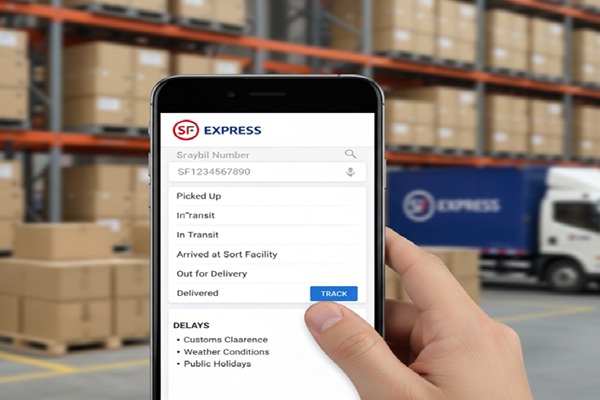
SF Express Tracking Status Codes: Plain English Explanations
SF Express status messages are generated in Chinese and machine-translated into English. This leads to phrasing that can feel ambiguous. Here is what each status actually means.
| Status Message | What It Actually Means | Action Needed? |
| Picked Up / Collected | SF driver collected the package from the sender | No |
| Departed from [facility] | Shipment left a sorting hub or service center and is on the move | No |
| Arrived at [facility] | Shipment reached an intermediate sorting or transit hub | No |
| Departed from origin country | Package cleared export procedures and left the origin country | No |
| Arrived at destination country | Package has entered the destination country | No |
| Customs clearance in progress | Customs is reviewing documentation and duties | Possibly – check latest note |
| Under customs clearance, please wait patiently | Normal customs hold – usually resolves within 1 to 5 business days | No – unless requested |
| Customs clearance complete | Package cleared customs and is moving to delivery | No |
| ID verification required | Customs needs recipient identity documents before releasing the package | YES – upload ID immediately |
| Duties and taxes pending | Import duties must be paid before customs releases the shipment | YES – pay promptly |
| Out for delivery | Package is on a local delivery vehicle heading to you today | Be available to receive |
| Delivered | Package handed to the recipient or left at a designated point | Confirm and inspect |
| Delivery failed / Attempted | Driver arrived but could not complete delivery | Contact SF to rearrange |
| Returned to sender | Package was not deliverable and is being sent back to origin | Contact seller urgently |
SF Express International Tracking: What to Expect
International shipments go through more checkpoints than domestic ones. Understanding the typical sequence removes most of the anxiety.
The typical international journey
- Pickup – SF driver collects from the seller. First scan appears within a few hours.
- Origin sorting hub – Package is sorted and consolidated with other shipments heading to your country.
- Departure from origin – Shipment leaves China or the origin country by air freight. This is where tracking often goes quiet for 12 to 24 hours during the flight.
- Arrival at destination country – Package arrives at the destination airport and enters the customs queue.
- Customs clearance – Authorities verify the shipment, check declared values, and assess duties. This can take 1 to 5 business days normally, longer if there are documentation issues.
- Handoff to local carrier – In many countries, SF hands the final mile to a local partner (for example, UPS in the United States).
- Out for delivery and delivered – Local carrier completes the last leg.
Transit time estimates by service type
| Service | Route Example | Estimated Transit |
| SF Standard Express | China to USA | 3 to 5 business days |
| SF Economy Express | China to USA / Southeast Asia | 7 to 15 business days |
| SF E-Commerce Express (eParcel) | China to global | Varies by lane, typically 7 to 20 days |
| Domestic China (SF Express) | Within mainland China | 1 to 2 business days |
Note: All estimates exclude the pickup day, weekends, and public holidays. Actual transit depends on customs volume and local carrier performance. Check the transit time tool at sf-international.com for exact estimates by origin and destination ZIP code.
SF Express Tracking Not Updating? Here Is Why and What to Do
This is the number one question people have about SF Express. Tracking goes silent, sometimes for days, and the anxiety builds. Here is a clear breakdown of the most common reasons.
Reason 1: The package is in transit by air (12 to 36 hour gap)
During the international flight between countries, no new scans appear. There is nothing to scan until the plane lands and the shipment enters the destination country customs facility. A silent gap of 12 to 36 hours after Departed from origin country is completely normal.
Reason 2: Customs processing backlog
Customs facilities process thousands of packages daily. Your shipment may sit physically in the warehouse while customs works through the queue. If tracking shows Customs clearance in progress or Under customs clearance, please wait patiently, the package is safe. It just needs time. Most routine clearances complete within 1 to 5 business days.
Reason 3: Handoff to a local carrier
Once SF hands your package to a local delivery partner, scans may appear under a different tracking system. If the SF portal stops updating but your package is not marked Delivered, try entering the same waybill number on a third-party tracker like Ship24 or 17TRACK. These tools sometimes pick up scans from local carrier networks that the SF portal does not display.
Reason 4: Wrong tracking number
Confirm you are using the SF waybill number, not the seller’s order number or marketplace reference. The SF waybill starts with SF followed by 13 digits for international shipments.
Reason 5: System update delay
SF’s tracking database can lag by a few hours during peak periods such as Chinese New Year, Singles Day (November 11), and end-of-year holiday shipping surges. If you checked recently and got nothing, try again in a few hours.
| What to do if tracking has not updated for more than 5 business days
1. Verify the waybill number directly with the seller. 2. Check sf-international.com and a third-party tracker such as 17TRACK simultaneously. 3. Look for any action request in the latest status line (ID upload, duty payment). 4. Contact SF Express customer service with your waybill number and destination country. 5. If SF cannot locate the shipment, contact the seller to initiate a trace request. |
SF Express Customs Delays: Causes and Fixes
Customs is the single biggest source of stress in international SF Express tracking. Most holds are routine. A few require action from you. Here is how to tell the difference and what to do.
Why packages get held at customs
- Missing or incomplete commercial invoice from the seller
- Declared value appears too low and customs suspects under-declaration
- Restricted or regulated goods (electronics with lithium batteries, food products, cosmetics)
- Recipient identity verification required by the destination country
- Import duties and taxes owed before release
- Random inspection selection – no specific reason, just routine checking
- HS code errors on the shipping declaration
What the tracking portal will tell you
SF Express does something competitors often do not: it embeds action requests directly in the tracking event notes. Always read the most recent event line in full, not just the status headline. You may see messages like:
- Please upload a copy of your government-issued ID to complete customs clearance
- Import duties of [amount] are payable before release. Please contact SF for payment instructions.
- Additional documentation required. Please contact SF customer service.
What to do when customs holds your package
- Read the latest tracking event in full. Identify whether an action is required from you.
- If ID is required, prepare a clear photo or scan of your government-issued ID (passport or national ID).
- Contact SF Express customer service in your country with your waybill number and the specific hold message.
- If duties are owed, pay them through the channel SF specifies. Do not pay through unofficial links.
- If no action is requested, wait. Routine customs processing takes 1 to 5 business days.
- If the hold lasts more than 10 business days with no action request and no update, escalate to SF customer service and ask for a status report from the customs team.
SF Express Services You Can Track
Every SF service tier produces a trackable waybill. Here is a summary of what each service covers.
SF Standard Express
The flagship door-to-door service for time-sensitive international shipments. Covers most major markets with the fastest transit times SF offers internationally. Transit typically 3 to 5 business days on core routes.
SF Economy Express
Cost-optimised routing for price-sensitive shipments where speed is secondary. Transit windows are longer (7 to 15 business days on common lanes) but the tracking chain is the same. Suitable for non-urgent e-commerce orders.
SF E-Commerce Express (eParcel)
Designed for cross-border e-commerce sellers shipping from China to global buyers. Integrated with major marketplaces and includes customs processing aligned to retail parcel flows. Popular with AliExpress, Shopify, and similar platform sellers.
SF Freight
Heavy and bulky freight (typically 20kg and above) using air or ocean freight modes. Tracking updates are less frequent than express services but the same waybill system applies.
SF Rush (China domestic)
Same-day and next-day delivery within select cities in mainland China. Extremely fast scan frequency. Not used for international shipments.
| Service | Best For | Tracking Frequency |
| Standard Express | Urgent international parcels | High – updates every few hours |
| Economy Express | Budget international shipping | Medium – daily updates typical |
| eParcel / E-Commerce | Marketplace cross-border orders | Medium to high |
| SF Freight (20kg+) | Heavy commercial freight | Lower – checkpoint-based |
| Rush (China only) | Same/next-day domestic | Very high – near real-time |
How to Contact SF Express Customer Service
For most tracking questions, the portal answers everything. When it does not, here is how to reach SF directly.
| Contact Method | Details |
| SF International website | sf-international.com (choose your country from the top menu) |
| SF Express China portal | sf-express.com/chn/en |
| US customer service | +1 888 888 6050 |
| Hong Kong | +852 2730 0273 |
| UK | +44 20 3966 3080 |
| Australia | +61 1300 855 058 |
| Email / online form | Available on the Contact Us page of your regional SF site |
| SF International app | In-app chat support available in some regions |
When you call or message, have your waybill number, the destination country, and the most recent tracking status message ready. This helps the agent locate your shipment and escalate to the customs team if needed.
Also Read : Dayton Freight Tracking: How to Track Your Shipment by PRO, BOL & More
Common SF Express Tracking Mistakes to Avoid
- Using the seller’s order number instead of the SF waybill number. These are different. The SF waybill starts with SF + 13 digits.
- Tracking on the wrong portal. Mainland China domestic waybills often only resolve on sf-express.com with a login. International waybills go on sf-international.com.
- Ignoring the status message details. People read the headline status and miss the action request buried in the event note below it.
- Panicking during the customs waiting period. Under customs clearance, please wait patiently is not a red flag. It is standard language for routine processing.
- Paying duties through unofficial payment links sent by strangers. SF will never cold-contact you through WhatsApp or unofficial email asking for payment. Any payment instruction should come from your regional SF office via the official portal or phone.
- Waiting too long to act when action is required. If customs requests ID or documents and you do not respond within a few days, the shipment may be returned or destroyed.
- Tracking by reference number without having all three required fields. Reference number tracking needs the shipper account number, the reference, and the pickup date. Without all three, it will not work.
Frequently Asked Questions
How do I track an SF Express package?
Visit sf-international.com, click Track and Trace, and enter your waybill number. The waybill number starts with SF followed by 13 digits for international shipments. Click Query to see the full event timeline. No account is required for waybill tracking.
What is an SF Express waybill number and where do I find it?
The waybill number is SF Express’s unique shipment identifier, equivalent to a tracking number. For international shipments it is 15 characters: SF + 13 digits (for example SF1541932890638). Find it on the shipping label below the barcode, in your confirmation email, or in your marketplace order details.
Why is my SF Express tracking not updating?
The most common reasons are: the package is in transit by air (12 to 36 hour silent gap), it is sitting in a customs queue (normal for 1 to 5 business days), or it has been handed to a local carrier whose scans do not appear on the SF portal. Check a third-party tracker like 17TRACK if the official portal shows nothing new.
How long does SF Express take for international delivery?
SF Standard Express typically delivers in 3 to 5 business days on major routes. SF Economy Express ranges from 7 to 15 business days. These estimates exclude the pickup day, weekends, and public holidays. Use the transit time calculator on sf-international.com for specific origin and destination ZIP codes.
What does Under customs clearance, please wait patiently mean?
This is SF Express’s standard message for routine customs processing. It does not indicate a problem. It means your package is sitting in the customs facility queue awaiting inspection and assessment. Most shipments with this status clear within 1 to 5 business days. Check the latest tracking event note for any specific action requested from you.
Can I track multiple SF Express packages at once?
Yes. The official SF Express tracking portal accepts up to 20 waybill numbers in a single search. Separate them by comma, space, or line break. Third-party tools like 17TRACK also support bulk tracking and may handle larger batches.
SF Express says Delivered but I did not receive my package. What do I do?
Contact SF Express customer service immediately with your waybill number. Ask for the delivery record, which includes the recipient’s name, signature, and sometimes a photo of the delivery location. If the delivery is confirmed to your address but you did not receive it, file a missing package report with SF and your local police if necessary.
Does SF Express deliver on weekends?
In mainland China, SF Express often offers Saturday delivery. For international destinations, weekend delivery depends on the local partner carrier and the destination country’s regulations. Some regions, such as SF Taiwan, offer Saturday pickup and delivery when pre-arranged. Check your regional SF International page for specifics.
Is SF Express the same as SF International?
SF Express is the parent company and operates mainly within mainland China. SF International is the subsidiary that handles cross-border and international shipments. For most international buyers, sf-international.com is the correct tracking portal. The same waybill number works on both portals for international shipments.
Why does my SF Express tracking show a Chinese location name I do not recognise?
SF Express location names are machine-translated from Chinese and often render as transit hub codes or abbreviated facility names. These represent internal SF sorting and relay facilities. You do not need to identify every location. Focus on the milestone events: departure from origin country, arrival at destination country, customs clearance status, and out for delivery.