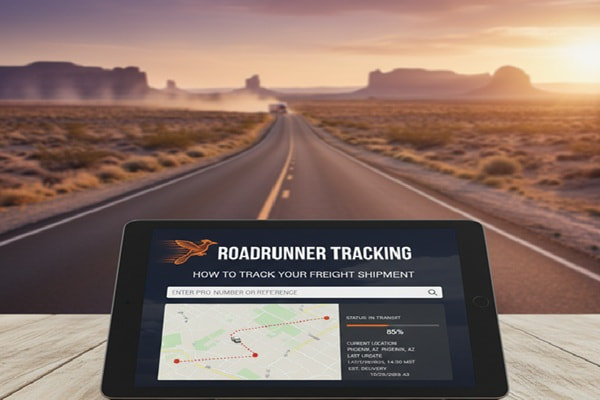

You shipped something important. Maybe it is furniture from a retailer, commercial equipment for your business, or a vehicle bought online. Now you need to know exactly where it is. If Roadrunner Freight is handling the delivery, this guide will walk you through every way to track your shipment, what the tracking numbers mean, how to read status updates, and what to do when things go wrong.
Track Your Order
What Is Roadrunner Freight?
Roadrunner Transportation Systems (RRTS) is a less-than-truckload (LTL) freight carrier that has been operating since 1984. The company started in the Milwaukee area and specializes in long-haul, metro-to-metro LTL shipping across the United States. In 2005, Roadrunner expanded by merging with Dawes Transport, another Wisconsin-based LTL carrier.
Today Roadrunner runs 32 service centers in major metro markets. Their network relies on over 900 independent contractors, direct loading processes that reduce freight handling, and strategic rail partnerships. Major brands including Wayfair, Chewy, Dell, and L’Oreal trust Roadrunner with their freight.
Roadrunner is distinct from RoadRunner Auto Transport, which handles vehicle shipping. Both companies have their own separate tracking portals. This guide covers Roadrunner Freight (RRTS) tracking unless otherwise noted.
| Note: RoadRunner Auto Transport (roadrunnerautotransport.com) is a separate company from Roadrunner Freight (freight.rrts.com). Make sure you are using the correct tracking portal for your shipment type. |
Understanding Your Roadrunner Tracking Number
Before you can track anything, you need to understand what tracking number you have. Roadrunner uses four types of reference numbers.
PRO Number (Most Common)
The PRO number, short for Progressive Routing Order number, is the primary identifier for your LTL shipment. It is assigned by the carrier at pickup and is a 9-digit numeric code. This is the industry standard for tracking LTL freight, and it is the number you will use most often.
Pickup Number
The Pickup number is an 8-digit numeric code assigned when the shipment is scheduled for pickup. You can use this number to track your freight without needing a login on the Roadrunner website.
BOL Number (Bill of Lading)
The BOL is a legal document that acknowledges the carrier has received your goods. It includes origin, destination, item descriptions, and weight. BOL numbers do not follow a fixed format and require a login to search on the official Roadrunner tracking portal. The BOL is issued when you book the shipment.
PO Number (Purchase Order)
If you placed an order with a retailer or vendor and Roadrunner is delivering it, you may have a PO number tied to the shipment. Like BOL numbers, PO number searches also require a login on the Roadrunner portal.
| Tracking Number Type | Format | Login Required? | Best Used By |
| PRO Number | 9-digit numeric | No | Senders and receivers |
| Pickup Number | 8-digit numeric | No | Senders at time of booking |
| BOL Number | Varies | Yes | Businesses and logistics teams |
| PO Number | Varies | Yes | Business accounts |
Where to find your tracking number: After booking, Roadrunner sends a confirmation email or physical receipt containing your PRO or BOL number. If you are the recipient, ask the sender for the PRO number. If you cannot find it, contact Roadrunner customer service with your name and phone number.
How to Track a Roadrunner Freight Shipment
Method 1: Official Roadrunner Freight Website (Recommended)
This is the most accurate and comprehensive way to track your freight.
- Go to freight.rrts.com
- Find the ‘Track a Shipment’ tool on the homepage
- Enter your PRO number or Pickup number (one per line, up to 25 at a time)
- Click ‘Track’
- Review your detailed tracking information, including BOL images, proof of delivery (POD) images, and freight charges
| What You See After Tracking: The tracking results show: shipment origin and destination, customer number, PRO number, BOL number, PO number, freight pieces and weight, pickup number, estimated delivery date, detailed transit history, and links to document images (BOL, POD). |
Method 2: Enable Email Notifications
You can subscribe to shipment notifications on the Roadrunner customer portal. This lets you receive real-time email updates as your freight moves through the network, without logging in to check manually. This is especially useful for businesses managing multiple shipments.
Method 3: Third-Party Tracking Platforms
Several third-party platforms integrate with Roadrunner’s tracking system. These are useful if you manage shipments from multiple carriers and want a single dashboard.
- AfterShip (aftership.com): AfterShip
Supports Roadrunner and 1,200+ carriers in one place.
- Ship24: Ship24 (ship24.com)
Offers a universal tracking system with detailed status history.
- 17TRACK: 17TRACK (17track.net)
Integrates with 3,200+ carriers including Roadrunner. Useful for e-commerce sellers on platforms like Amazon and Shopify.
- E-Commerce Tools: ParcelPanel and Synctrack
Shopify-focused tools that automate Roadrunner tracking and send customer notifications.
Method 4: Roadrunner Tracking API
For businesses and developers, Roadrunner offers a Tracking Web API. The API allows you to integrate real-time freight tracking directly into your systems or website. Roadrunner provides a developer guide for setup. Third-party platforms like AfterShip and Ship24 also offer their own tracking APIs that include Roadrunner.
Method 5: Tracking Roadrunner Auto Transport Shipments
If you are shipping a vehicle through RoadRunner Auto Transport (a separate company), use their dedicated portal at roadrunnerautotransport.com/track. Enter your booking details to access the tracking portal. Customers report that vehicle tracking is accessible and straightforward through their online booking system.
How to Read Roadrunner Tracking Status Updates
Once you pull up your shipment, the tracking history shows a timeline of scan events. Here is what the common statuses mean.
| Status | What It Means |
| Pickup Scheduled | Your shipment is confirmed and pickup has been arranged |
| Picked Up | Roadrunner has collected your freight from the origin location |
| In Transit | Freight is moving through the network between service centers |
| At Service Center | Freight has arrived at a Roadrunner terminal and is being sorted |
| Out for Delivery | Your freight is on a truck heading to the final destination |
| Delivered | Freight has been delivered and a POD document is available |
| Exception / Delayed | There is an issue affecting delivery (weather, label, customs, etc.) |
| Pending | Shipment is awaiting the next scan event at a service center |
How Long Does Roadrunner Freight Take to Deliver?
Delivery time depends on several factors: origin and destination cities, the type of shipment, freight weight, and current network conditions. Roadrunner publishes detailed transit time maps by metro on their website (shiproadrunnerfreight.com), which are the most accurate reference for your specific lane.
As a general reference, Roadrunner’s LTL transit times across major US metro lanes typically range from 1 to 5 business days. The company promotes a Smart Guarantee, meaning your freight is delivered on time or it is free. Weather events, peak seasons, and customs (for cross-border shipments) can add to this.
Roadrunner Tracking Not Working? Here Is What to Do
Tracking issues are one of the most common frustrations with any LTL carrier. Here are the most likely causes and how to fix them.
1. You Typed the PRO Number Incorrectly
This is the most common reason tracking returns no results. Double-check every digit of your PRO or Pickup number from the original email or receipt. PRO numbers are 9 digits; Pickup numbers are 8 digits.
2. The Shipment Has Not Been Scanned Yet
After pickup, there can be a delay before the first scan appears in the system. Wait a few hours and try again. If the shipment was picked up less than 24 hours ago, this is the most likely explanation.
3. Your Shipping Label Is Damaged
A partially or fully damaged label means the freight cannot be scanned at service centers. The shipment will likely sit at a facility until you file a claim or Roadrunner’s team manually identifies it. Contact customer service immediately if you suspect this.
4. Weather, Traffic, or Peak Season Delays
Roadrunner reflects weather-related delays in the shipment travel history on their tracking portal. Check the portal for any service alerts before calling customer service. You can also subscribe to service updates on their website.
5. Tracking Has Not Updated in Several Days
If your tracking shows no movement for more than 2-3 days during what should be an active transit period, contact Roadrunner customer service directly. Have your PRO number ready. They can pull the manifest and give you a location update.
| Contact Roadrunner Customer Service: Phone: (855) 776-3567 | Email: LTLCustomerService@rrts.com | Claims email: Claims@rrts.com | Website: freight.rrts.com |
What to Do If Your Roadrunner Freight Is Lost or Damaged
Unfortunately, freight damage and loss do happen. Here is the correct process if your shipment arrives damaged or does not arrive at all.
Inspect Before Signing
This is the single most important step. Never sign a delivery receipt without inspecting the freight first. Once you sign, proving damage becomes significantly harder. Note any visible damage directly on the delivery paperwork before the driver leaves.
File a Claim
If your freight is lost or damaged, download the claim form from the Roadrunner website. Fill it out with shipment details and the nature of the loss or damage. Attach supporting documents including invoices and any photos of damage. Submit the completed form by:
- Email to Claims@rrts.com
- Mail to: 1920 10th Ave, South Milwaukee, WI 53172
Keep records of all communication. If Roadrunner does not respond within a reasonable time, you can file a complaint with the Better Business Bureau or contact your shipper (the retailer or vendor) to escalate on your behalf.
Also Read : Canada Post Tracking: How to Track Any Package in 2026
Roadrunner Freight vs. Other LTL Carriers: Tracking Features Compared
| Feature | Roadrunner Freight | XPO Logistics | Saia LTL | Estes Express |
| Track without login | Yes (PRO/Pickup) | Yes | Yes | Yes |
| Track up to 25 at once | Yes | Yes | Yes | Yes |
| POD image access | Yes | Yes | Yes | Yes |
| Email notifications | Yes | Yes | Yes | Yes |
| Tracking API | Yes | Yes | Yes | Yes |
| On-time guarantee | Smart Guarantee | Varies | Varies | Varies |
| Service centers | 32 | 200+ | 180+ | 250+ |
| Specialty | Long-haul metro LTL | Broad LTL/TL | Regional LTL | National LTL |
Pro Tips for Getting the Most Out of Roadrunner Tracking
- Save your PRO number immediately after booking. Store it in your email or a notes app. Retrieving it later through customer service adds time.
- Subscribe to shipment notifications on the Roadrunner portal. You get real-time updates without having to check manually.
- Track up to 25 shipments at once. If you manage multiple deliveries, enter all PRO numbers separated by commas or on separate lines.
- Use the transit time maps before booking. Roadrunner publishes detailed maps by metro so you can plan delivery windows accurately.
- Inspect all freight before signing. It takes two minutes and it protects you if there is damage.
- Keep your BOL number on file. Even though you do not need it to track without logging in, it is essential if you ever need to file a claim.
- For businesses, integrate the Roadrunner tracking API or a platform like Ship24 or AfterShip to automate tracking and customer notifications.
Common Mistakes People Make With Roadrunner Tracking
Using the Wrong Portal
Roadrunner Freight (freight.rrts.com) and RoadRunner Auto Transport (roadrunnerautotransport.com) are two different companies with different tracking systems. Using the wrong portal will always return no results.
Trying to Track by Address
Roadrunner’s system does not support address-based tracking. You must have a PRO number, Pickup number, BOL number, or PO number. If you do not have any of these, contact customer service with your name and phone number.
Not Following Up on Stalled Shipments
If tracking has not updated for more than 72 hours during an active transit window, do not keep waiting. Call customer service at (855) 776-3567. In documented cases, shipments have been delayed because of facility issues that only get resolved once the customer follows up directly.
Signing for Damaged Freight Without Noting It
Once you sign a clean delivery receipt, your claim for visible damage becomes much harder to prove. Always note damage on the delivery paperwork before signing.
Relying Only on Tracking for Time-Sensitive Deliveries
For critical business deliveries, do not rely solely on the tracking portal. Set up email notifications and have the contact number for the relevant Roadrunner service center ready so you can confirm same-day delivery status.
Frequently Asked Questions
Q: Do I need an account to track a Roadrunner shipment?
A: No. You can track using a PRO number or Pickup number on freight.rrts.com without creating an account or logging in. BOL and PO number searches do require login.
Q: How many shipments can I track at one time on Roadrunner’s website?
A: You can track up to 25 shipments at once by entering multiple PRO or Pickup numbers, one per line or separated by commas.
Q: What is a PRO number and where do I find it?
A: A PRO number (Progressive Routing Order number) is a 9-digit code assigned to your LTL shipment at pickup. You will find it in your confirmation email, on your shipping receipt, or on the Bill of Lading document.
Q: Why is my Roadrunner tracking not updating?
A: Common causes include: an incorrect PRO number, the shipment not yet scanned at the next location, a damaged shipping label, or delays due to weather or high traffic. Wait 24 hours after pickup before assuming there is an issue, then contact customer service if it still shows no movement.
Q: What is the difference between a PRO number and a BOL number?
A: A PRO number is a carrier-assigned tracking number unique to each shipment. A BOL (Bill of Lading) is a legal document issued at booking that contains full shipment details. You can track with either, but BOL searches require a login on Roadrunner’s portal.
Q: How do I track a Roadrunner Auto Transport shipment?
A: RoadRunner Auto Transport is a separate company from Roadrunner Freight. Go to roadrunnerautotransport.com/track and enter your booking details to access vehicle shipping status.
Q: What does ‘proof of delivery’ mean on Roadrunner tracking?
A: Proof of Delivery (POD) is a document confirming your freight was delivered and received. On the Roadrunner tracking portal, you can download POD images directly by clicking ‘POD’ under the Document Images section once the shipment is marked as delivered.
Q: How do I file a claim for lost or damaged freight with Roadrunner?
A: Download the claim form from Roadrunner’s website, fill it out with shipment details and damage descriptions, attach supporting invoices and photos, then email it to Claims@rrts.com or mail it to 1920 10th Ave, South Milwaukee, WI 53172.
Q: Can I track Roadrunner freight from e-commerce platforms like Amazon or Shopify?
A: Yes. Third-party platforms including 17TRACK, AfterShip, Ship24, and ParcelPanel integrate with Roadrunner’s tracking system and support orders from Amazon, Shopify, and other marketplaces.
Q: What is the Roadrunner Smart Guarantee?
A: Roadrunner’s Smart Guarantee means your freight is delivered on time or it is free. This applies to shipments on standard LTL lanes. Contact Roadrunner to confirm eligibility for your specific shipment before relying on this guarantee for time-critical deliveries.
Conclusion
Tracking a Roadrunner Freight shipment is simpler than most people expect. You need your PRO number and 30 seconds on their website. The system shows you everything from pickup to final delivery, including document images and proof of delivery.
Where things get complicated is when tracking stalls, numbers do not match, or freight arrives damaged. In those cases, the steps in this guide give you a clear path: check your number format, wait for the first scan, call customer service early, and always inspect before you sign.
Whether you are a business owner managing dozens of LTL shipments or someone waiting on a single large delivery from a retailer, knowing how Roadrunner tracking works puts you in control of your freight.