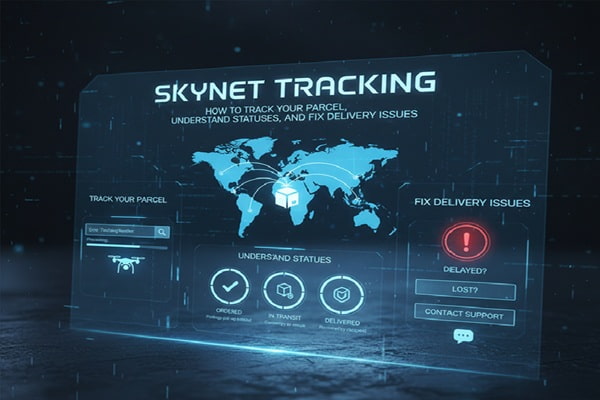

Skynet Worldwide Express is a courier and logistics company operating across more than 60 countries. Its tracking system allows senders and recipients to follow a parcel from the moment it is picked up until it reaches the front door.
The tracking system logs every checkpoint a parcel passes through. Each scan at a warehouse, customs checkpoint, or delivery hub creates a new status update that appears on the tracking page within a few hours.
Most people search for Skynet tracking because:
- They are waiting for a parcel and want to know where it is
- Their tracking status has not updated in days
- They received a delivery exception and do not know what it means
- They want to confirm a parcel was delivered
This guide covers all of it.
How to Track a Skynet Parcel: Step by Step
Tracking a Skynet shipment takes less than a minute if you have your tracking number ready.
Step 1: Find Your Tracking Number
Your tracking number is on the shipping confirmation email, the physical receipt, or the invoice from the sender. Skynet tracking numbers typically start with letters followed by a series of digits. Examples include formats like SY, MY, or country-specific prefixes depending on the origin.
Step 2: Go to the Skynet Tracking Page
Open your browser and go to the official Skynet Worldwide Express website for your country. Most regional Skynet websites have a tracking bar on the homepage. For Malaysia, it is skynet.com.my. For South Africa, it is skynet.co.za. For the UK, it is skynet-worldwide.com.
Step 3: Enter Your Tracking Number
Type or paste your tracking number exactly as it appears. Do not add spaces. If you have multiple parcels, most Skynet portals allow you to track up to 10 numbers at once by entering each on a new line.
Step 4: Click Track or Search
Hit the track button and wait a few seconds. The system will pull the latest status from Skynet’s logistics network.
Step 5: Read the Results
The results page shows a timeline of events from the most recent status down to the first scan. Each entry includes the date, time, location, and a status description.
What Do Skynet Tracking Statuses Mean?
This is where most people get confused. Here is a plain-English breakdown of every common Skynet status.
Shipment Created / Booking Confirmed
The sender has booked the delivery. Skynet has the order in its system but has not physically picked up the parcel yet. This is normal and can last 12 to 24 hours before the next update appears.
Picked Up / Collected
Skynet has physically collected the parcel from the sender. It is now in the courier’s hands and heading to the nearest processing facility.
In Transit
The parcel is moving between locations. It may be in a van, at an airport, or sitting at a transit hub waiting for the next leg of the journey. Multiple “in transit” entries are normal for international shipments.
Arrived at Facility / Hub
The parcel has reached a Skynet sorting or processing center. It will be scanned, sorted, and loaded onto the next vehicle or flight.
Out for Delivery
This is the update everyone wants to see. It means the parcel is on a delivery vehicle and should arrive at your address today. Keep your phone accessible in case the driver needs to call.
Delivered
The parcel was handed over at the destination address. If you did not receive it, check with neighbors, building security, or a safe spot the driver may have left it.
Delivery Attempted / No One Home
The driver came to the address but could not deliver. Skynet will usually try again the next business day or leave a card with instructions for rescheduling or collection.
Held at Customs
For international shipments, this means the parcel is going through customs clearance. It may require documentation, duty payment, or a routine inspection. This can take anywhere from 24 hours to several days.
Delivery Exception
Something stopped the normal delivery process. This could be an incorrect address, a refused delivery, a damaged parcel, or a customs hold. Check the exception code or contact Skynet customer service for the exact reason.
Return to Sender
The parcel could not be delivered and is being sent back. Common reasons include an undeliverable address, multiple failed attempts, or a recipient refusal.
Skynet Tracking Number Formats by Country
Different Skynet country operations use different tracking number formats. Knowing yours helps confirm you have the right number.
| Country | Typical Format | Example |
|---|---|---|
| Malaysia | 10-14 digit numeric | 1234567890 |
| South Africa | Alphanumeric with SY prefix | SY123456789 |
| United Kingdom | Alphanumeric | SWE123456789 |
| UAE / Middle East | Varies by franchise | SNE123456 |
| India | Alphanumeric | SNI987654321 |
If your number does not match any format, it is possible the sender gave you a reference number instead of the actual Skynet tracking number. Contact the sender for the correct one.
Skynet Tracking Not Working: Common Problems and Fixes
Problem 1: Tracking Number Shows “Not Found”
This happens when the parcel was booked but not yet scanned into the system. Wait 24 to 48 hours after receiving the tracking number before trying again. If it still shows nothing after 48 hours, contact the sender to confirm they used the right service.
Problem 2: Tracking Status Stuck for Several Days
A status that has not changed for 3 or more days usually means one of three things: the parcel is in customs clearance, there was a missed scan at a facility, or there is a logistics delay due to weather or volume. For international parcels, a customs hold of 5 to 7 days is not unusual. If it exceeds 10 days with no update, call Skynet customer service directly.
Problem 3: Shows Delivered But You Did Not Receive It
- Check with neighbors or building reception
- Look for a delivery notice card
- Check any secondary entrances or safe spots at your address
- Contact Skynet within 24 hours with your tracking number and proof of address
Problem 4: Wrong Tracking Information
If the location updates look wrong (for example, showing a country you did not expect), the parcel may have been rerouted due to a routing error or customs redirect. This is rare but does happen. Raise a case with Skynet support.
Problem 5: Website or App Not Loading
Try a different browser or clear your cache. You can also try third-party universal tracking platforms like 17track.net or parcelmonitor.com, which pull data from Skynet’s system independently.
Skynet International Tracking: What to Expect
International Skynet shipments go through more checkpoints than domestic ones. Here is what a typical international journey looks like:
- Parcel collected from sender in origin country
- Transported to origin country’s main Skynet hub
- Customs export clearance at origin
- International flight to destination country
- Import customs clearance at destination
- Transferred to local Skynet or partner delivery network
- Out for delivery and final handover
The most common delay point is step 5. Import customs in some countries can hold parcels for inspections, duty assessments, or documentation checks. If you are the recipient, you may receive a notification asking you to pay import duties before the parcel is released.
How to Contact Skynet Customer Support
If tracking does not resolve your issue, here is how to reach Skynet depending on your region:
- Malaysia: Call 1800-88-2121 or use the chat on skynet.com.my
- South Africa: Call 011 396 0600 or email via skynet.co.za
- UK: Use the contact form at skynet-worldwide.com
- Other countries: Search “Skynet Express” followed by your country name to find the local franchise website
When you contact support, always have these details ready:
- Your tracking number
- The sender’s name and address
- The destination address
- The date the parcel was shipped
- A screenshot of the last tracking status
This speeds up the investigation significantly.
Also Read : Aramex Australia Tracking: The Complete 2026 Guide to Track, Manage and Fix Any Delivery
Expert Tips for Faster and Smoother Skynet Deliveries
- Track early and often. Set a reminder to check tracking 24 hours after dispatch so you catch any issues before they turn into delays.
- Make sure your address is complete. Missing apartment numbers or incorrect postal codes are the top reason for failed deliveries.
- Check your spam folder. Skynet delivery notifications sometimes land in spam, especially the customs clearance alerts.
- Use the official regional website. Third-party trackers are useful as a backup, but Skynet’s own portal has the most real-time data.
- Do not wait too long to raise a claim. Most courier companies have a window of 14 to 30 days to raise a formal complaint or claim for lost parcels. Do not let it pass.
Beginner Mistakes to Avoid
These are the most common errors people make when tracking a Skynet parcel:
- Entering the order reference number instead of the tracking number. They are different. The tracking number is specific to the courier, not the online store.
- Expecting instant updates. Skynet’s system can take 4 to 12 hours to reflect a new scan.
- Panicking after one missed day of updates. A 24-hour gap in updates is very common, especially over weekends or public holidays.
- Contacting customer service too early. Give it 48 to 72 hours before raising a case, unless the parcel is marked as delivered and you did not receive it.
- Tracking via an unofficial app. Some third-party apps require account access permissions that are unnecessary. Use the official website or a known aggregator like 17track.
Skynet vs Other Courier Tracking Systems
| Feature | Skynet | DHL | FedEx | J&T Express |
|---|---|---|---|---|
| Real-time updates | Yes | Yes | Yes | Yes |
| Multiple parcel tracking | Yes (up to 10) | Yes | Yes | Yes |
| SMS notifications | Yes (some regions) | Yes | Yes | Yes |
| International coverage | 60+ countries | 220+ countries | 220+ countries | Asia-focused |
| Customs pre-alert | Limited | Yes | Yes | No |
| Tracking API for businesses | Yes | Yes | Yes | Limited |
Skynet is a strong choice for regional deliveries in Southeast Asia, the Middle East, and parts of Africa. For full global coverage, larger carriers like DHL and FedEx have wider networks.
FAQ
How do I track a Skynet parcel without a tracking number?
You need the tracking number to use Skynet’s system. If you lost it, contact the sender or check your original order confirmation email. Skynet customer service cannot look up parcels using only a name or address.
How long does Skynet take to deliver?
Domestic deliveries typically take 1 to 3 business days. International shipments take 3 to 7 business days, though customs clearance can add extra time.
Why is my Skynet tracking not updating?
The most likely reasons are a missed scan at a facility, a customs hold, or a weekend/holiday gap. Wait 48 hours. If there is still no update, contact Skynet support.
Can I track a Skynet parcel from Malaysia to another country?
Yes. International Skynet shipments can be tracked on the origin country’s Skynet website or through a universal tracker like 17track.net.
What happens if Skynet cannot deliver my parcel?
After two or three failed delivery attempts, Skynet will hold the parcel at a facility or return it to the sender, depending on the sender’s delivery instructions.
Is Skynet the same as the Skynet from Terminator?
No. Skynet Worldwide Express is a legitimate courier and logistics company with no connection to the fictional AI system from the Terminator films. The shared name is purely coincidental.
How do I file a claim for a lost Skynet parcel?
Contact Skynet customer service in your country, provide your tracking number, and ask to open a formal trace request. If the parcel is confirmed lost, you can file a compensation claim. Most claims need to be raised within 30 days of the expected delivery date.
Can businesses integrate Skynet tracking into their website?
Yes. Skynet offers a tracking API for business accounts. Contact your local Skynet franchise for technical documentation and access credentials.
What does “delivery exception” mean on Skynet tracking?
It means something interrupted the normal delivery process. It could be an address issue, a customs problem, a refused delivery, or an operational issue. Always contact Skynet for the specific reason when you see this status.
Does Skynet deliver on weekends?
This depends on the country and region. In Malaysia, Skynet delivers on Saturdays in many areas but not Sundays. Check with your local Skynet office for weekend delivery availability in your area.