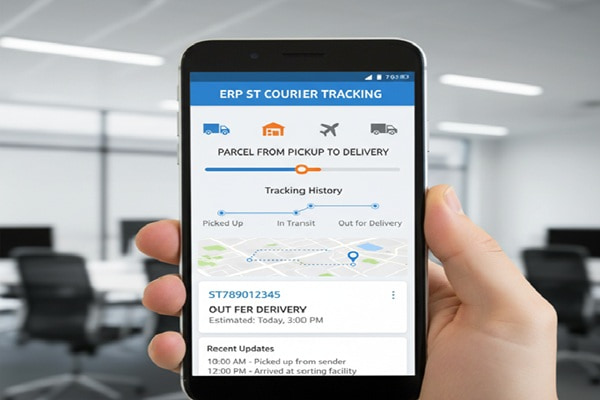

You booked your shipment. You got a receipt. Now you want to know exactly where your parcel is and when it will land at the door.
That is what ERP ST Courier tracking is built for. And if you have landed here because the tracking portal confused you, your number is not showing results, or you are not sure which method to use, you are in the right place.
This guide covers everything: how the system works, how to track step by step, what each status message actually means, what to do when tracking fails, and how the ERP version of ST Courier’s platform differs from basic tracking. No filler. Just the answers.
What Is ERP ST Courier Tracking?
Definition:
ERP ST Courier tracking is ST Courier’s enterprise-grade shipment monitoring system that uses barcode scanning at every transit checkpoint to provide real-time location data, delivery estimates, and consignment history for parcels moving across its India-wide network. “ERP” stands for Enterprise Resource Planning, meaning the tracking function is integrated into a larger logistics management system rather than being a standalone lookup tool.
The ERP system offers several advantages over basic tracking, including the ability to monitor multiple shipments simultaneously, providing a comprehensive overview of all shipping activity. Users also benefit from deeper data integration, automated notifications, and enhanced reporting compared to standard single-number lookup tools.
In plain terms: the ERP version gives you more data, faster updates, and the ability to manage multiple shipments at once compared to simple one-number lookup tools.
About ST Courier: Who You Are Actually Shipping With
Before tracking anything, it helps to know the company behind the system.
ST Courier is a leading logistics provider in India, established in 2007 from the house of ST Cargo services. Built on foundational values of timely service and reliability, the company has rapidly evolved into a trusted courier and cargo partner for national and international clients, known for its 24/7 operations and emerging focus on same-day transportation. Headquartered in Tamil Nadu, ST Courier operates an extensive network of around 2,000 branches and 200 transshipment hubs across India, servicing over 1,900 pin codes in both urban and rural destinations.
Their core service offerings include:
- Reliable and fast express courier, air cargo, and surface cargo with door-to-door delivery
- STC Priority Services: time-sensitive, next-business-day delivery for parcels up to 30kg, featuring a money-back guarantee and tamper-proof security
- E-commerce logistics: support for the e-commerce industry with financial modules like TOPAY and Cash on Delivery, supported by advanced monitoring systems
- International services: time-definite and quick delivery to more than 220 countries via partnerships with major global carriers
- Freight and supply chain: handling larger consignments through freight forwarding by air, sea, and land, plus warehousing and inventory management
Where to Find Your ERP ST Courier Tracking Number
You cannot track anything without the right number. Here is where to look.
Your tracking number is available on your shipment receipt, booking confirmation email, or SMS sent by ERP ST Courier at the time of pickup. Specifically, check these places in order:
- The physical receipt or docket given at the time of booking
- The SMS confirmation sent to your mobile number at pickup
- The email confirmation if you booked online or through a business account
- The invoice or waybill if you are a corporate or e-commerce client
Your ERP ST Courier tracking number is a unique 10 to 14 digit waybill code assigned at pickup, used to trace your parcel throughout its journey from origin to delivery.
If you are the recipient rather than the sender, ask the person who dispatched the parcel to share the tracking number from their receipt or confirmation message.
How to Track Your ERP ST Courier Shipment: 3 Methods
Method 1: Official ERP ST Courier Website
This is the fastest and most reliable method for most users.
Follow these steps to monitor your parcel’s journey:
- Visit the official ERP ST Courier tracking page at www.erpstcourier.com
- Navigate to the Track and Trace section on the homepage
- Enter your tracking number, also known as the AWB or Reference Number, in the designated field
- Click the Track button
- Review the shipment details displayed, including real-time location, estimated delivery time, and any exceptions or delays
Method 2: ERP ST Courier Tracking App
The ERP ST Courier tracking app is free and user-friendly, available on both Android and iOS. It lets you scan barcodes, save multiple shipments, and receive push notifications whenever your parcel moves to a new location.
Key app features include:
- Barcode scanning to quickly add tracking numbers using your camera
- Push notifications for instant alerts on status changes
- Offline access to view cached tracking history without internet
- Multiple account management to switch between personal and business profiles
- Delivery preferences to set notification settings per individual shipment
Method 3: Third-Party Tracking Platforms
If the official portal is temporarily down or you are managing shipments from multiple carriers, third-party platforms offer a reliable alternative.
Platforms like 17TRACK integrate with thousands of carriers worldwide and offer tracking accuracy rates approaching 99.9%. Steps for using a third-party tracker:
- Visit a platform such as 17TRACK.net or Track123
- Enter your ST Courier tracking number in the search field
- If you have multiple tracking numbers, enter them all at once separated by commas, spaces, or one per line
- Click Track and view detailed information including current status, location history, and expected delivery date
Tracking by Consignment Number: Step by Step
Some users receive a consignment number rather than an AWB tracking number. The process is slightly different.
If you have a consignment number, select the option to track by consignment number in the portal or app rather than by AWB. You will receive a full history of your parcel including hub names, cities, and timestamps, so you can follow its journey step by step.
On the official website, the option to track by consignment number is usually available as a dropdown or toggle next to the tracking field. Select it before entering your number to ensure accurate results.
ERP ST Courier Tracking Status Messages: What They Actually Mean
One of the most common points of confusion is the status messages that appear after you enter your tracking number. Here is a plain-language breakdown of what each one means.
| Status Message | What It Means |
|---|---|
| Booked or Shipment Created | Your parcel has been registered in the system but not yet physically picked up |
| Picked Up | The courier has collected your parcel from the sender |
| In Transit | Your parcel is moving between hubs or sorting centers |
| Arrived at Sorting Facility | Your parcel has reached a major hub for sorting and onward routing |
| Departed Sorting Facility | Your parcel has left the hub and is on its way to the next checkpoint |
| Out for Delivery | Your parcel is with the local delivery agent and will arrive today |
| Delivery Attempted | The courier tried to deliver but no one was available to receive |
| Delivered | Your parcel has been successfully handed over at the destination |
| Held at Facility | Your parcel is being held due to an address issue, payment, or customs requirement |
| Exception | An unexpected event has affected delivery, contact customer support |
Each update shows the city and hub name, such as Bangalore Center or Chennai Transit, so you know precisely where the package is at each stage of its journey.
How the ERP Tracking System Works Behind the Scenes
Understanding the technology helps you know why updates appear when they do and why there are sometimes gaps.
ST Courier uses barcode scanning technology at every checkpoint in their logistics network. This ensures real-time accuracy with updates appearing within minutes of each scan, a complete chain of custody record of every person handling your shipment, automated notifications via SMS and email at key milestones, and encrypted transmission of tracking data for security purposes.
When you book a shipment with ERP ST Courier, a unique tracking ID is generated. This number is scanned at every transit checkpoint including collection, sorting hubs, transit locations, and delivery. The system updates instantly, allowing customers to stay informed about where their package is and when it will arrive.
This means tracking updates do not happen on a fixed schedule. They happen every time a scanner physically reads your parcel’s barcode at a checkpoint. If your parcel is on a long overnight road transit between two cities, you may see no update for several hours. That is completely normal and does not indicate a problem.
Benefits of Using ERP ST Courier Tracking
ERP ST Courier tracking is an essential service that helps you stay informed about your parcel’s status throughout its journey, whether you are sending or receiving.
The main benefits include:
Real-time visibility: You can follow your shipment’s journey at each step of the way, from the moment it leaves the origin to when it is out for delivery. This ensures you always know where your package is at any given time.
Accurate delivery estimates: ERP ST Courier provides delivery estimates that are updated regularly to reflect any changes in the shipping schedule, such as delays or early arrivals.
Multi-platform access: You can track your shipment via the website, mobile app, SMS updates, or email alerts. This versatility ensures you can track your parcel regardless of where you are or what device you are using.
Multiple shipment monitoring: The ERP system allows you to monitor up to 10 shipments simultaneously by entering multiple tracking numbers in a single session.
Corporate-grade capabilities: The ERP system is particularly valuable for corporate clients tracking department-wise deliveries, logistics managers analyzing delivery performance, and supply chain professionals integrating tracking with inventory and order management systems.
Common ERP ST Courier Tracking Problems and How to Fix Them
Problem 1: Tracking Number Not Found
This is the most frequently reported issue. It has several possible causes.
First, double-check that you are entering the number exactly as it appears on your receipt. No spaces, no extra characters. A single wrong digit will return no results.
Second, if you just booked the shipment, the tracking number may not be active yet. New bookings can take a few hours to appear in the system. Wait and try again before raising a concern.
Third, try tracking on a third-party platform like 17TRACK as an alternative lookup, which sometimes pulls data faster than the official portal during system delays. If the problem persists, contact the local branch listed on your receipt.
Problem 2: No Update for Several Hours
This does not necessarily mean your parcel is lost or stuck. It means the parcel is currently between scanning checkpoints. Long overnight road transits between major cities regularly produce gaps of six to twelve hours with no update. Wait until the estimated next hub arrival time before raising a concern.
Problem 3: Status Stuck on In Transit for Multiple Days
If the status has not changed for more than 48 to 72 hours and the estimated delivery date has passed, it is time to contact ST Courier directly. Have your tracking number ready when you call or visit the branch.
Problem 4: App Not Updating
Clear the app cache or reinstall the app entirely. If the problem persists, switch to the website portal as an alternative. Both access the same underlying tracking data.
Problem 5: Delivery Attempted but You Were Home
This occasionally happens due to address database errors or delivery agent miscommunication. Contact the local branch immediately with your tracking number and request redelivery. Most cases are resolved within 24 hours.
Fraud Warning: Important Notice From ST Courier
ST Courier and its representatives will never ask you to make additional payment for delivering any consignment. Be aware of fraudulent calls and demands for payments online. ST Courier is not responsible for any such activities outside of its official business functions.
If you receive a call or message demanding payment to release your parcel, do not pay. Report it to ST Courier’s official customer support immediately and do not engage further with the contact.
ERP ST Courier Tracking vs Basic Tracking: What Is the Difference?
Many users wonder why the term ERP appears before ST Courier tracking and whether it is a different service. Here is the clear breakdown.
| Feature | Basic ST Courier Tracking | ERP ST Courier Tracking |
|---|---|---|
| Single shipment lookup | Yes | Yes |
| Multiple shipment monitoring | No | Yes, up to 10 simultaneously |
| Integration with business systems | No | Yes, connects to inventory and ERP platforms |
| Corporate account management | No | Yes |
| Advanced reporting and analytics | No | Yes |
| Real-time updates | Yes | Yes, with enhanced frequency |
| Mobile app with barcode scan | Limited | Full feature set |
| Notification preferences per shipment | No | Yes |
For individual users sending or receiving a single parcel, basic tracking through the website is entirely sufficient. The ERP version is most valuable for businesses managing high shipment volumes, e-commerce operations, or supply chain logistics where multiple shipments need to be monitored and reported on simultaneously.
Also Read : Airpak Express: The Complete Guide to Tracking, Services, and Getting Your Parcel Delivered
International Tracking With ERP ST Courier
ST Courier provides time-definite delivery services to more than 220 countries via partnerships with major global carriers. For international shipments, tracking continues to work through the same portal but may hand off to a partner carrier’s tracking system once the parcel leaves India.
In such cases, third-party tracking platforms are particularly useful because they integrate with thousands of carriers globally and can follow a shipment across multiple carrier handoffs in a single unified view. Tracking availability for international shipments depends on the shipment type and service chosen, so confirm end-to-end international tracking capability with ST Courier at the time of booking.
Expert Tips for Getting the Most From ERP ST Courier Tracking
Based on how the system actually works, here are the practical steps that experienced shippers use:
- Save your tracking number the moment you receive it. Do not rely on finding the receipt later.
- Enable SMS notifications at the time of booking. They are the fastest way to get updates without checking manually.
- Use the app’s barcode scan feature for regular shipments rather than typing the number each time.
- Check tracking at peak transit times: early morning and late evening are when most hub scans happen.
- For business accounts, integrate the ERP tracking API with your order management system to eliminate manual lookups entirely.
- Always verify the mobile number and email address given at booking, since notification delivery depends on those being correct.
- If you are the recipient and the sender has not shared the tracking number, ask for it at the time of dispatch, not after.
Actionable Checklist: Tracking Your ERP ST Courier Parcel
Use this checklist every time you need to track a shipment:
- Locate the 10 to 14 digit tracking number from your receipt, SMS, or email
- Visit www.erpstcourier.com or open the ERP ST Courier app
- Enter the tracking number exactly as shown, with no spaces
- Click Track or Search
- Read the current status message and refer to the status guide above if unclear
- Note the estimated delivery date shown in the results
- If status has not updated in over 72 hours past the expected delivery date, contact ST Courier customer support
- If you receive any demand for payment to release your parcel, report it as fraud immediately
FAQ
How do I track my ERP ST Courier shipment?
Visit the official tracking portal at www.erpstcourier.com, enter your unique 10 to 14 digit tracking number or AWB number in the tracking field, and click Track. The system will display your parcel’s current location, full transit history, and estimated delivery date in real time.
Where can I find my ERP ST Courier tracking number?
Your tracking number is printed on your shipment receipt or docket at the time of booking. It is also sent via SMS to your registered mobile number and via email if you booked online. Corporate clients can find it on their invoice or waybill.
Can I track multiple ERP ST Courier shipments at once?
Yes. The ERP tracking system supports simultaneous monitoring of up to 10 shipments at once. On third-party platforms like 17TRACK, you can enter multiple tracking numbers separated by commas or spaces for bulk tracking.
Why is my ERP ST Courier tracking not updating?
Tracking updates only occur when your parcel is physically scanned at a checkpoint. During long road transits between cities, gaps of six to twelve hours with no update are normal. If there has been no update for more than 72 hours past the expected delivery date, contact your local ST Courier branch.
Is there an ERP ST Courier mobile tracking app?
Yes. The ERP ST Courier tracking app is available for free on both Android and iOS. It supports barcode scanning, push notifications for status changes, offline access to cached tracking history, and multiple account management for business users.
Can I track by consignment number instead of AWB number?
Yes. On the official tracking portal and in the app, select the option to track by consignment number and enter your consignment ID. You will receive a full transit history including hub names, city names, and timestamps for each checkpoint.
Does ERP ST Courier offer international shipment tracking?
ST Courier delivers to more than 220 countries through partnerships with major global carriers. International tracking is available through the official portal, though coverage may vary by destination and service type. Third-party platforms are recommended for tracking shipments after they transfer to a partner carrier outside India.
What should I do if my ERP ST Courier tracking number says not found?
First, verify you are entering the number exactly as it appears on your receipt. If the shipment was booked very recently, wait a few hours for the system to activate the number. If the problem persists, contact the local ST Courier branch with your receipt details.
What does Out for Delivery mean in ERP ST Courier tracking?
Out for Delivery means your parcel is currently with the local delivery agent assigned to your area and is scheduled for delivery on the same day. You should expect the courier to arrive at your address within the working hours of that day.
Is ERP ST Courier tracking free to use?
Yes. Tracking your shipment through the official ERP ST Courier portal, the mobile app, and most third-party tracking platforms is completely free. You only need your tracking number to access all shipment status information.